The reactivation pipeline
Last verified 2026-09-17
Track former customer accounts, prioritize win-back opportunities by weighted ARR, and review automated outreach guardrails.
Before you start
- ValueRamp CSM, Admin, or OM role
- Former customer accounts with churn history
Overview
The Reactivation Pipeline helps customer success managers and account leaders systematically win back churned customer accounts. Instead of relying on ad-hoc outreach, ValueRamp continuously scores former accounts against signals such as contract renewal cycles, stakeholder job moves, and product changes to identify the optimal timing for re-engagement.
Opportunities are ranked in order of priority using probability-weighted ARR, allowing your team to focus effort where revenue recovery potential is greatest.
Pipeline Structure & Scoring
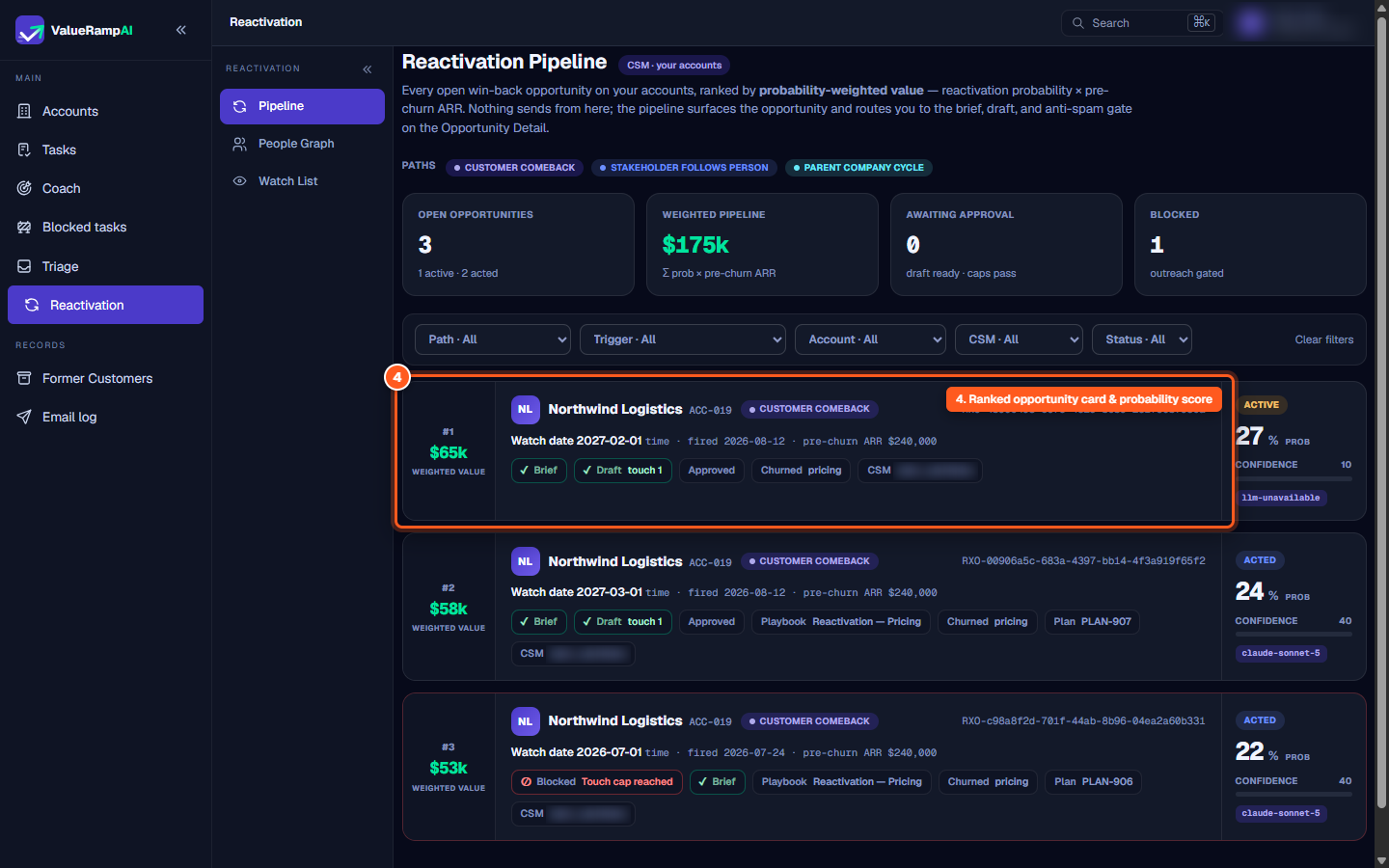
Every opportunity card in the pipeline aggregates critical financial and relationship context:
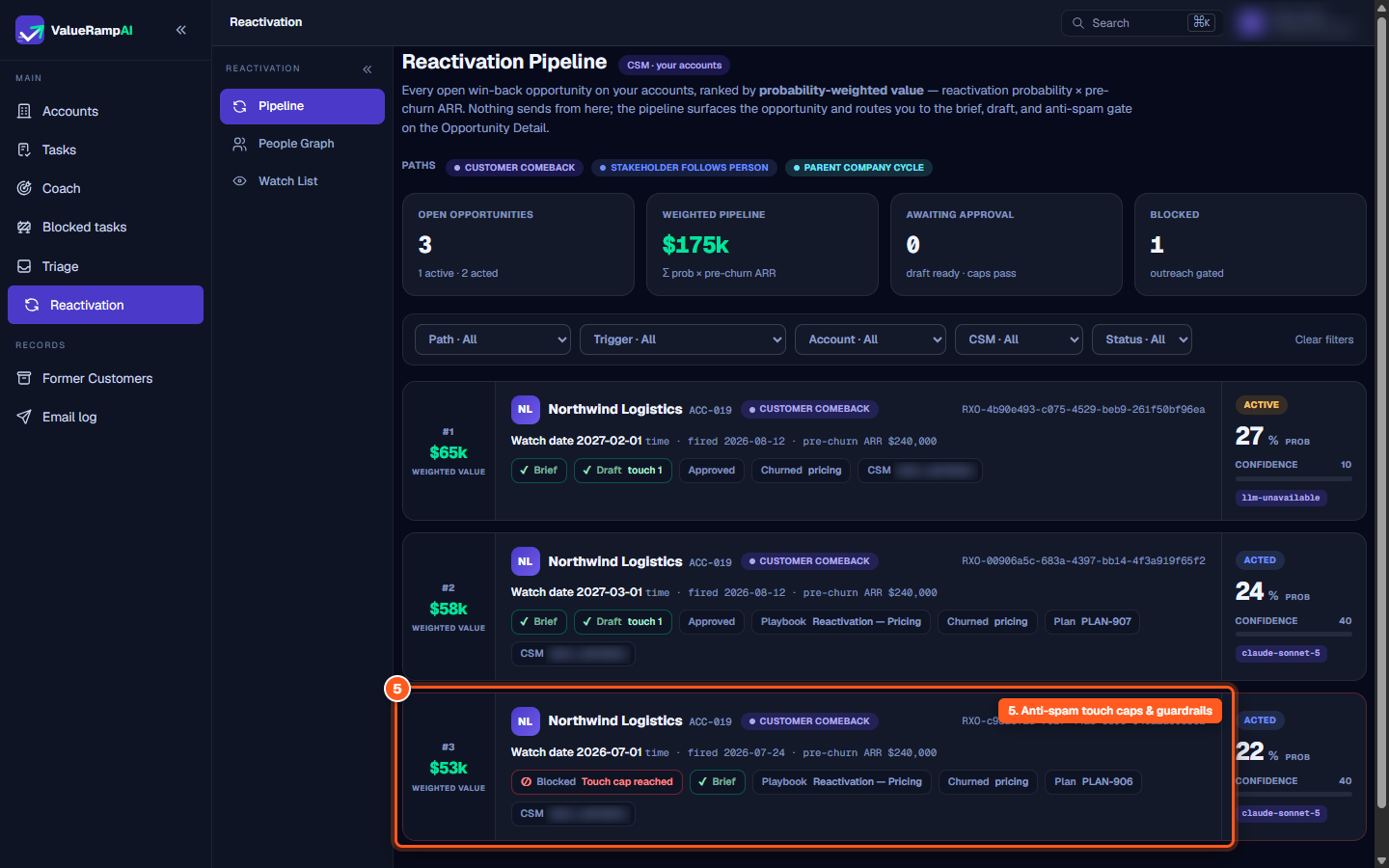
- Weighted ARR: The expected recovery value, calculated as pre-churn annual recurring revenue multiplied by the model's win-back probability.
- Pre-Churn ARR & Probability: Transparent breakdown of historical contract value and current likelihood of reactivation.
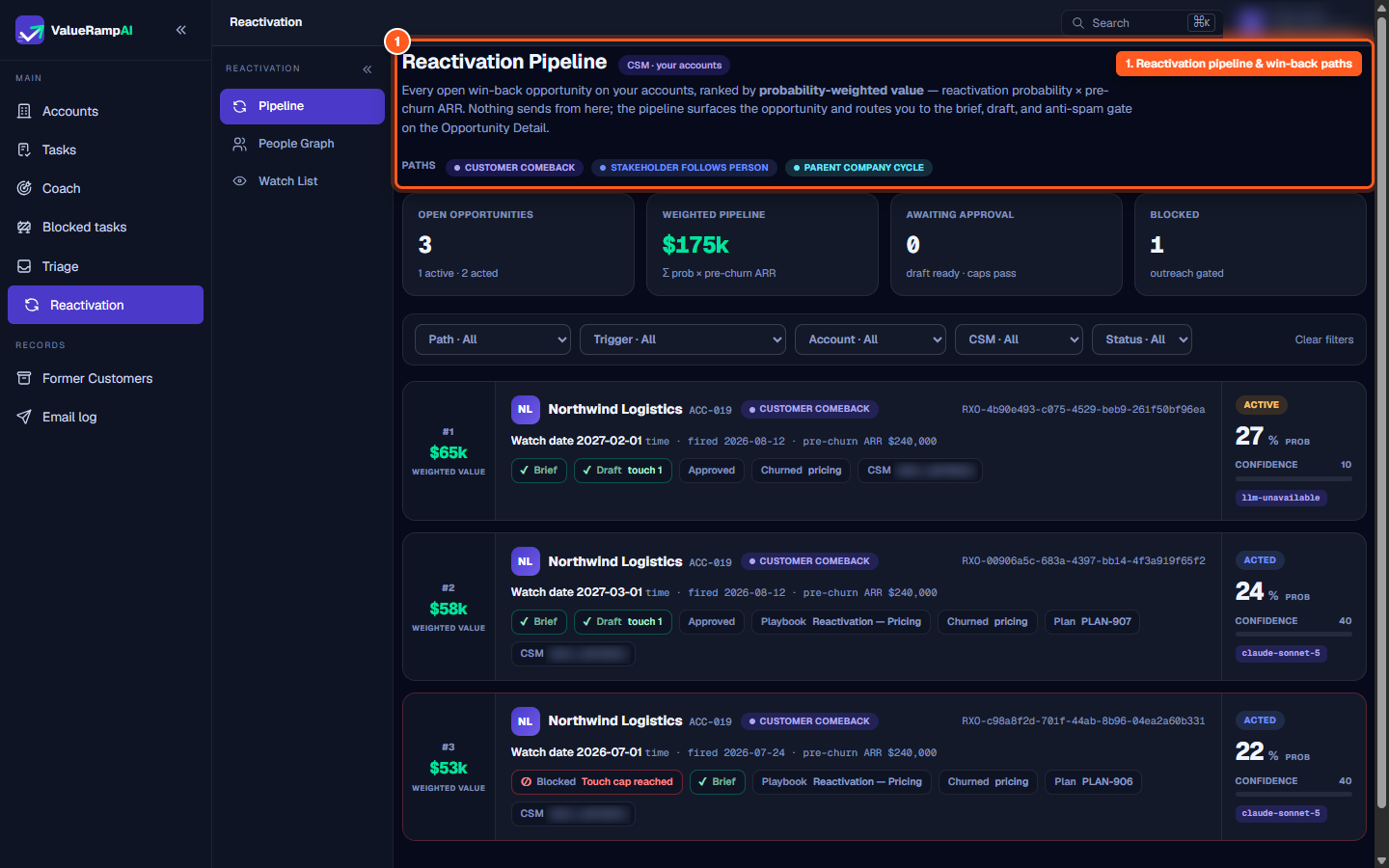
- Reactivation Path: One of Customer Comeback (direct re-engagement), Stakeholder Follows Person (champion movement), Parent Company cycle, or Competitor Failure.
- Confidence Score: How much evidence the probability rests on; on sparse data the model is not asked and confidence is reported low. Scores are refreshed at most weekly.
Automated Guardrails and Touch Caps
To protect your brand reputation and respect customer boundaries, ValueRamp enforces built-in anti-spam limits:
- Touch cap: Each reactivation plan allows a fixed number of touches (3 by default, set in Lifecycle settings). Once used, the opportunity shows
Touch cap reachedand stays blocked — the cap does not reset. - Minimum gap: A new touch cannot go out until the minimum number of days since the last send has passed (7 by default) — shown as
Too soon since last touch. - Decline cooldown: After a recorded decline, no outreach for the cooldown period (12 months by default) — shown as
Decline cooldown. - Switches: No outreach at all when the person has opted out or the account's reactivation outreach is switched off.
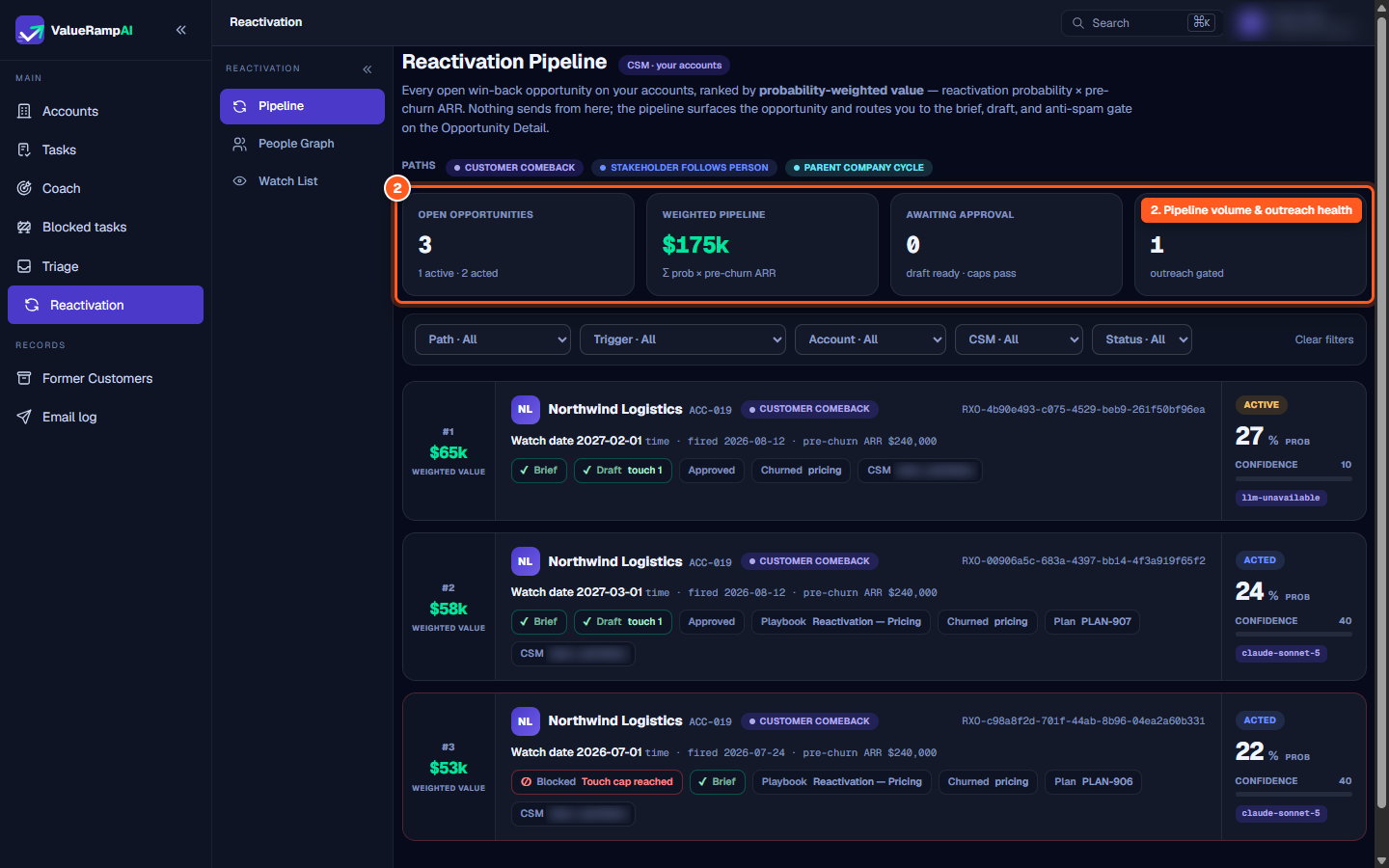
Blocked opportunities stay in the pipeline for visibility; only their outreach is gated.
Steps
Navigate to the Reactivation Pipeline to view win-back opportunities
Review pipeline summary metrics and outreach health indicators
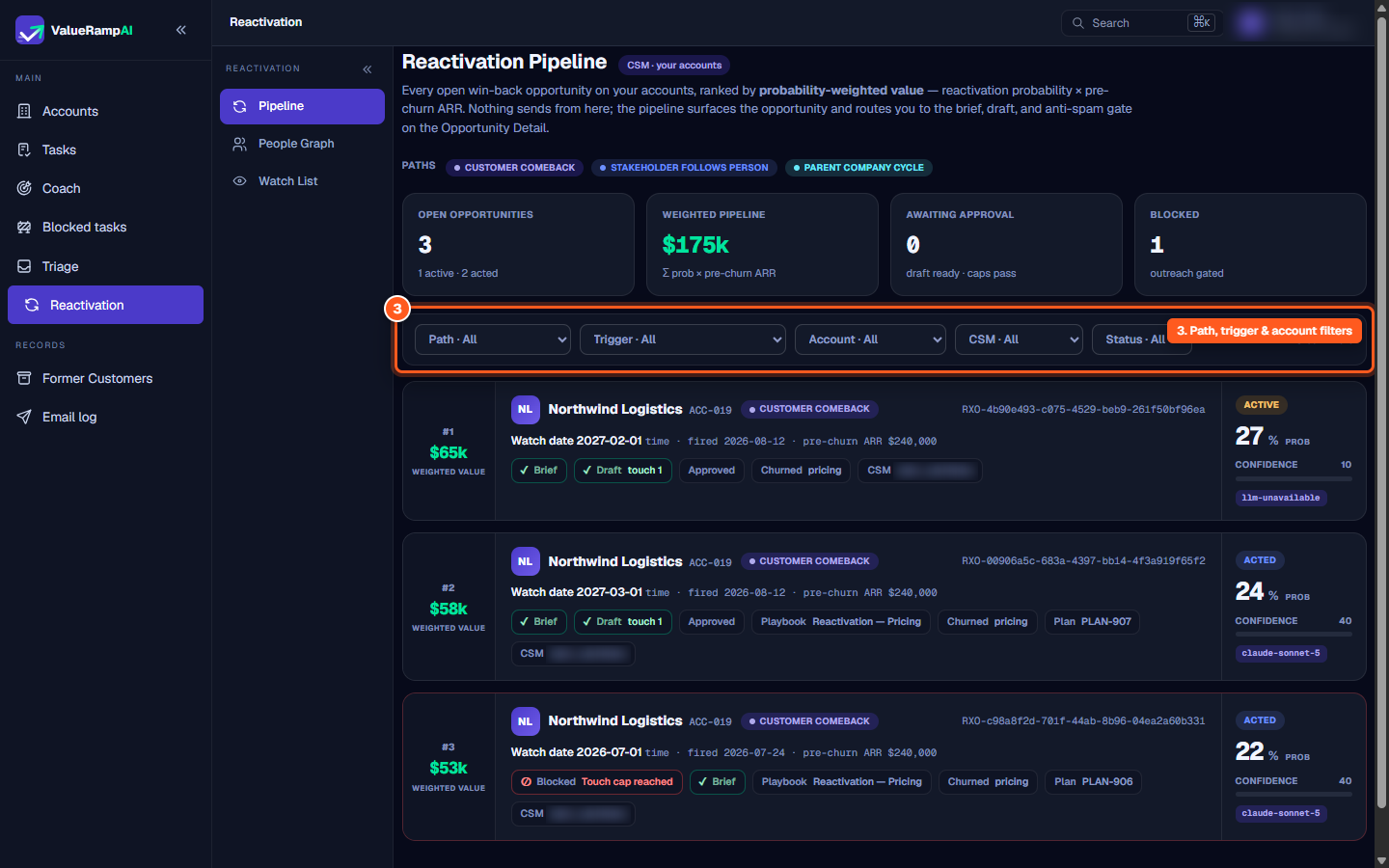
Filter opportunities by reactivation path, trigger event, and account
Inspect ranked opportunity cards, probability scores, and ARR values
Identify opportunities whose outreach is gated by the anti-spam rules
Common questions
What does Weighted Pipeline represent?
What causes an opportunity to be marked as Blocked?
What are the primary reactivation paths?
Can a CSM launch outreach directly from this screen?
Was this helpful? Tell us what was missing