Goals and milestones
Last verified 2026-09-17
Define strategic customer outcomes, track source attribution across the lifecycle, and link tactical implementation plan milestones in ValueRamp.
Before you start
- ValueRamp account access (CSM, Admin, or OM role)
The Goals tab (/accounts/[id]/goals) defines the strategic outcomes that determine customer success. While plans and tasks track day-to-day operational deliverables, goals articulate what business value the client expects to achieve—such as accelerating operational throughput, automating workflows, or reducing platform migration overhead.
This guide explains how to document customer goals, attribute them to specific customer lifecycle moments, and link them to operational plan milestones.
Strategic goals vs. tactical deliverables
In ValueRamp, customer success is anchored to measurable outcomes rather than completed checkboxes:
- Strategic Goals: Multi-month business objectives agreed upon with customer executives (e.g. "Automate robotic inventory replenishment workflows across 10 distribution hubs").
- Lifecycle Sources: Every goal is attributed to where it originated:
- Sales handoff: Commitments and ROI objectives captured during sales closing.
- Mid-adoption review: Objectives refined during quarterly business reviews or post-kickoff alignment.
- Renewal review: Expansion goals established leading up to commercial renewals.
- Plan Milestones: Key delivery milestones within implementation plans that, once achieved, directly fulfill the strategic goal.
Step 1: Open Goals to define customer success criteria
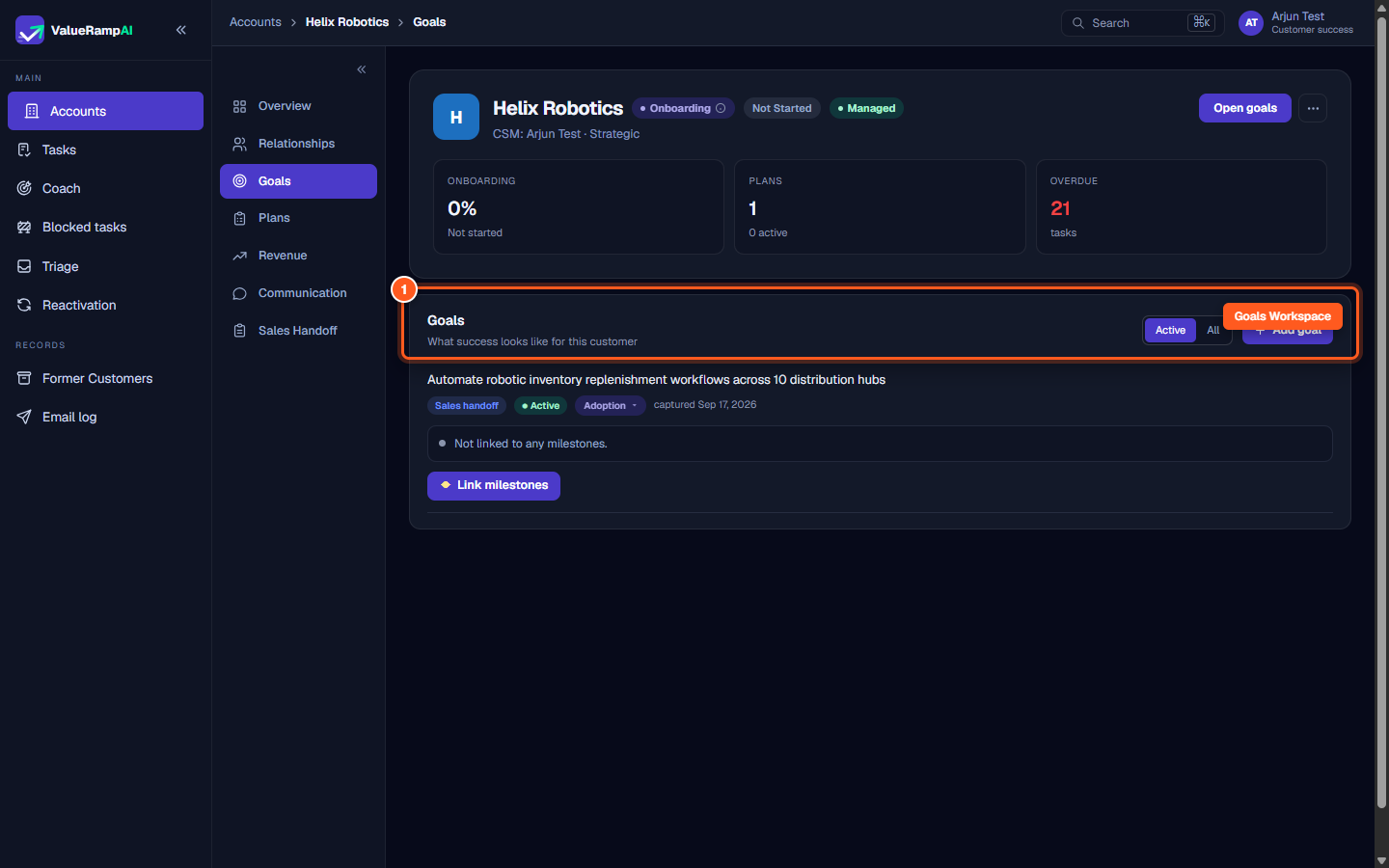
- In the customer account view, navigate to the sub-navigation sidebar on the left.
- Click Goals (
/accounts/[id]/goals). - The Goals workspace displays active customer outcomes, filtering toggles (Active vs. All), and creation controls.
Step 2: Click Add goal to open the configuration modal
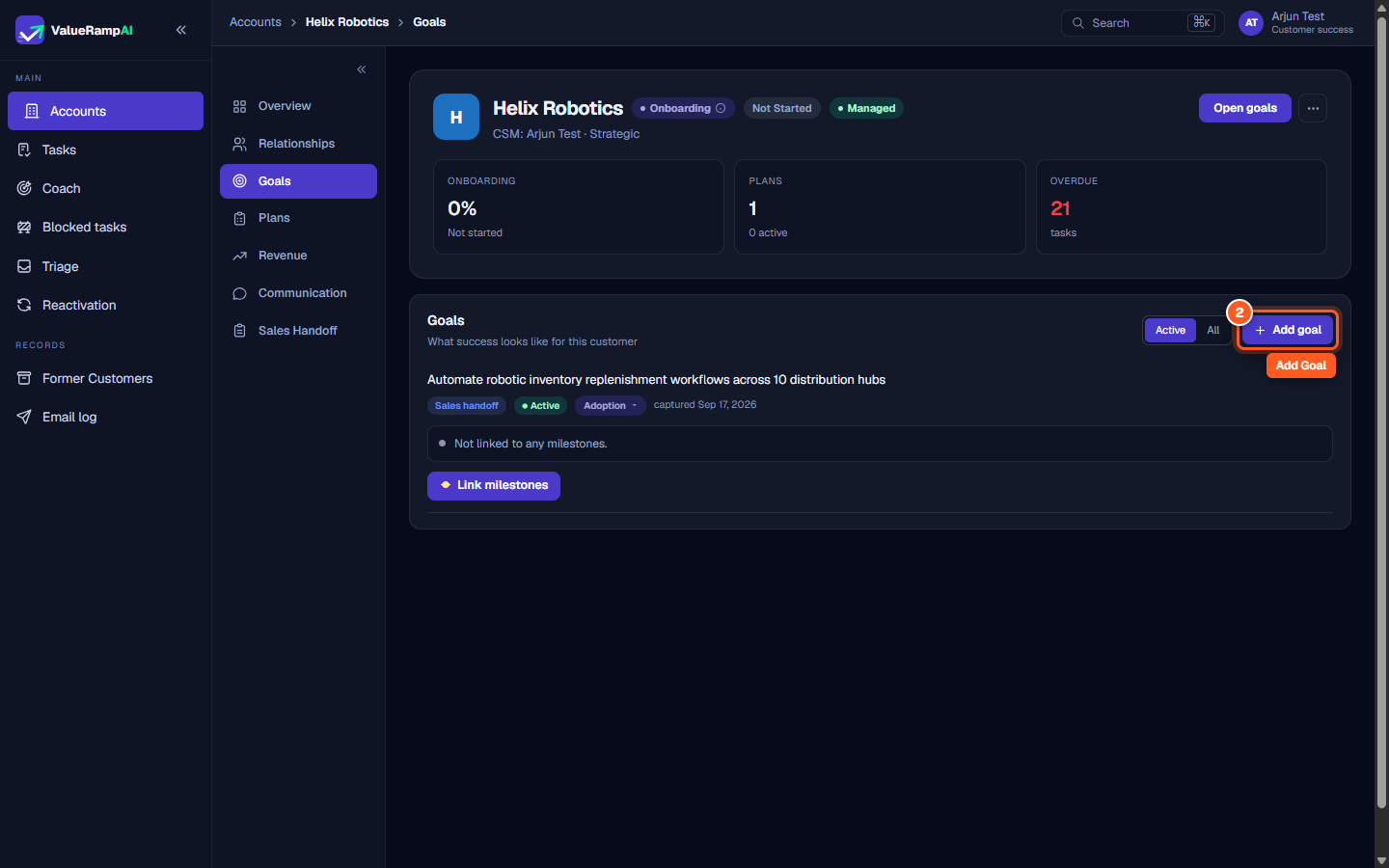
- In the top right corner of the Goals header, locate the action buttons.
- Click Add goal.
- A modal opens with fields to define the source and describe the target outcome.
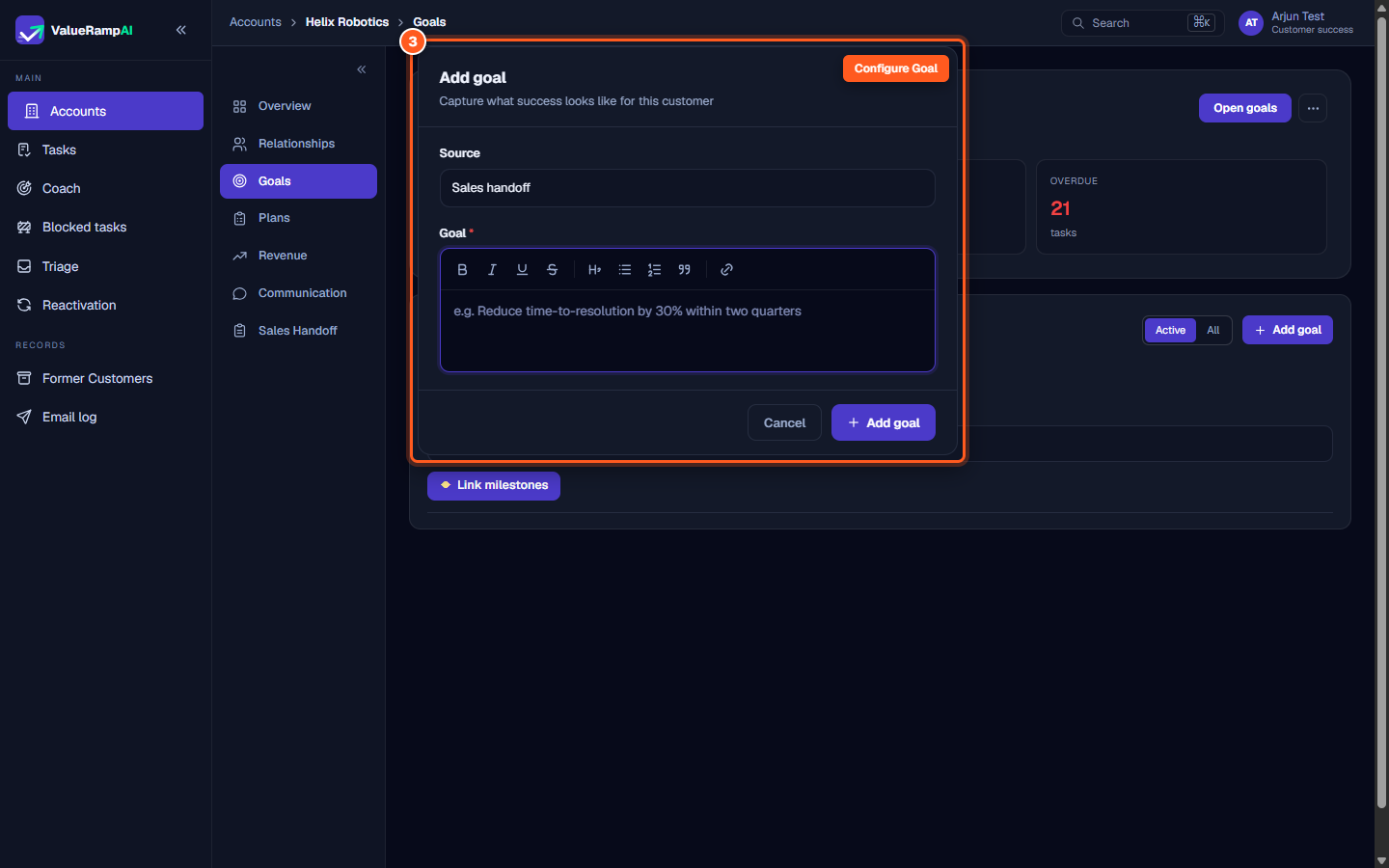
Step 3: Select the goal source and specify outcome criteria
- In the Source dropdown, select where the objective originated:
- Sales handoff
- Mid-adoption review
- Renewal review
- In the rich text editor under Goal, formulate the measurable objective. Use toolbar controls for bolding, bulleted lists, and links to relevant customer documentation.
- Click Add goal to save.
Step 4: Review active goal cards and status attribution
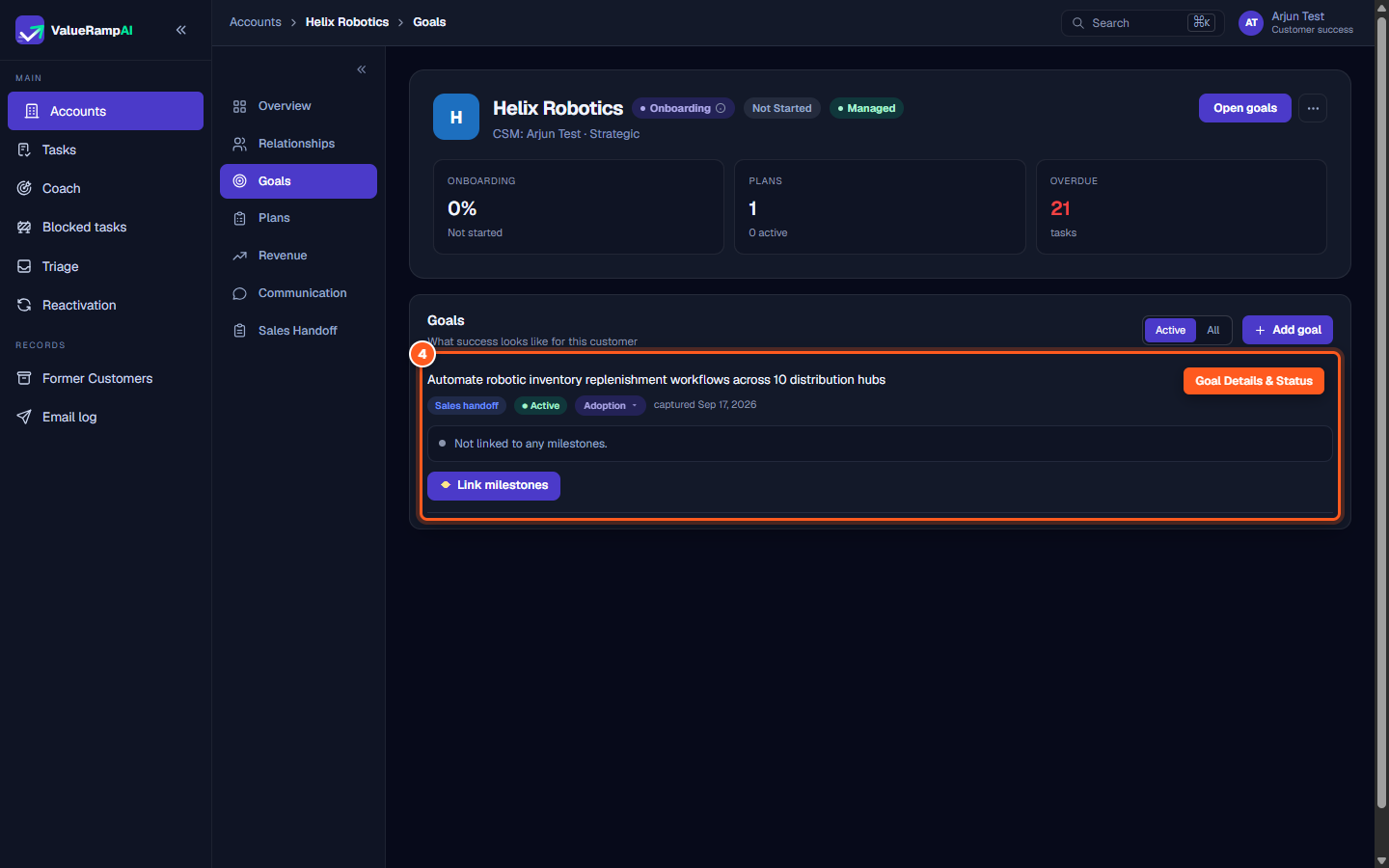
- The created goal appears as an active card within the workspace:
- Outcome Text: Clear statement of customer value.
- Source Badge: Displays attribution (e.g. Sales handoff).
- Status Indicator: Shows whether the goal is ● Active or Achieved (use Mark achieved when it is met).
- Phase & Date: Identifies the customer lifecycle phase when the goal was captured.
Step 5: Link tactical plan milestones to strategic goals
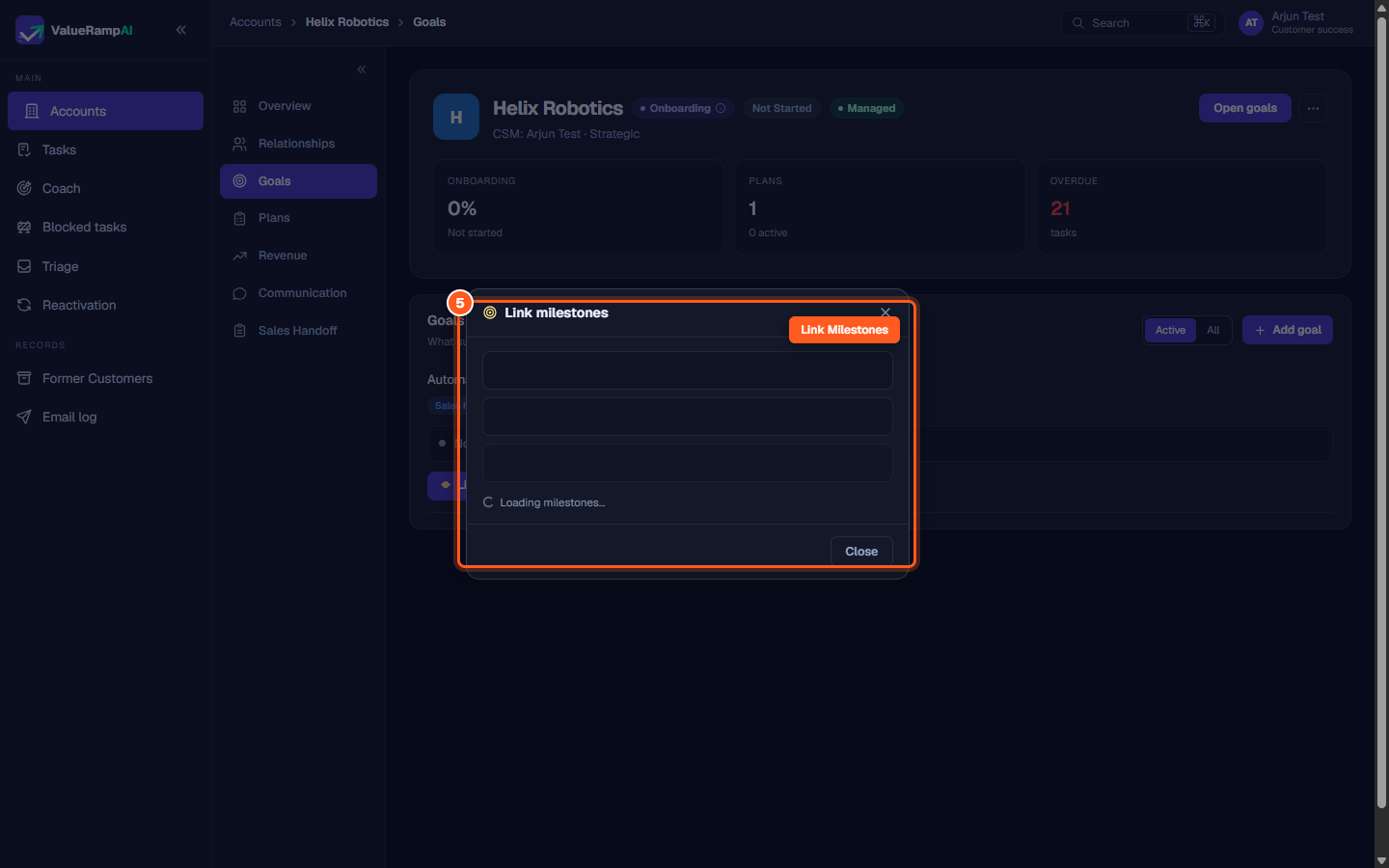
- On any goal card, click ◆ Link milestones.
- A popover opens allowing you to select milestones from your onboarding or adoption plans.
- Once linked, the milestones are listed on the goal card and count toward the account's goal-progress score (the Goals dimension of Adoption Health).
Steps
Open Goals to define customer success criteria and strategic objectives
Click Add goal to launch the customer objective modal
Select the goal source and enter rich text outcome criteria
Review active goal cards, source attribution, and lifecycle status
Click Link milestones to connect tactical plan deliverables to strategic goals
Common questions
What sources can be selected when creating a goal?
How do goals connect to plans?
Can customer stakeholders see goals in the customer portal?
Was this helpful? Tell us what was missing