Relationships and stakeholders
Last verified 2026-09-17
Map client champions and buying committee roles, configure portal access levels, and invite external customer stakeholders to collaborate in ValueRamp.
Before you start
- ValueRamp account access (CSM, Admin, or OM role)
The Relationships tab (/accounts/[id]/relationships) is the stakeholder command center for an account. Managing post-sales execution requires deep alignment across customer sponsors, operational leads, and executive buyers. ValueRamp enables Customer Success teams to manage client contacts, provision secure access to the collaborative Customer Portal, and map organizational dynamics within the Buying Committee.
This guide details how to register customer stakeholders, configure role-based portal permissions, dispatch invitations, and map key influencers.
Stakeholders and the Buying Committee
ValueRamp divides relationship management into two operational layers:
- Customer Stakeholders: All designated individuals from the client organization who collaborate on implementation plans, track deliverables, or receive automated milestone alerts. Each stakeholder is granted either Customer (active collaborator) or Stakeholder (read-only observer) portal permissions.
- The Buying Committee: Strategic mapping that identifies the decision-making unit behind the commercial contract:
- Champion: Day-to-day internal advocate driving adoption and product rollout.
- Economic Buyer: Budget holder with authority to sign renewals and contract expansions.
- Technical Evaluator: IT, security, or engineering lead responsible for technical compliance and integrations.
- Influencer: Team leaders who shape the decision without owning it.
- End User: Front-line users of the product.
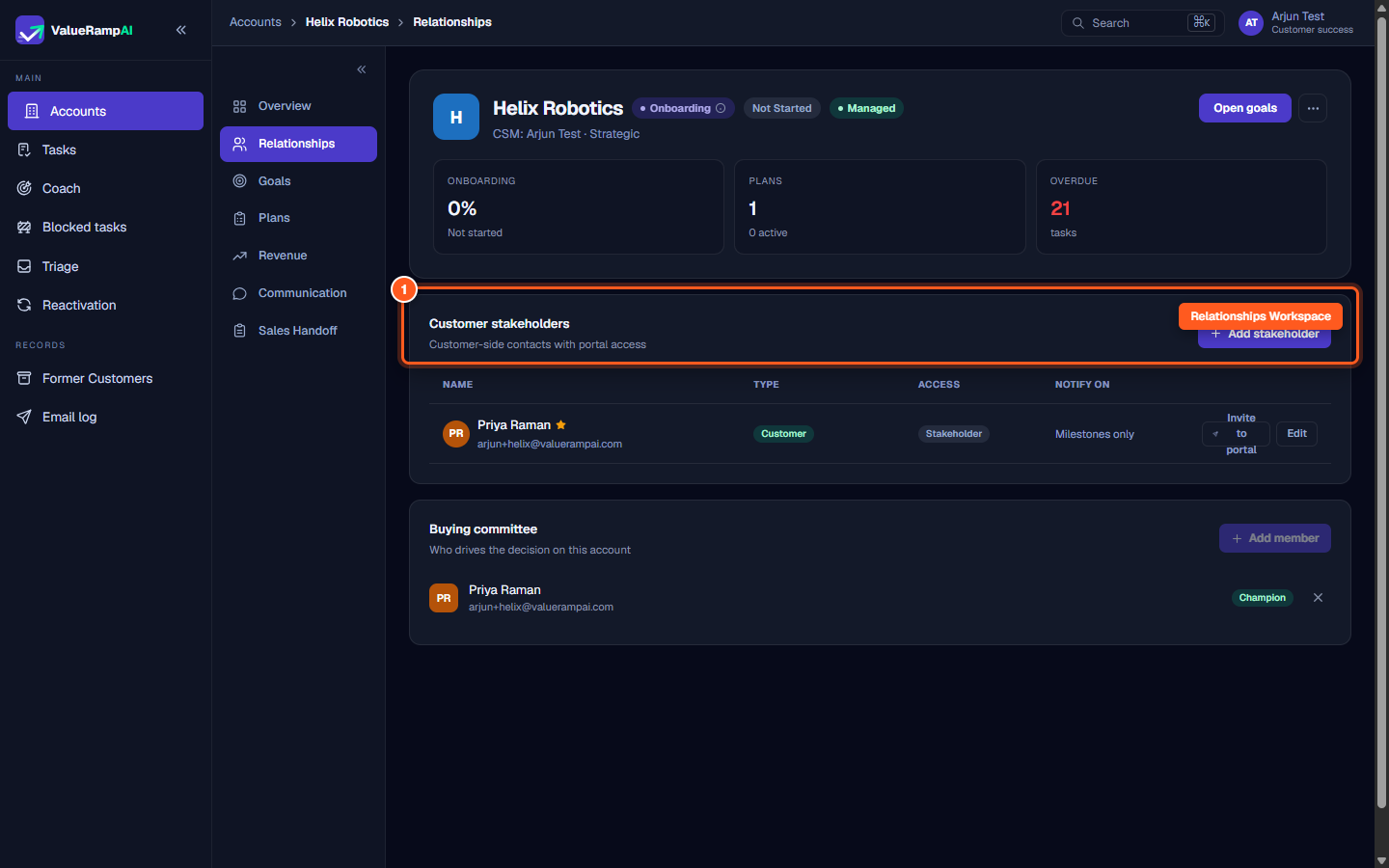
Step 1: Open Relationships to view account contacts
- In the account view, locate the sub-navigation sidebar on the left.
- Click Relationships (
/accounts/[id]/relationships). - The workspace displays registered customer stakeholders, active portal access status, notification settings, and buying committee assignments.
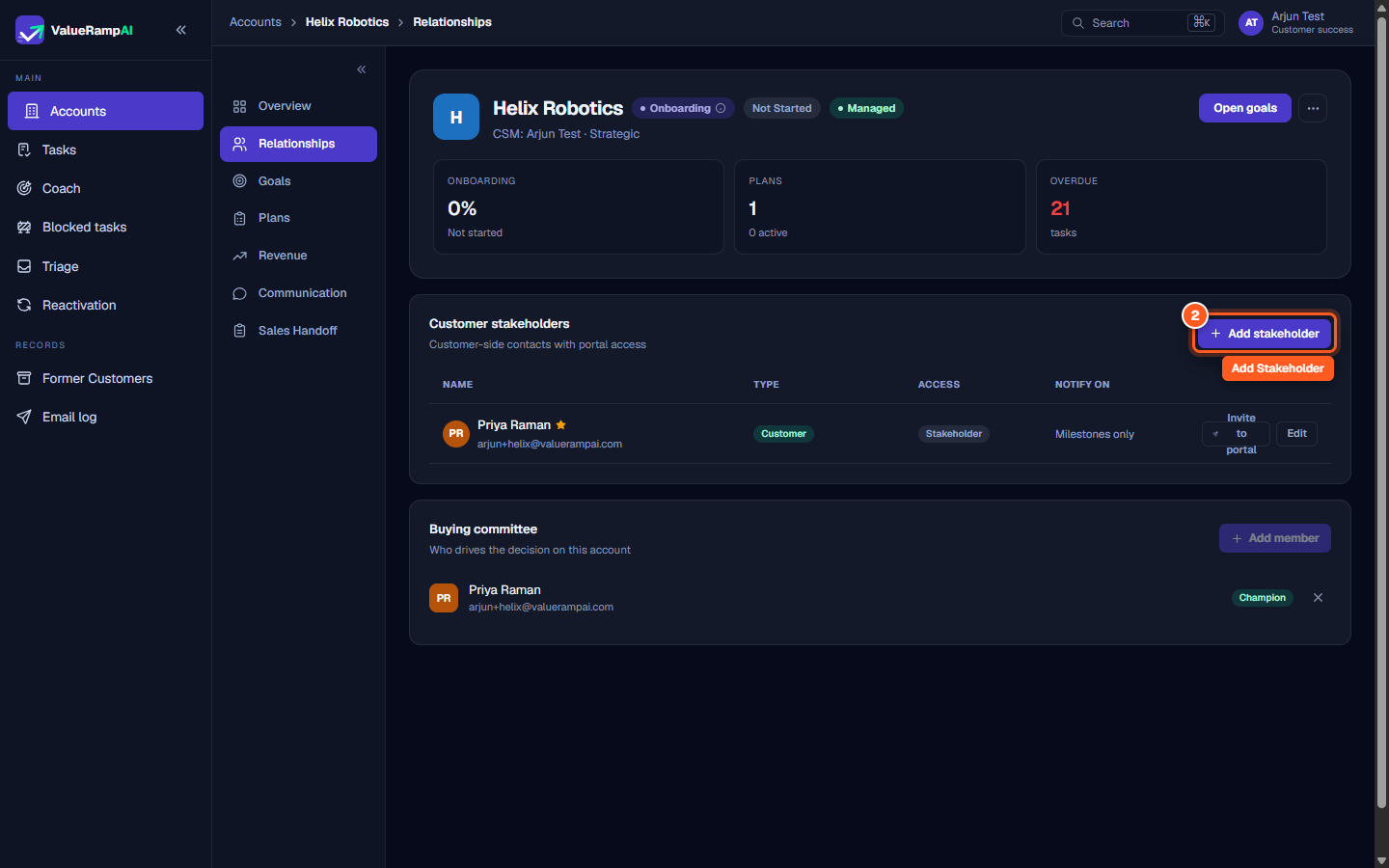
Step 2: Click Add stakeholder to register a new contact
- On the Customer stakeholders card header, locate the action buttons.
- Click Add stakeholder.
- A modal opens to input the contact's credentials and access specifications.
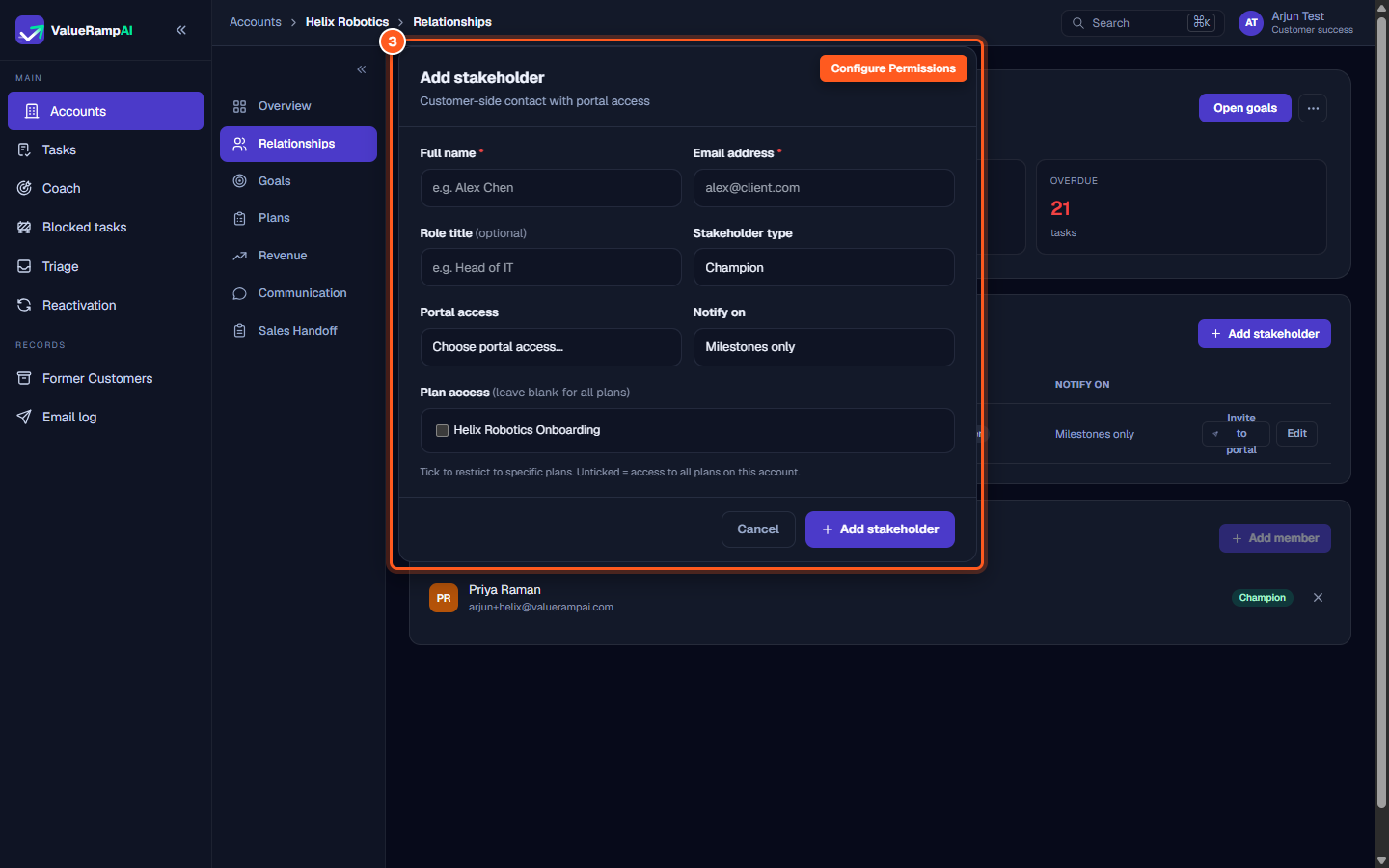
Step 3: Configure profile details and portal access tier
- Complete the required contact profile information:
- Full name: The contact's formal name.
- Email address: Verified corporate business email.
- Role title: Organizational title (e.g. VP of Operations, Lead Engineer).
- Stakeholder type: Functional domain (Champion, Executive Sponsor, IT Lead, Operations Lead, Finance, Security, or Other).
- Set Portal access:
- Customer: Full interactive access to comment, approve tasks, and sign off milestones.
- Stakeholder: Read-only access to progress dashboards and timelines.
- Click Add stakeholder to save.
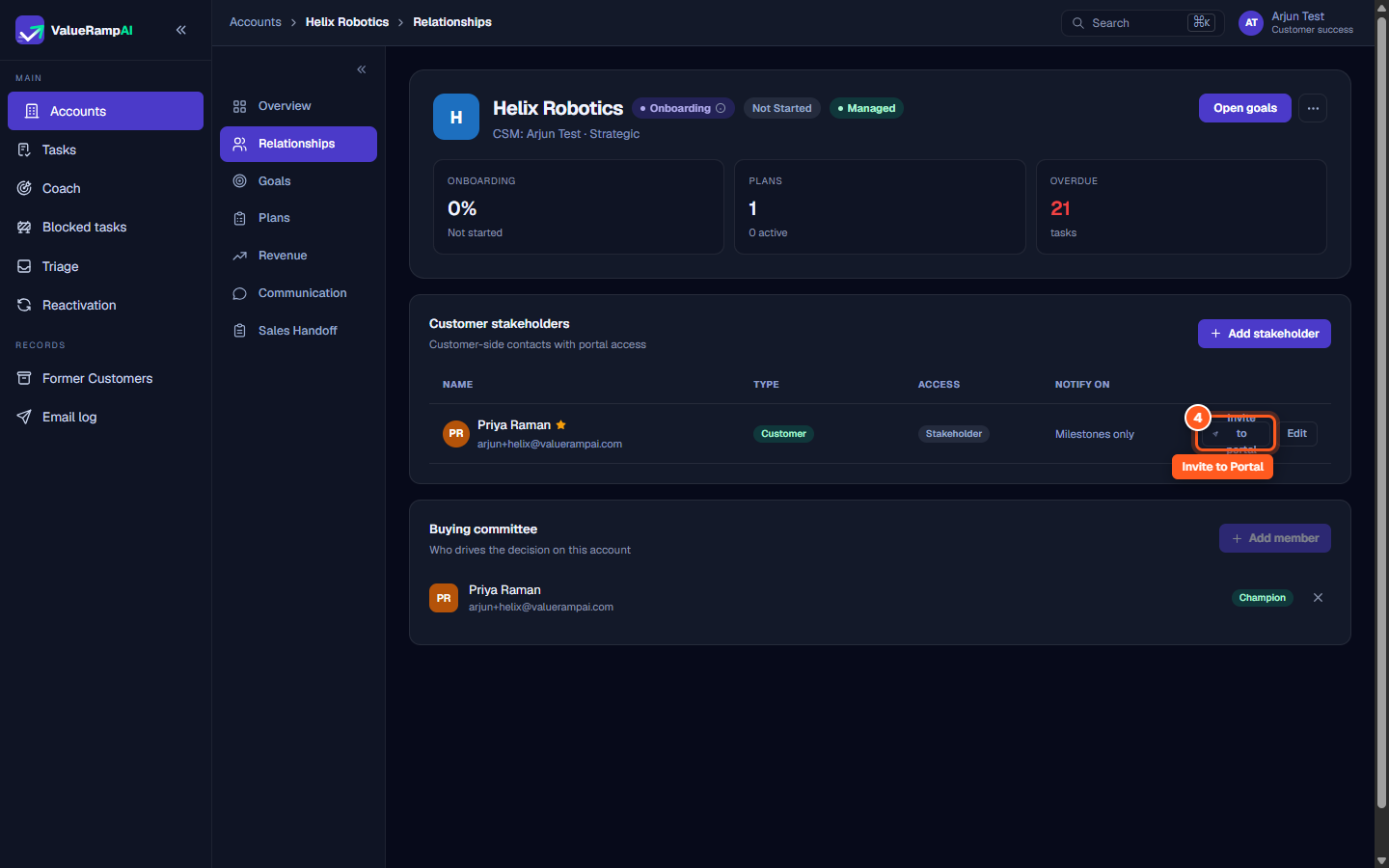
Step 4: Dispatch portal invitations to customer contacts
- In the stakeholder directory table, locate the contact row.
- Click Invite to portal.
- ValueRamp creates a one-time invite link and shows it to you (and tries to email it). The contact opens it, sets a password, and signs in with email and password from then on.
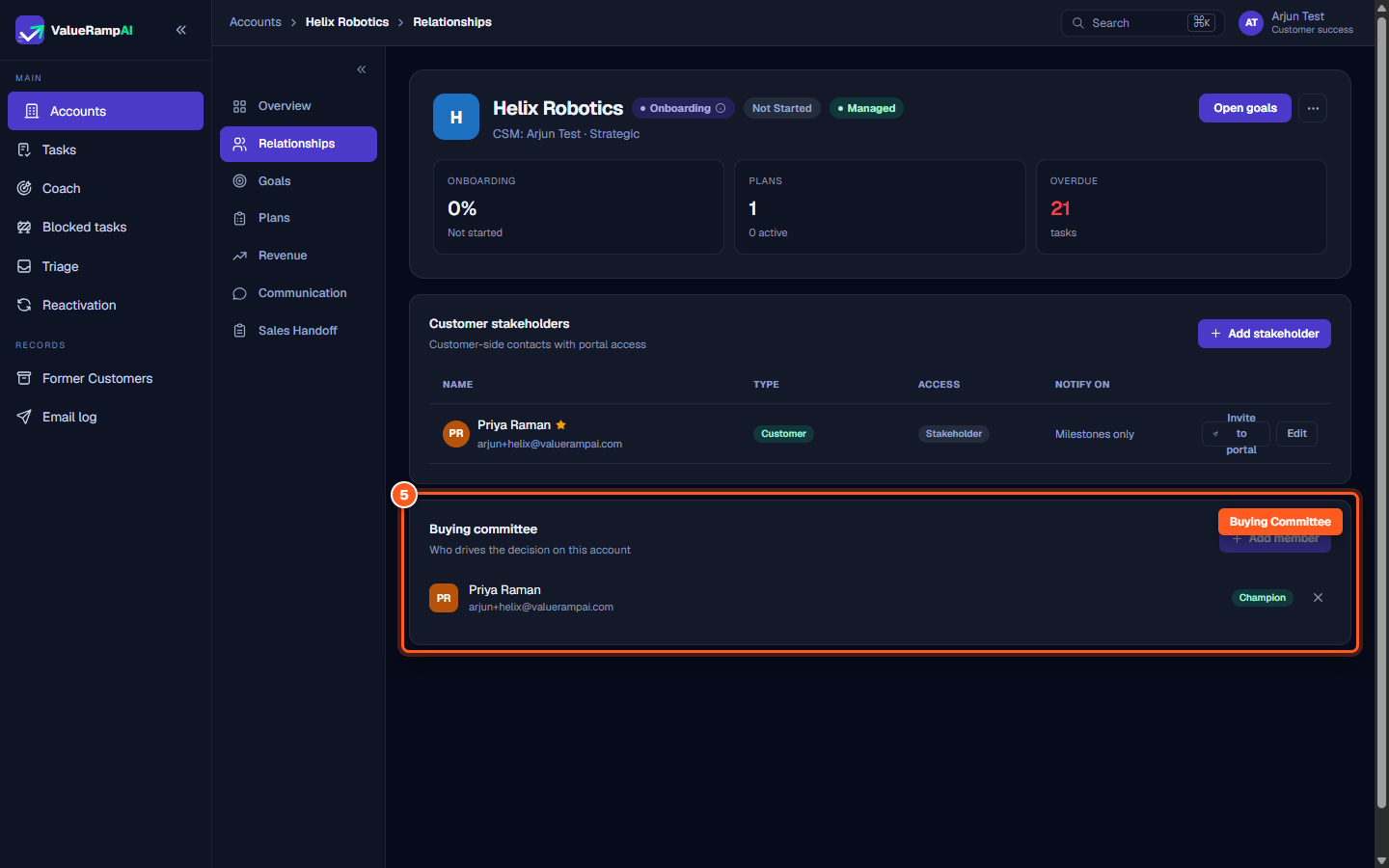
Step 5: Map decision-makers in the Buying Committee
- Scroll down to the Buying committee section.
- Review mapped decision-makers and champions.
- Click Add member to link an existing stakeholder to a specific buying role (Champion, Economic buyer, Technical evaluator, or Influencer), and designate primary commercial contacts.
Steps
Open Relationships to manage client contacts, stakeholders, and buying roles
Click Add stakeholder to create a new client contact profile
Configure contact details, stakeholder category, and portal access level
Click Invite to portal to create the contact's one-time invite link
Map decision-makers and key champions in the Buying Committee
Common questions
What is the difference between 'Customer' and 'Stakeholder' portal access?
What happens when I click 'Invite to portal'?
Why should we map the Buying Committee?
Was this helpful? Tell us what was missing