Action items
Last verified 2026-09-17
Prioritize urgent customer escalations across accounts, triage by timeframe, filter by contract tier or ARR, and inspect root cause signals.
Before you start
- ValueRamp account access (CSM, Admin, or OM role)
The Action items board (/action-items) is a derived list for customer success managers: on every visit it scans your accounts and plans for four conditions — overdue tasks, blocked tasks, plans awaiting approval, and go-lives within the next week — and lists each hit under a timeframe tab.
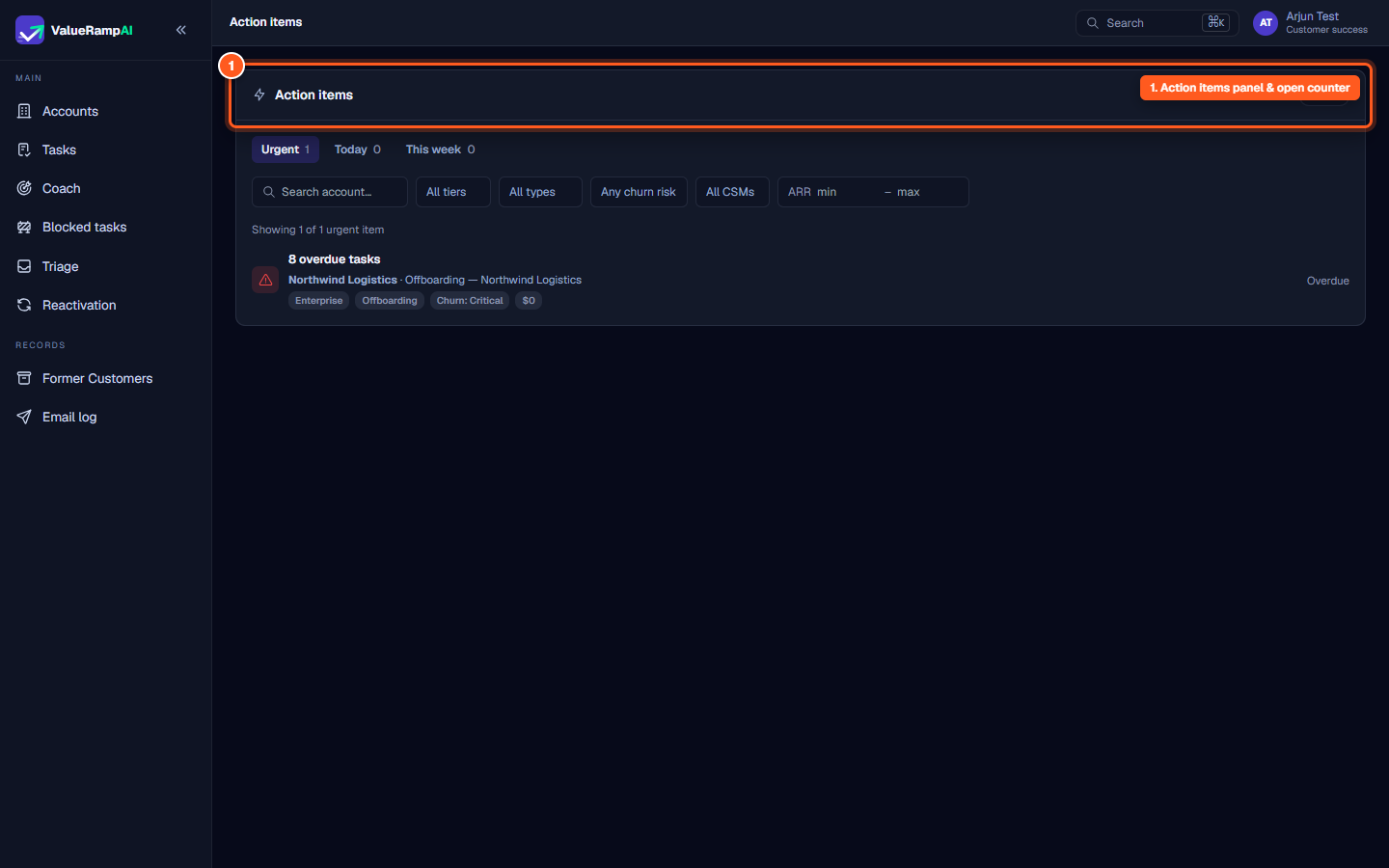
The operational board header
The page header provides immediate aggregate status for customer success operations:
- Lightning icon: Distinguishes proactive operational action items from routine administrative plan tasks.
- Open count badge: The number of Urgent plus Today items (
X open); This week items are not counted.
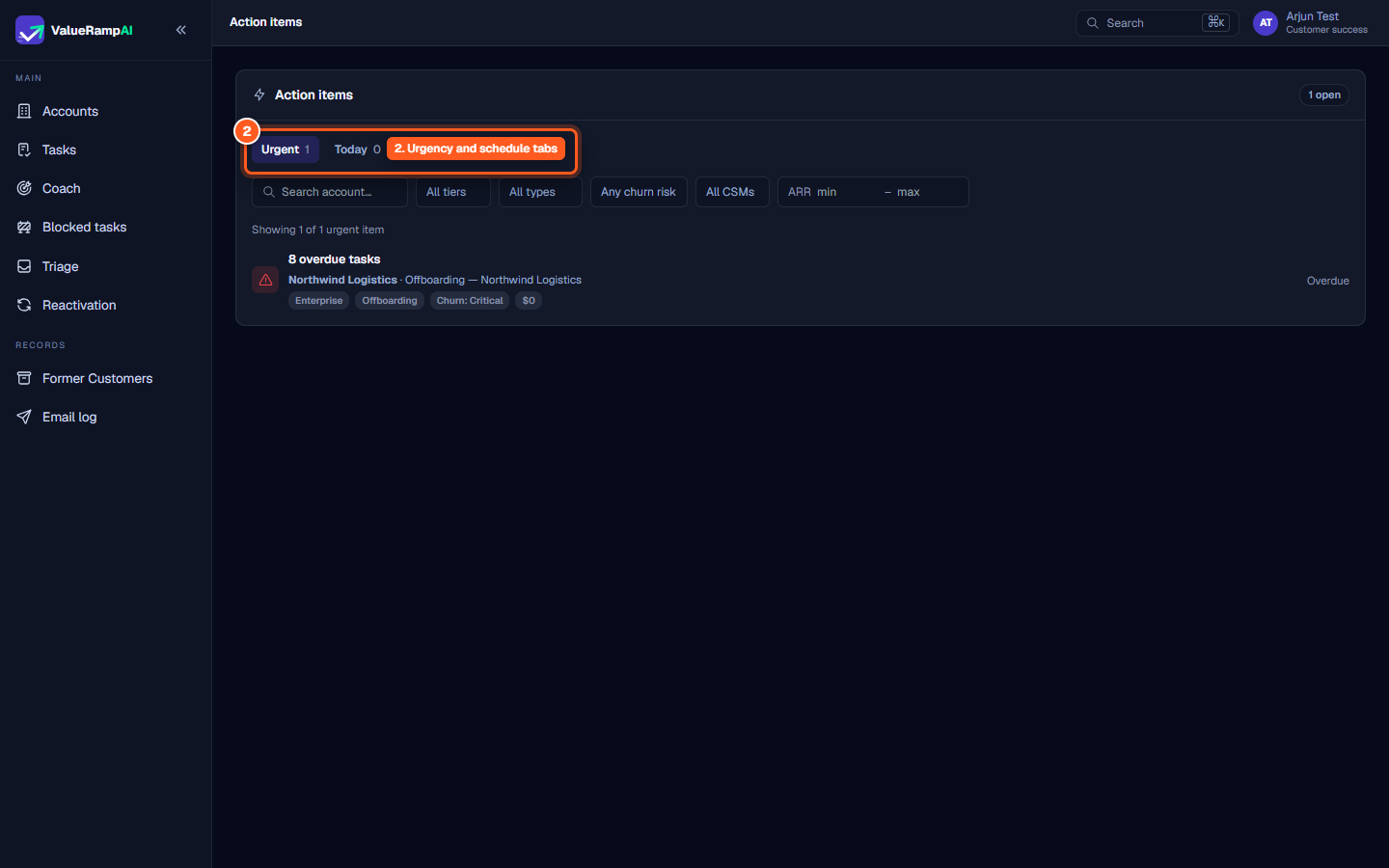
Timeframe triage tabs
CSMs can triage operational obligations across three targeted time horizons:
- Urgent: One item per plan with overdue tasks (
N overdue tasks, active plans only) and one per plan with blocked tasks (N blocked tasks). - Today: One item per plan in Pending Approval (
Plan pending approval · Action needed). - This week: One item per account whose go-live date falls within the next 7 days (
Go-live approaching · Nd away).
Each tab header displays a live counter showing exactly how many items fall within that operational horizon.
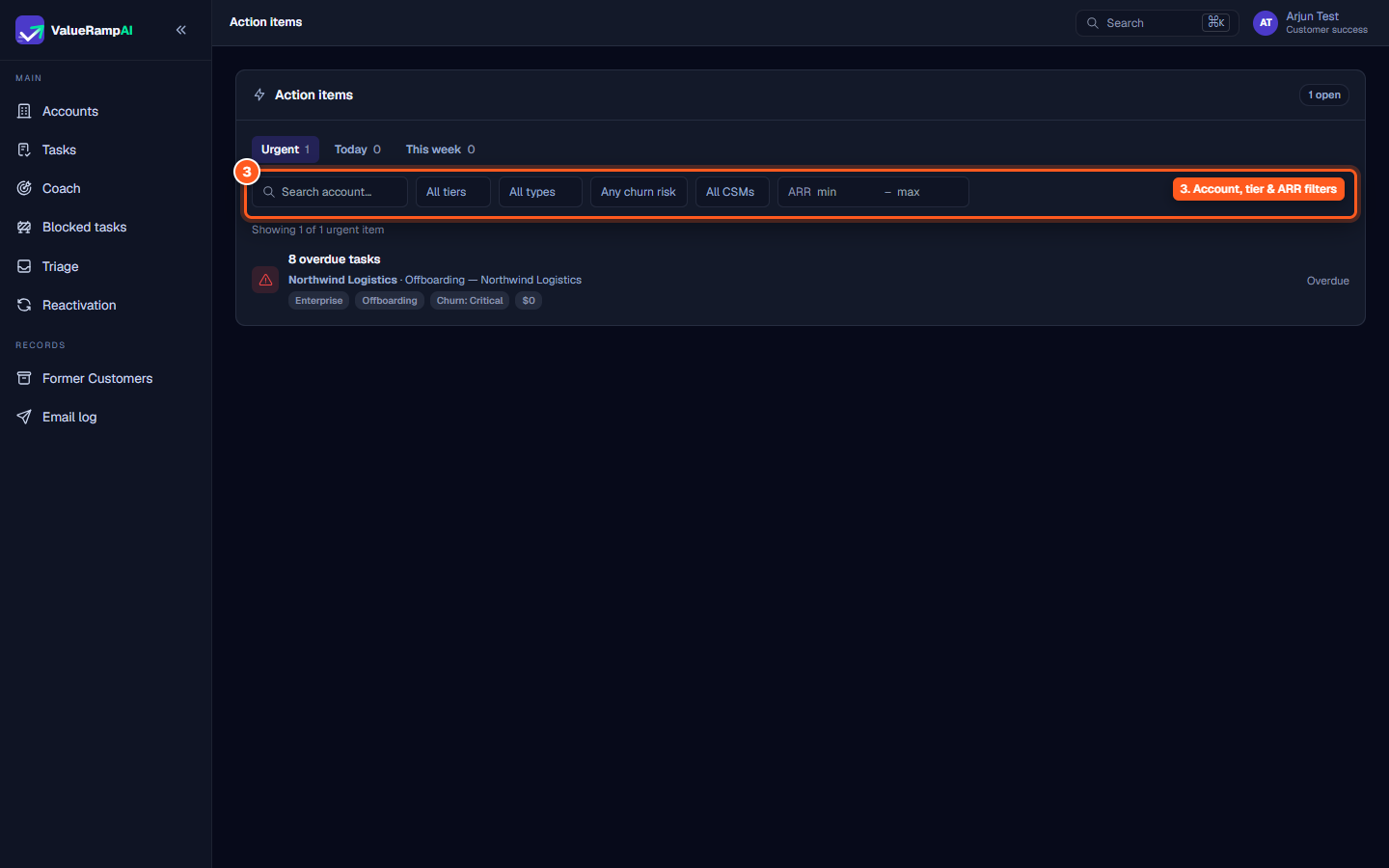
Multi-dimensional filtering bar
To focus on specific cohorts or high-value customer contracts, the filter bar offers fine-grained slicing controls:
- Search account…: Quick text search filtering by customer organization name.
- Tier selector: Filter by account tier (
Strategic,Core,Standard). - Plan type selector: Filter by the item's plan type (
Onboarding,Project,Success plan,Renewal plan,Reactivation,Offboarding). - Churn risk dropdown: Isolate accounts flagged with
Critical,High,Medium, orLowchurn risk.
Each of these dropdowns lists only the values present on the board right now.
- CSM filter: Scope items to a specific customer success manager or view team-wide obligations.
- ARR range: Specify minimum and maximum annual recurring revenue thresholds (
min–max) to prioritize revenue-critical accounts. - Clear: Appears dynamically whenever filters are applied, allowing a single click to restore the full queue.
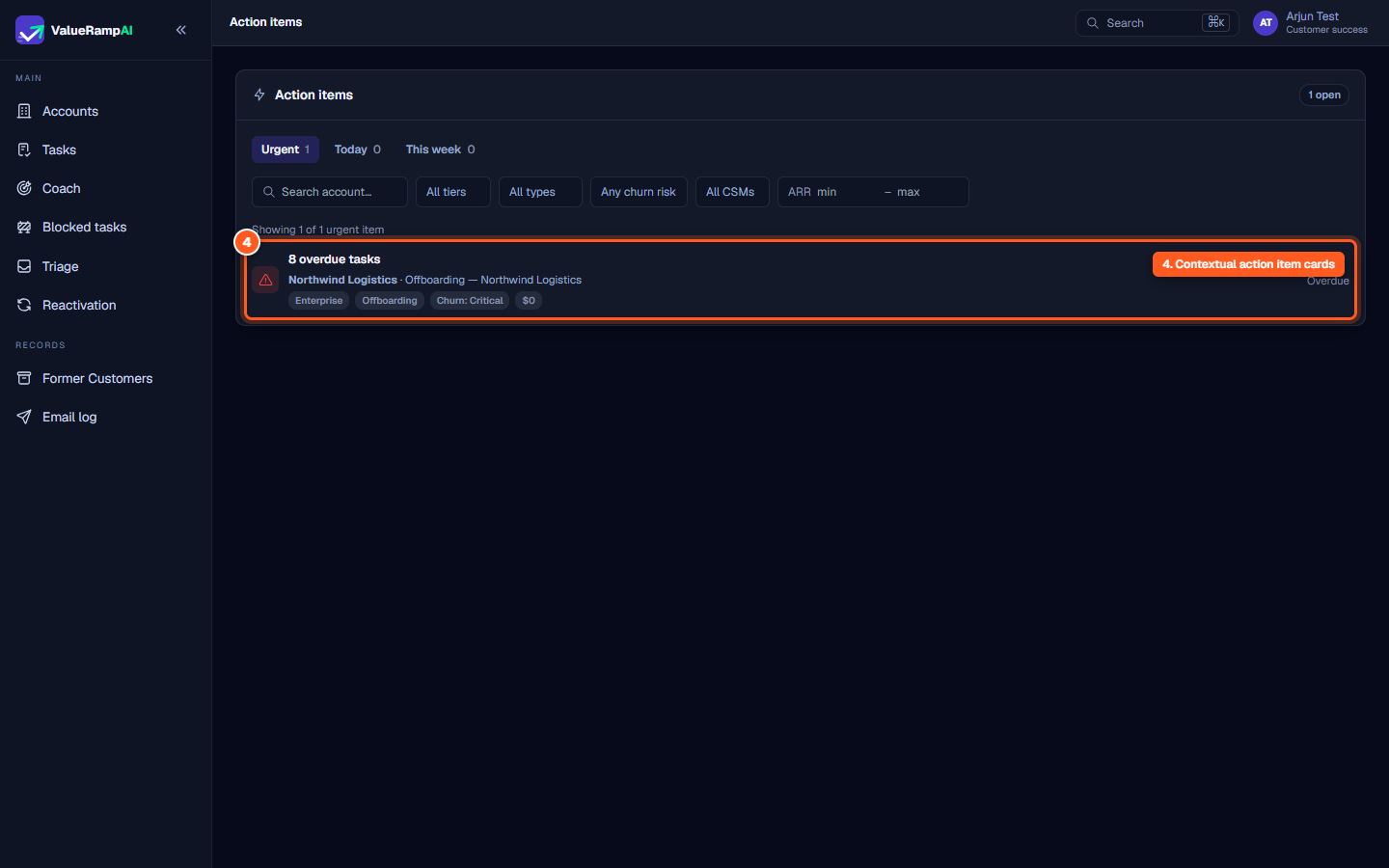
Contextual action item cards
Each row in the action items queue provides comprehensive diagnostic context:
- Severity indicator chip: Color-coded icon (red warning triangle for overdue tasks, amber lock for blocked tasks, purple check for a plan awaiting approval, blue rocket for an approaching go-live).
- Core issue headline: Clear statement of the underlying impediment (e.g.,
8 overdue tasks). - Account & plan breadcrumb: The customer organization name highlighted alongside the specific plan name.
- Attribute tags: Metadata pills indicating tier (
Standard), plan type (Offboarding), churn severity (Churn: Critical), and contracted ARR. - Timeline badge:
Overdue,Blocked,Action needed, orNd away.
Cleared queue states
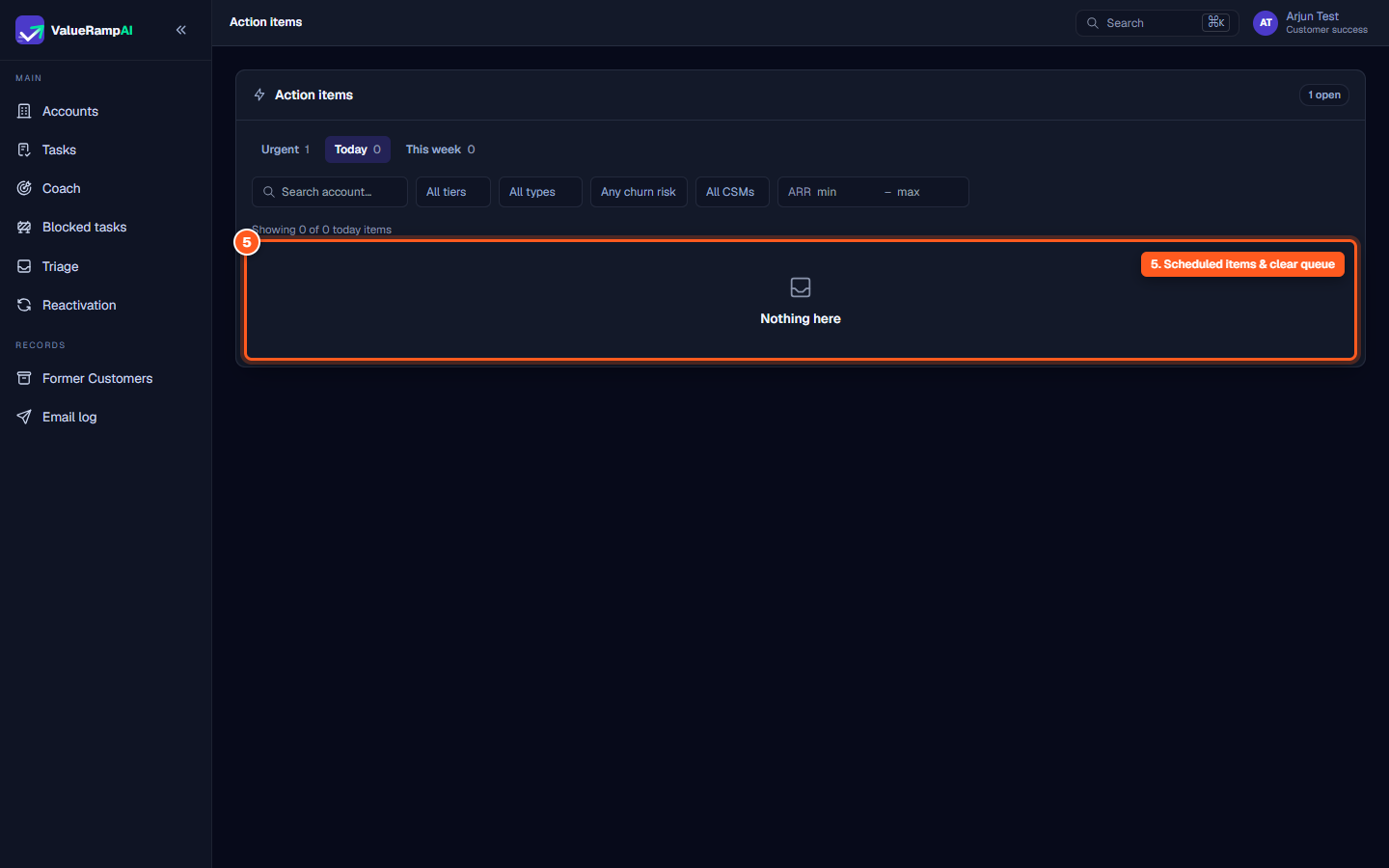
When navigating to a timeframe tab with zero pending items—such as Today or This week—the board displays a clean operational state with an inbox icon and the message Nothing here. When filters result in zero matches, the board confirms No items match these filters, guiding CSMs to reset their query parameters.
Steps
Review total open action items in the board header
Triage operational issues across timeframe tabs
Filter action items by account, tier, churn risk, and ARR
Inspect operational risk triggers and account context tags
Verify cleared queues on scheduled timeframe tabs
Common questions
How are action items derived in ValueRamp?
What is the difference between an Action Item and a Task?
Why is the Action Items page not in the main sidebar navigation?
How does an action item clear from the Urgent tab?
Was this helpful? Tell us what was missing