Tasks
Last verified 2026-09-17
Manage your centralized cross-plan task queue, filter by status and customer account, triage overdue work items, and execute quick status updates.
Before you start
- ValueRamp account access (CSM, Admin, or OM role)
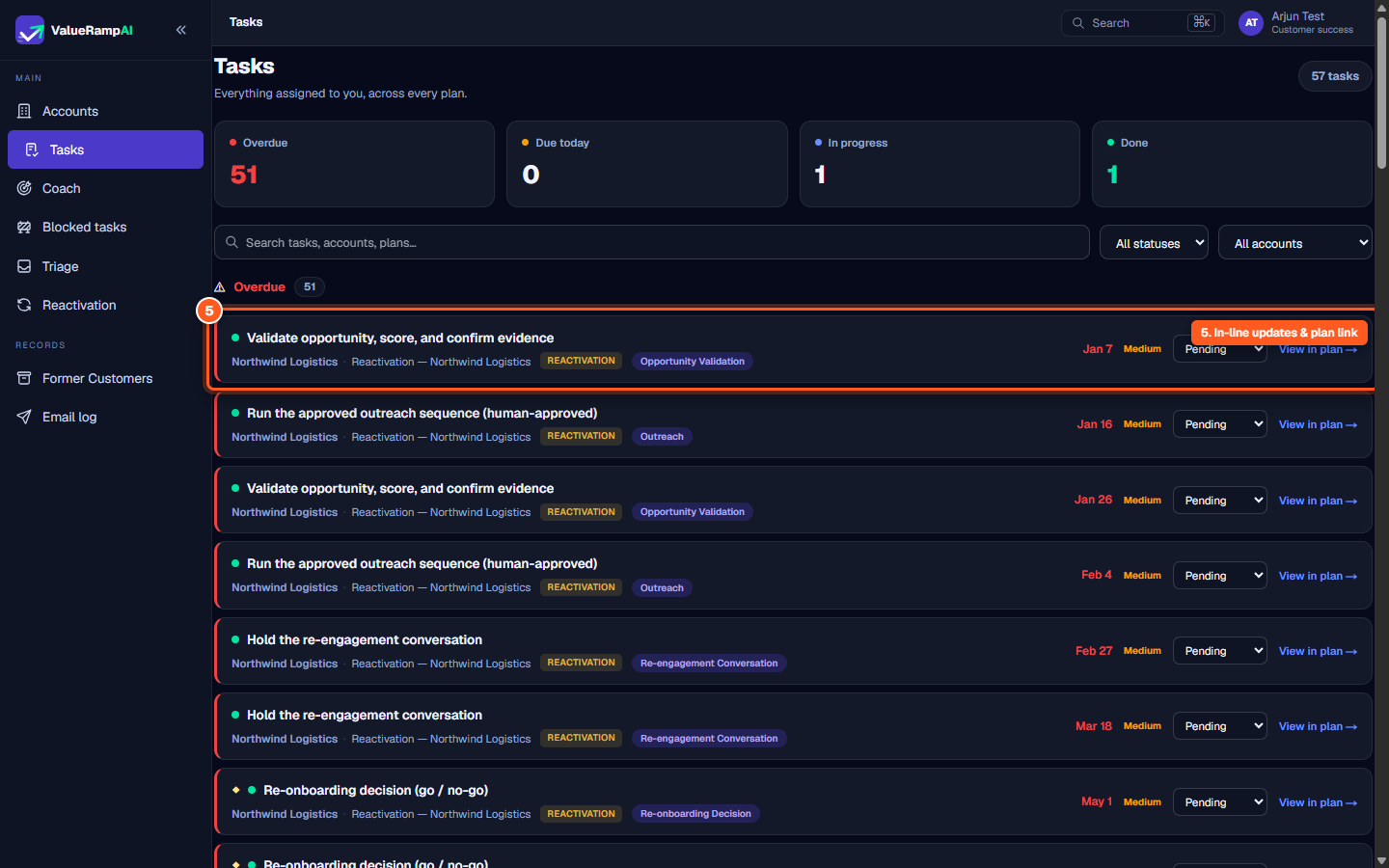
The Tasks hub (/tasks) centralizes every work item assigned to you across all customer accounts, implementation roadmaps, and reactivation plans into a single actionable queue.
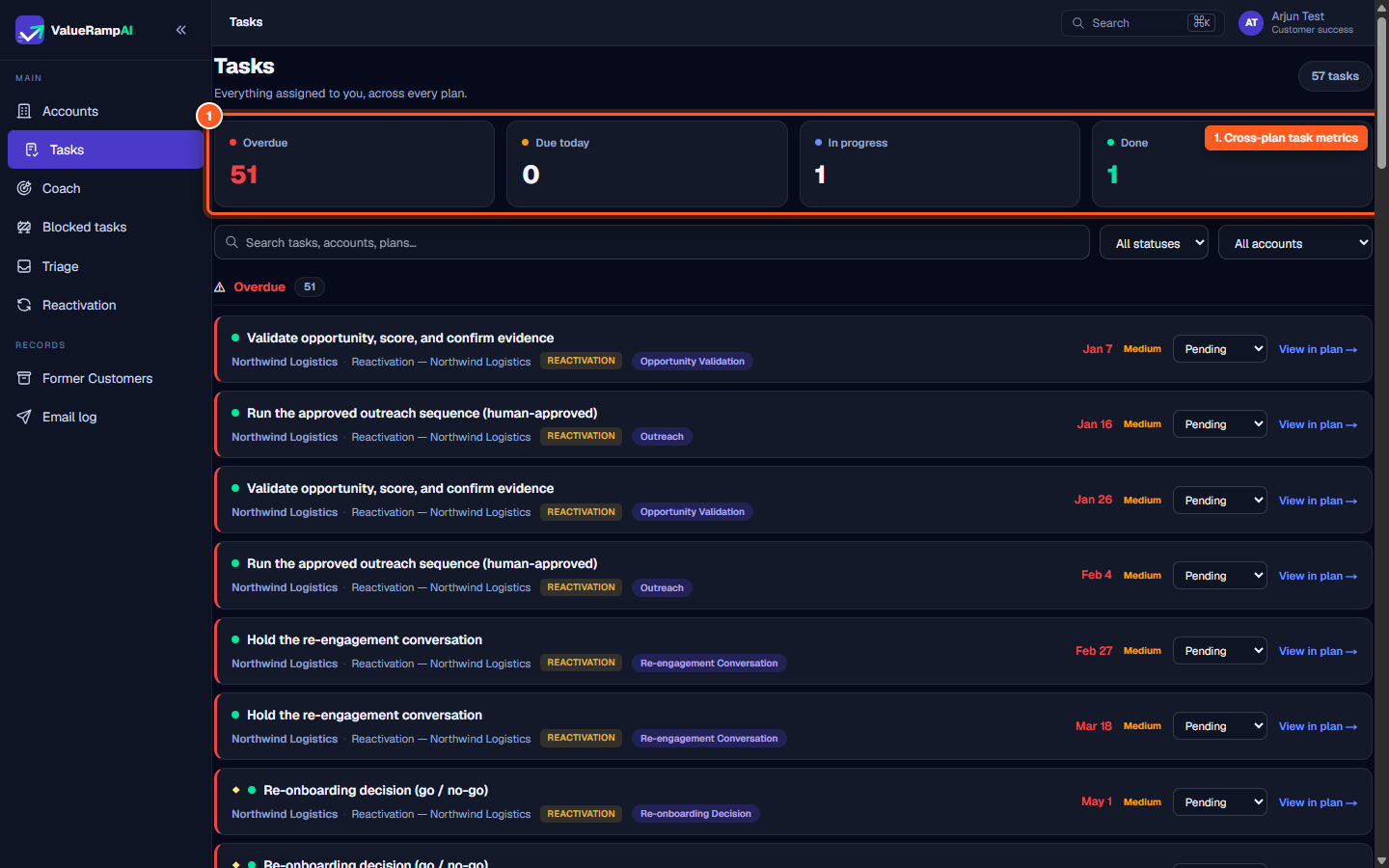
The operational task metrics strip
At the top of the Tasks workspace, four operational counters give immediate visibility into daily workload:
- Overdue: Highlights tasks whose target deadlines have elapsed without completion.
- Due today: Surfaces items requiring completion during the current business day.
- In Progress: Tracks work items actively being executed.
- Done: Counts tasks verified and closed out across active plans.
Scoping and triaging tasks
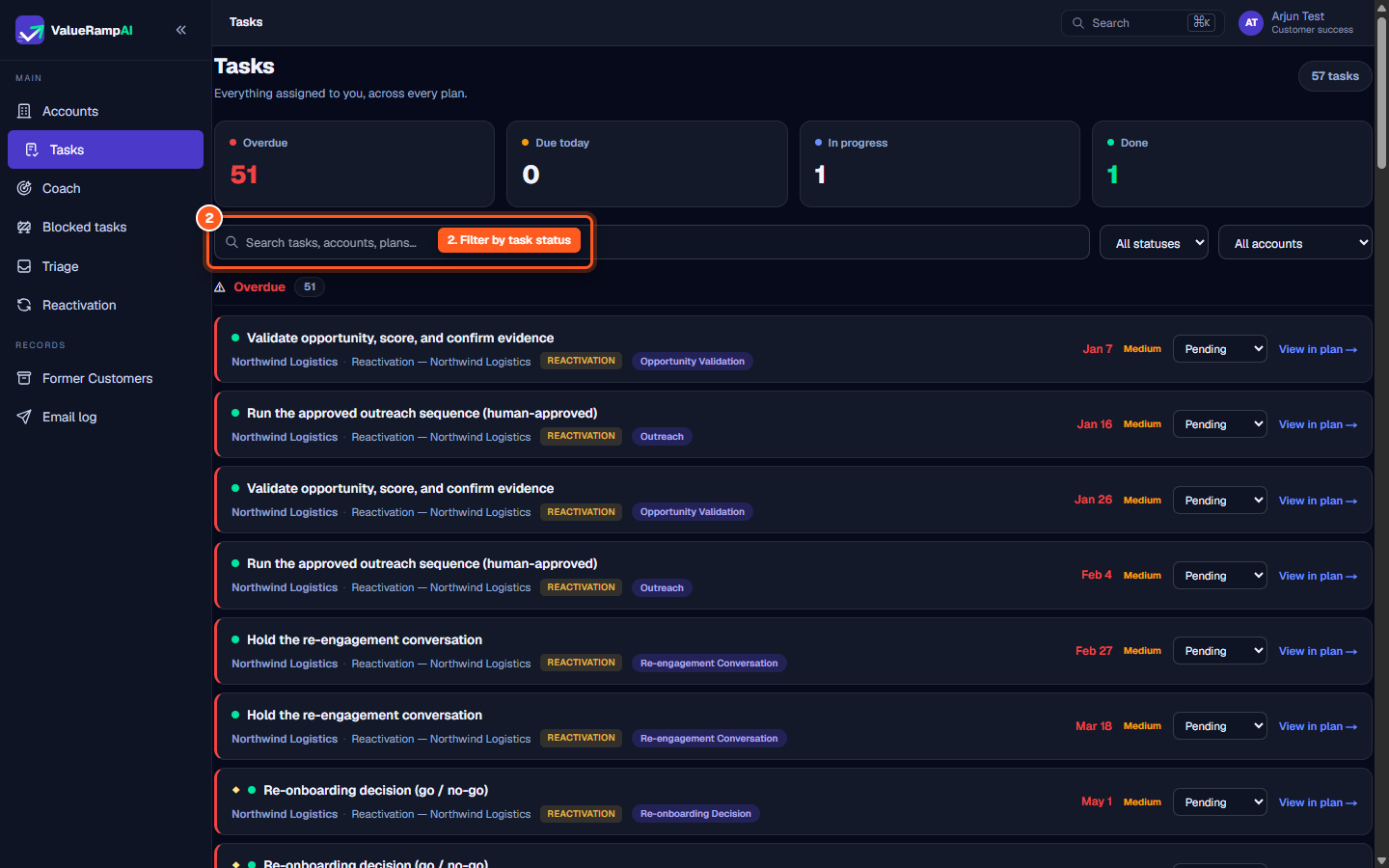
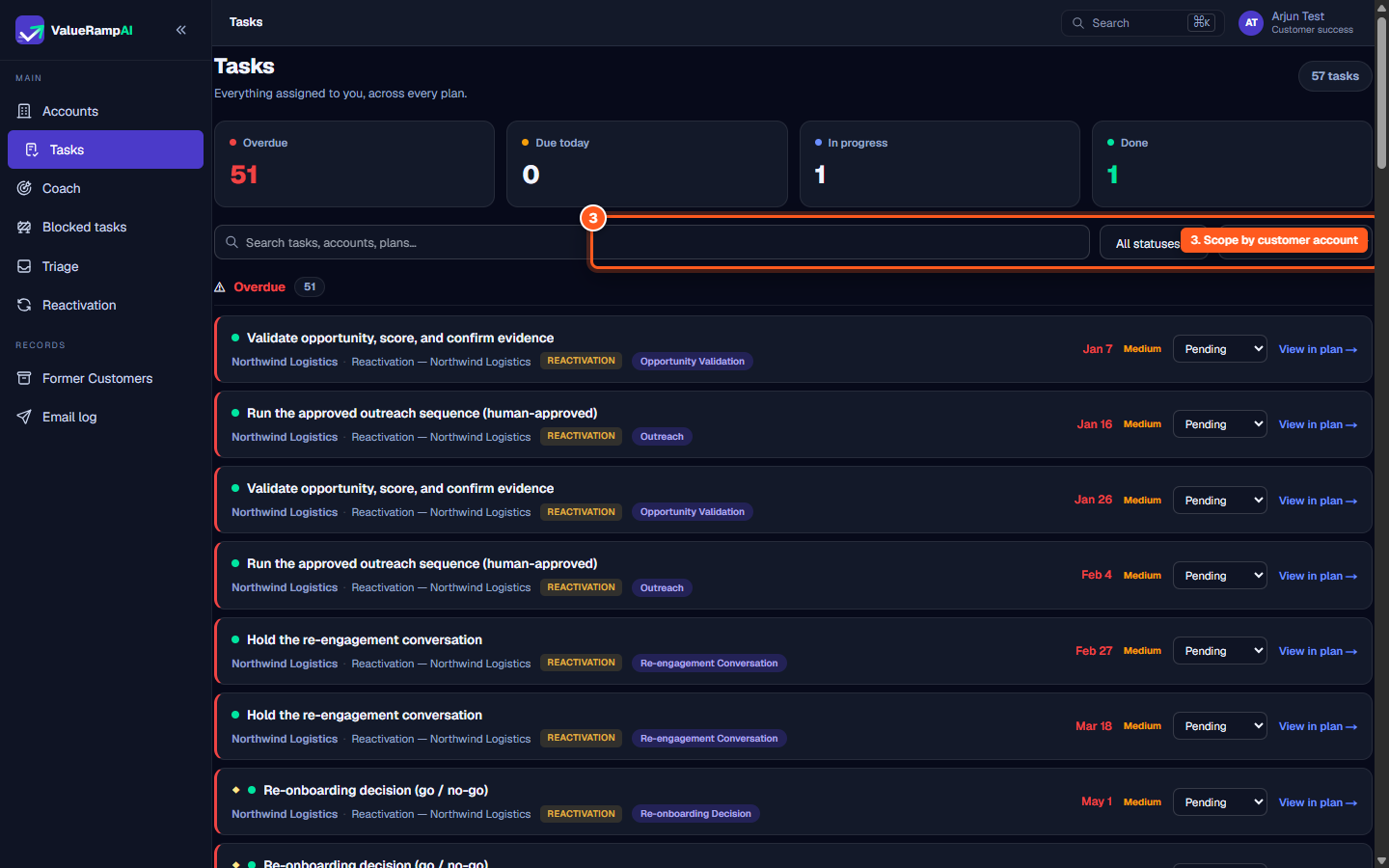
To manage high task volumes across multiple client accounts, two complementary filter rows allow instant drill-down:
- Status filters: Select
Pending,In Progress,Done, orBlockedto filter the work queue by lifecycle phase. - Account filters: Toggle individual client accounts (e.g.,
Acme,Helix Robotics,Northwind Logistics) to isolate work for a single customer during preparation for a client meeting.
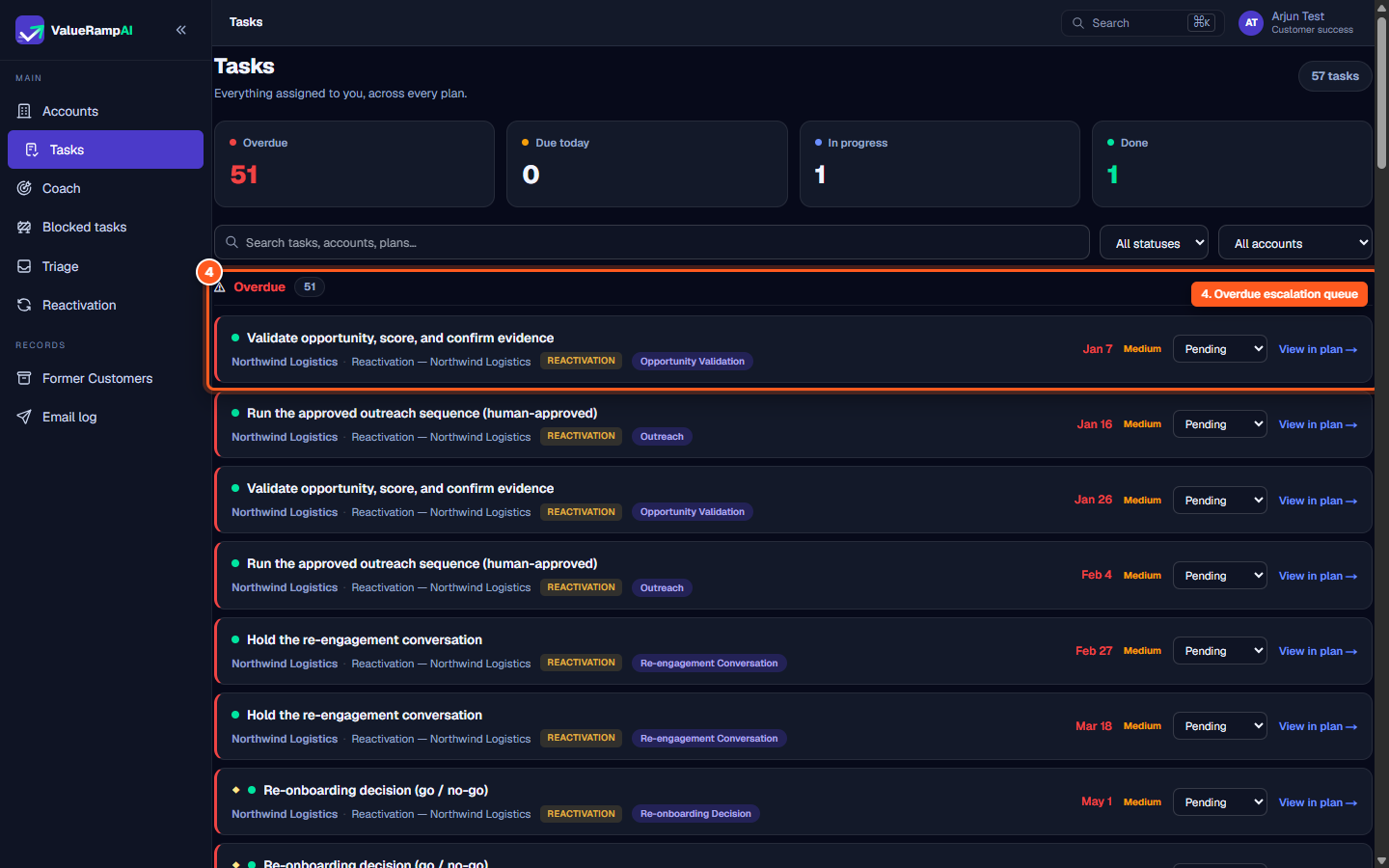
The Overdue queue & task cards
Tasks needing urgent attention are grouped into the elevated Overdue queue:
- Metadata tags: Each card identifies the associated customer account, plan name, plan type (
ONBOARDING,REACTIVATION,PROJECT), and implementation phase. - Priority badges: Color-coded priority indicators (
High,Medium,Low) identify high-impact deliverables. - Inline status actions: Click
Pending,In Progress,Done, orBlockeddirectly on any card to update its status instantly without leaving the queue. - Plan navigation: Click
View in plan →to jump straight into the full multi-phase plan context on/plans/[id].
Steps
Review cross-plan task metrics and queue summary
Filter tasks by execution status
Scope the task list by specific customer accounts
Inspect elevated overdue items and urgency indicators
Execute in-line status updates and navigate to the plan
Common questions
What tasks appear in my Tasks queue?
How are overdue tasks determined?
Can I update a task's status without opening the full plan?
What is the difference between Tasks and Action Items?
Was this helpful? Tell us what was missing