Your workspace home
Last verified 2026-09-28
Track delivery milestones, connect with your Customer Success Manager, monitor shared objectives, and review lifecycle stages from your workspace home.
Before you start
- Authenticated ValueRamp customer portal access
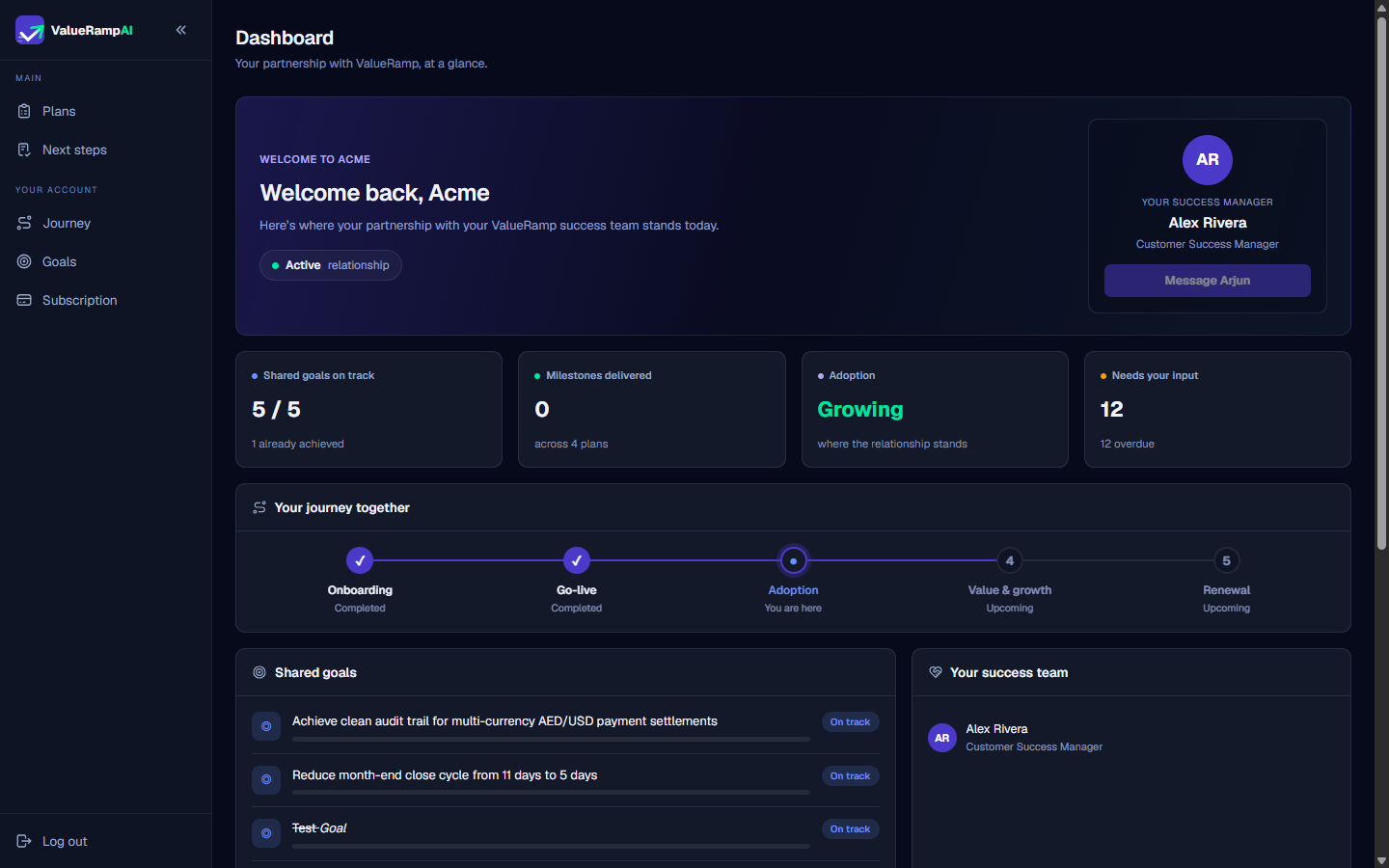
The ValueRamp workspace home (/workspace) is your executive command center. It provides a real-time summary of your partnership with your vendor's customer success organization, eliminating status check-in meetings by keeping progress, blockers, and agreed outcomes visible at all times.
Key dashboard components
1. Partnership greeting and CSM contact
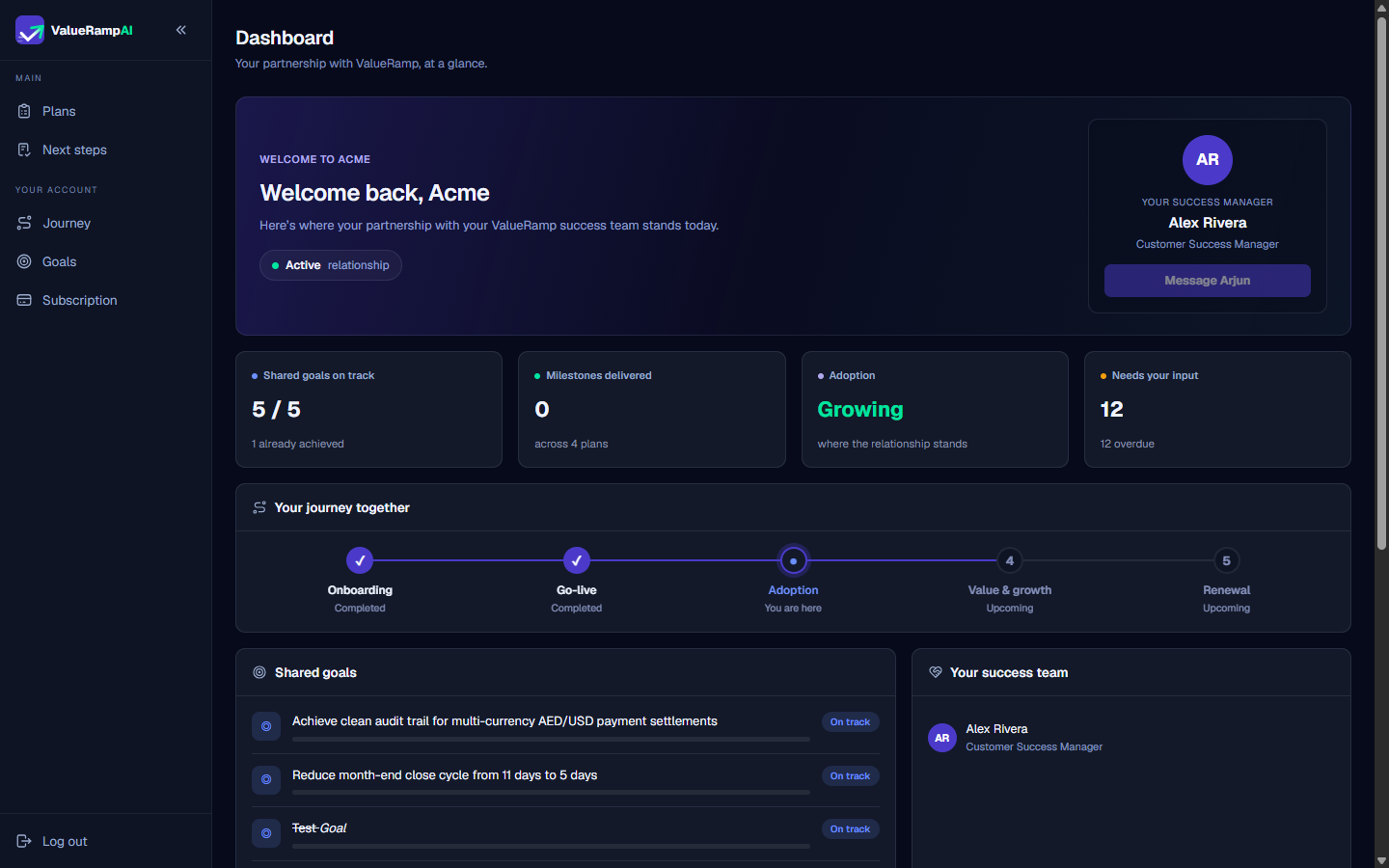
The top banner greets you, shows how long the partnership has run, and carries three pills: the relationship badge (Healthy, Steady, Needs attention or Active), your account tier, and the next review date when one is recorded. The Your success team panel names your Customer Success Manager (and your Onboarding Manager while a plan is running) so you always know who owns your relationship. To send a direct message in your shared conversation thread, click Message (followed by your CSM's first name) on the Your success manager card at the top, or open Messages in the sidebar.
2. Operational metrics row
Four quick-read tiles summarize the operational momentum of your implementation:
- Shared goals on track: Ratio of agreed business targets currently meeting their timeline criteria.
- Milestones delivered: Count of completed milestone checkpoints delivered across your active plans.
- Adoption: Where the relationship stands — Getting set up during onboarding, Growing once adopted, Steady otherwise.
- Needs your input: The count of pending or in-progress tasks owned by your side on your active plans.
3. Your journey together
The journey progress bar visualizes your roadmap across five sequential stages:
- Onboarding: Setup, kickoff, and technical discovery.
- Go-live: Initial platform deployment and milestone sign-off.
- Adoption: Active user rollout, team enablement, and workflow integration.
- Value & growth: Expansion, optimization, and realized ROI.
- Renewal: Partnership evaluation and continued collaboration.
4. Shared goals
The Shared Goals section keeps both organizations focused on the business outcomes that justified your purchase, such as reducing cycle times, automating reconciliation, or achieving audit compliance.
Steps
Review your company greeting and active partnership status in the welcome header
Connect directly with your dedicated Customer Success Manager
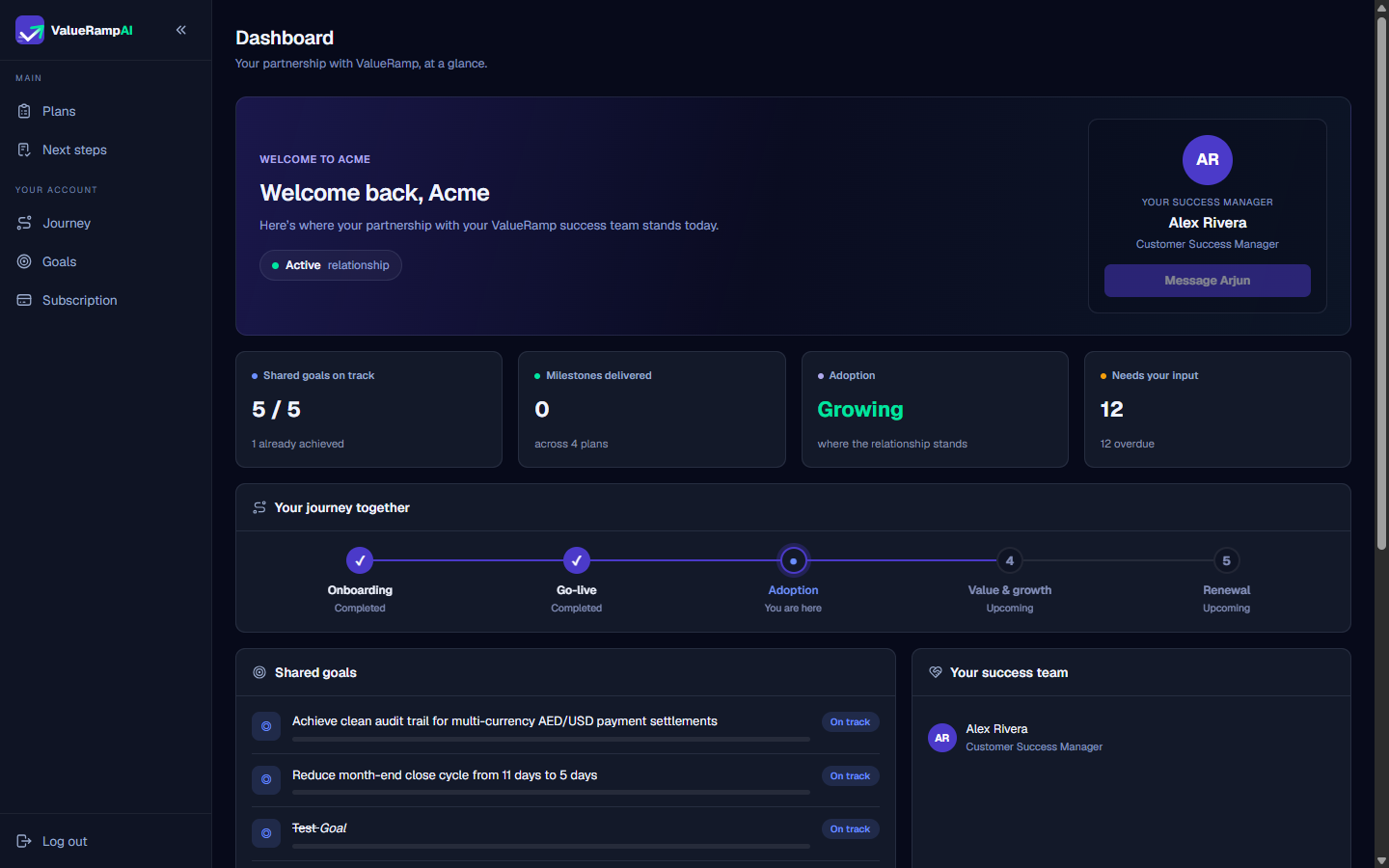
Inspect relationship health, delivery velocity, and pending input counters
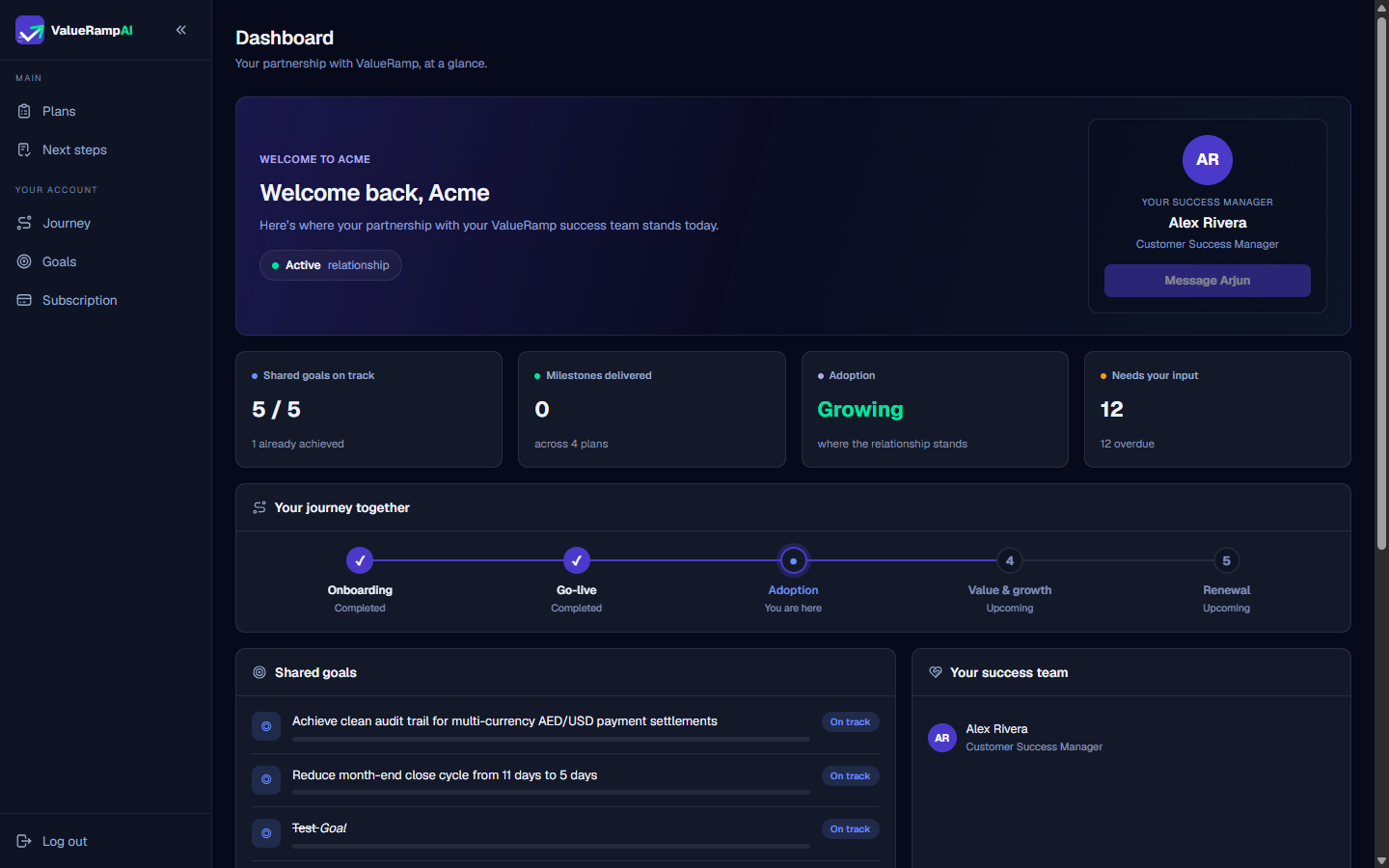
Follow your roadmap through the five customer lifecycle stages
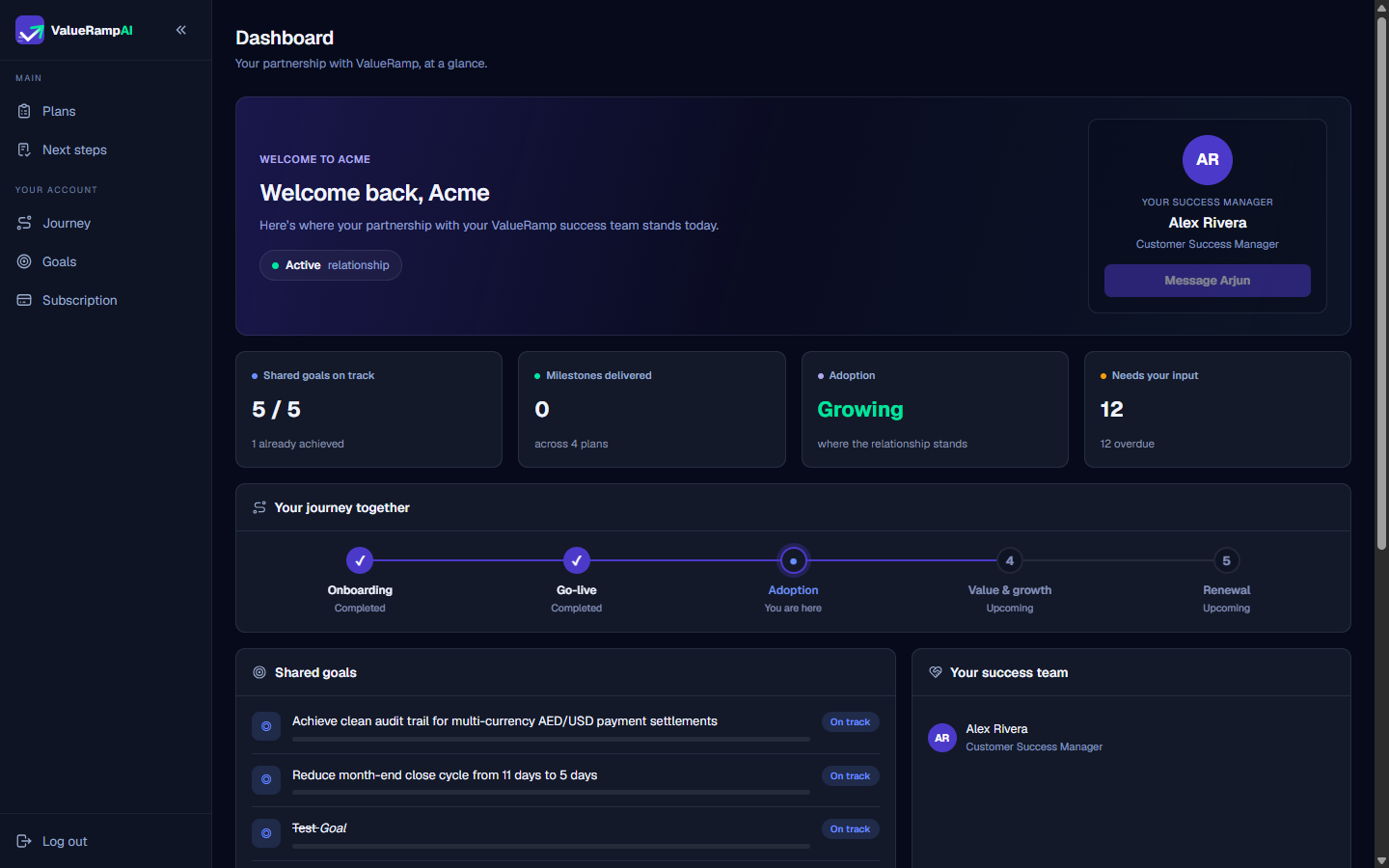
Review progress on strategic outcomes in the Shared Goals panel
Common questions
What does the 'Needs your input' counter represent on my dashboard?
Can my team add new shared goals directly from the dashboard?
How often are the metrics on the workspace home refreshed?
What does the 'Active relationship' badge signify?
Was this helpful? Tell us what was missing