Your home screen, by role
Last verified 2026-09-17
Explore your default landing view in ValueRampAI, including executive KPI dashboards, customer account portfolios, and role-specific hubs.
Before you start
- An active ValueRamp user account
- Assigned Admin, CSM, OM, or Finance role permissions
When you sign in to ValueRampAI, your landing experience is automatically tailored to your operational role. Whether you oversee customer success across the business, drive onboarding milestones for new accounts, or manage collections and invoicing, your home screen provides instant access to the tools and metrics you need most.
From your home screen, you can evaluate portfolio health, drill down into customer records, and use the global navigation sidebar or Command Palette to transition seamlessly between workflows.
Home screens by role
Admin and Customer Success Manager (CSM)
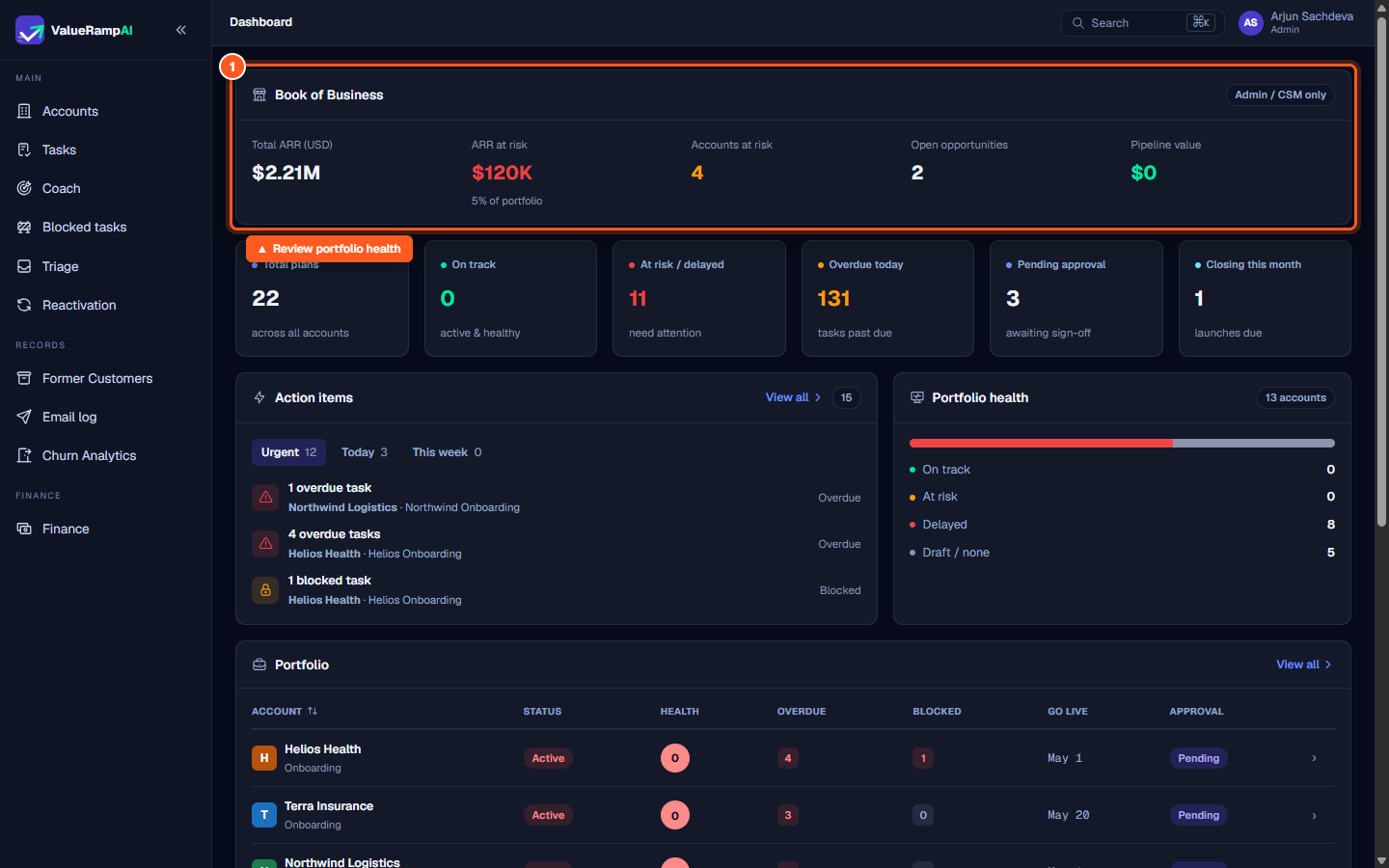
Admins and CSMs land on the executive Dashboard (/dashboard). This surface consolidates:
- Book of Business: Total portfolio ARR, ARR at risk, accounts flagged at risk, open reactivation opportunities, and pipeline value.
- Execution Overview: Active plan health, on-track projects, delayed plans, overdue tasks, and onboarding plans closing within the month.
- Action items: Prioritized operational tasks grouped by urgency (Urgent, Today, and This week).
- Portfolio health: Visual breakdown of accounts across on-track, at-risk, delayed, and draft lifecycle states.
Onboarding Manager (OM)
Onboarding Managers land on a dedicated Onboarding Dashboard (/dashboard). This screen is focused exclusively on delivery execution, milestone tracking, and blocked onboarding tasks, ensuring that new customer implementations remain on schedule without cluttering the view with unassigned financial ledgers.
Finance
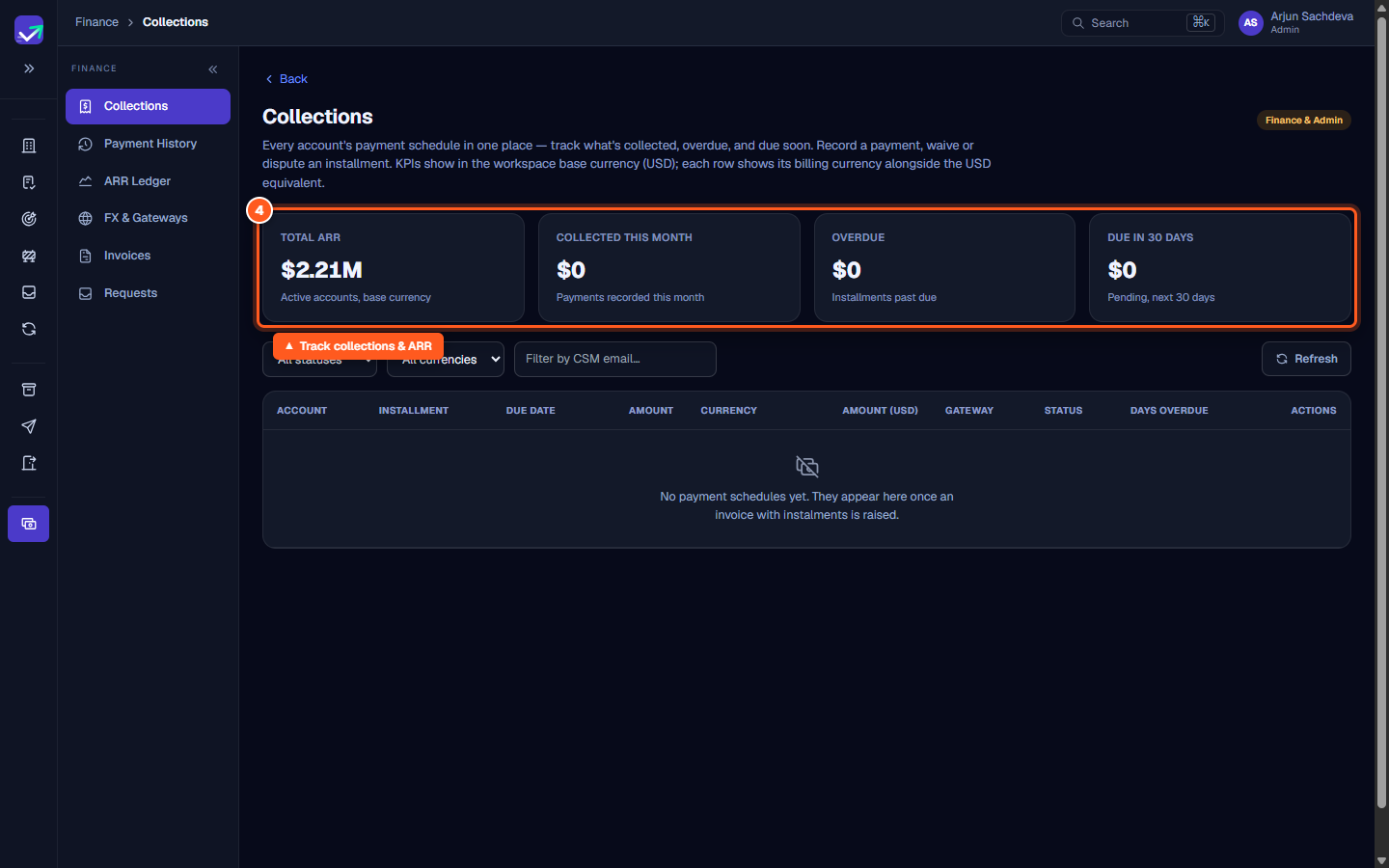
Team members assigned the Finance role land directly in the Finance hub (/finance/collections). The Finance environment provides a dedicated secondary navigation bar for:
- Collections: Real-time payment schedules, invoice statuses, and overdue collection tracking.
- Payment History: Reconciled transaction records and receipts.
- ARR Ledger: Workspace ARR movements, contract changes, and recurring revenue accounting.
- FX & Gateways: Foreign exchange rates and integrated payment gateway configurations.
- Invoices & Requests: Customer invoice generation and billing requests.
Customer and Stakeholder (External Portal)
External users invited into ValueRampAI—such as customer champions and executive stakeholders—are routed directly to the customer portal (/workspace). External users never see internal staff navigation, financial metrics, or internal action items.
Steps
Review portfolio health, ARR, and active plans on the Dashboard
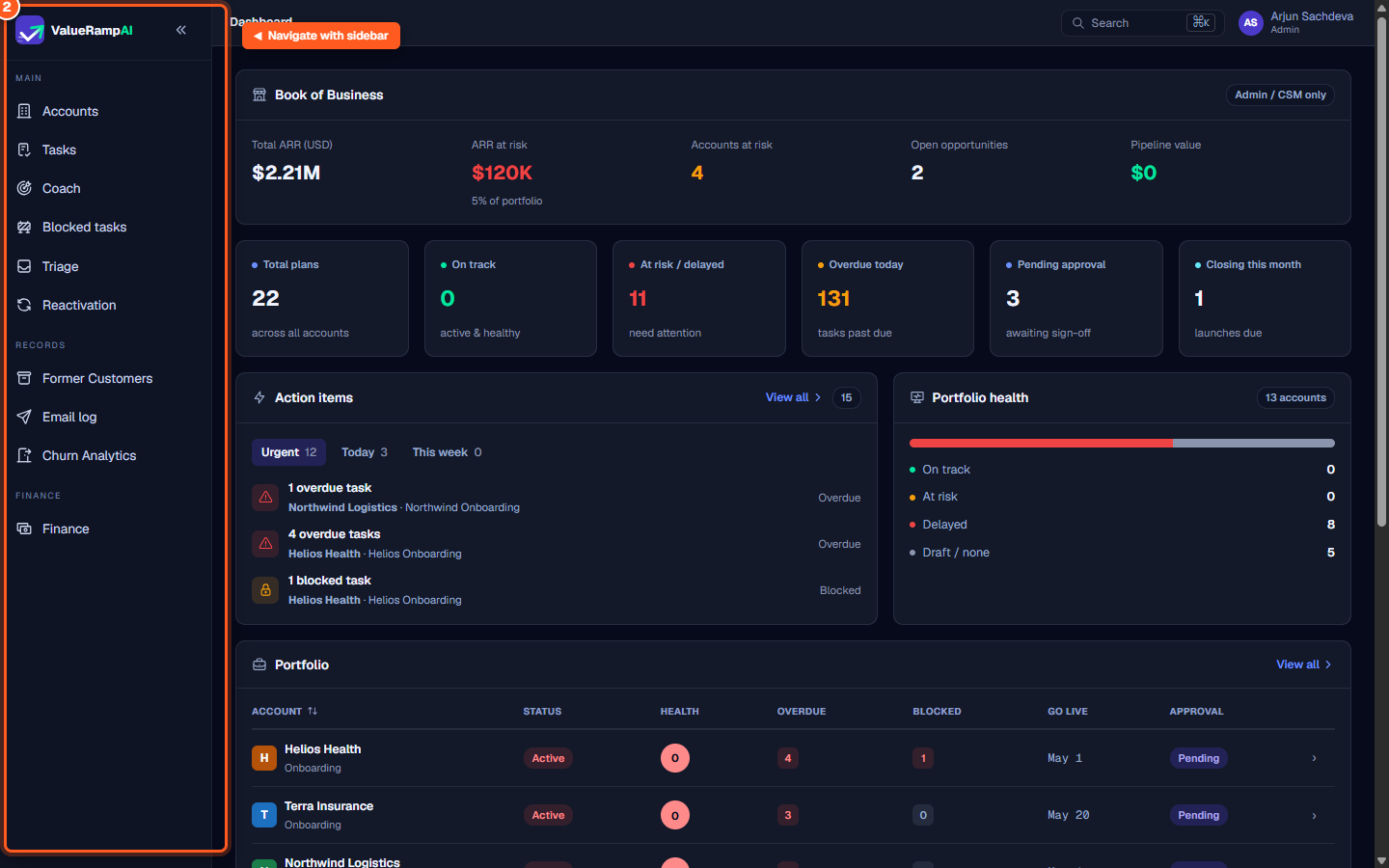
Navigate between workspace modules using the left sidebar
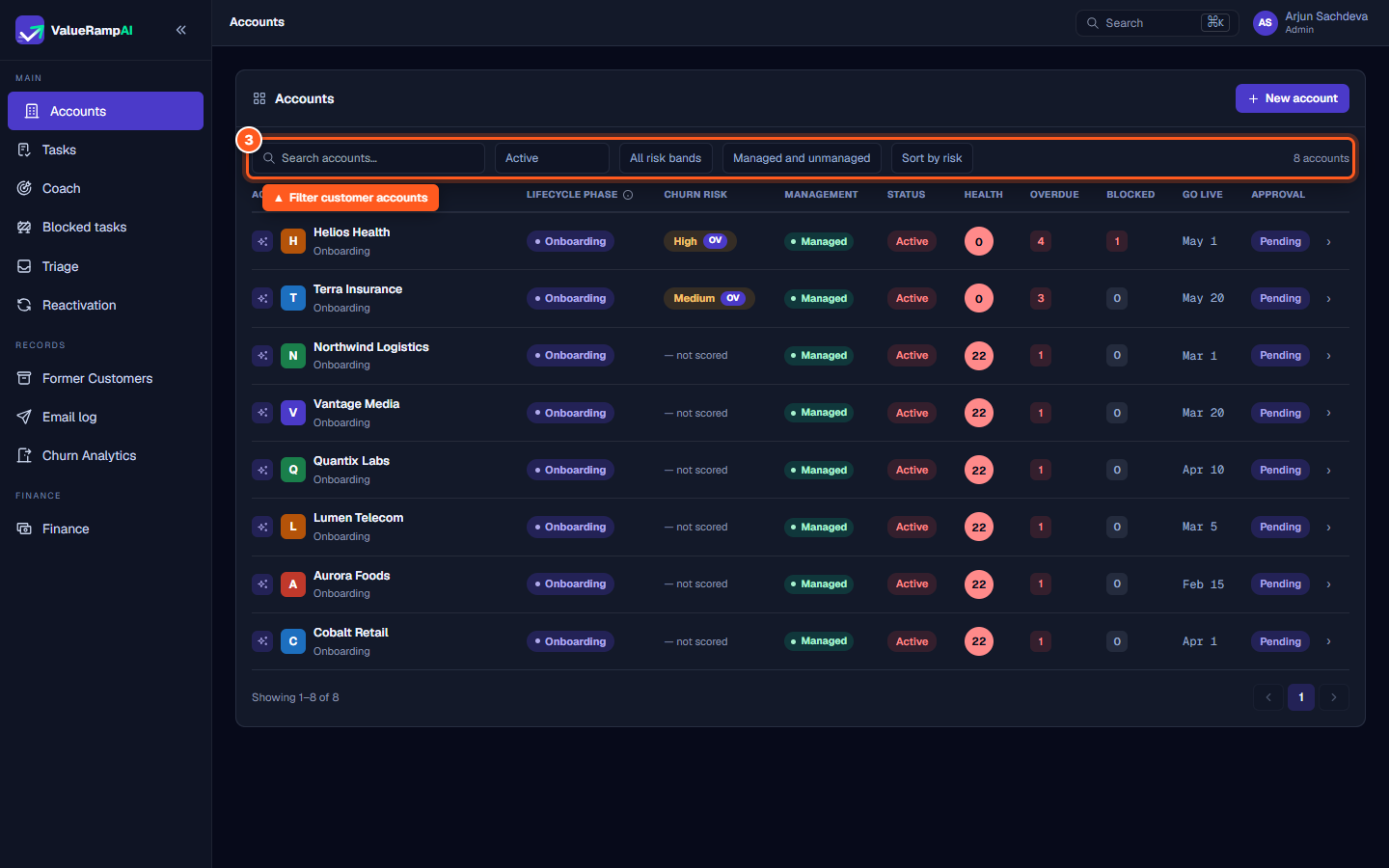
Filter and manage customer accounts from the Accounts list
Track collections, payment schedules, and ARR in the Finance hub
Common questions
Can I customize my default landing page?
Why do some sidebar navigation options differ between teammates?
How often do home screen metrics update?
Was this helpful? Tell us what was missing