Hand off an account from sales
Last verified 2026-09-17
Transfer deal context from sales to customer success, review why the customer bought, examine delivery commitments, and inspect political dynamics.
Before you start
- ValueRamp CSM, Admin, or OM role
- A closed-won customer account transitioning to post-sales
Overview
The Sales Handoff workflow (/accounts/[id]/context) ensures a seamless, high-context transition when a sales prospect becomes an active customer. Rather than forcing customer success managers to conduct redundant discovery calls or dig through disparate CRM notes, ValueRamp captures strategic deal context at the moment of signing.
This structured handoff aligns onboarding managers, CSMs, and executive sponsors on why the customer bought, what commitments were made, and how internal political dynamics should be navigated.
Strategic Deal Context & Commitments
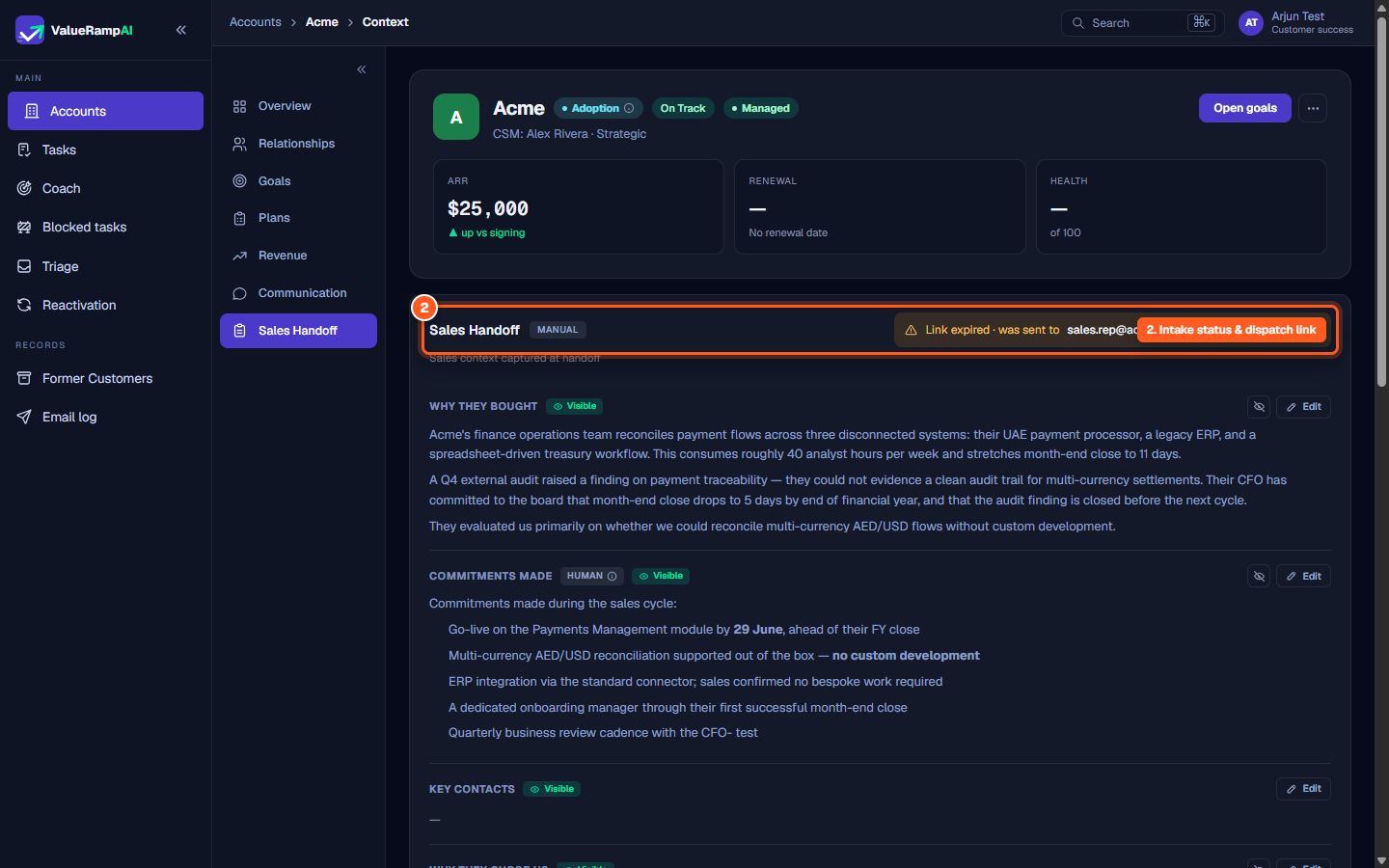
The handoff tab holds seven cards. Each shows its source — Manual, From AE survey, Imported from CRM, or CRM + human edits — and the request strip shows whether a survey link is Requested from, Submitted by or expired for the closing rep (with Resend). The four customer-facing cards:
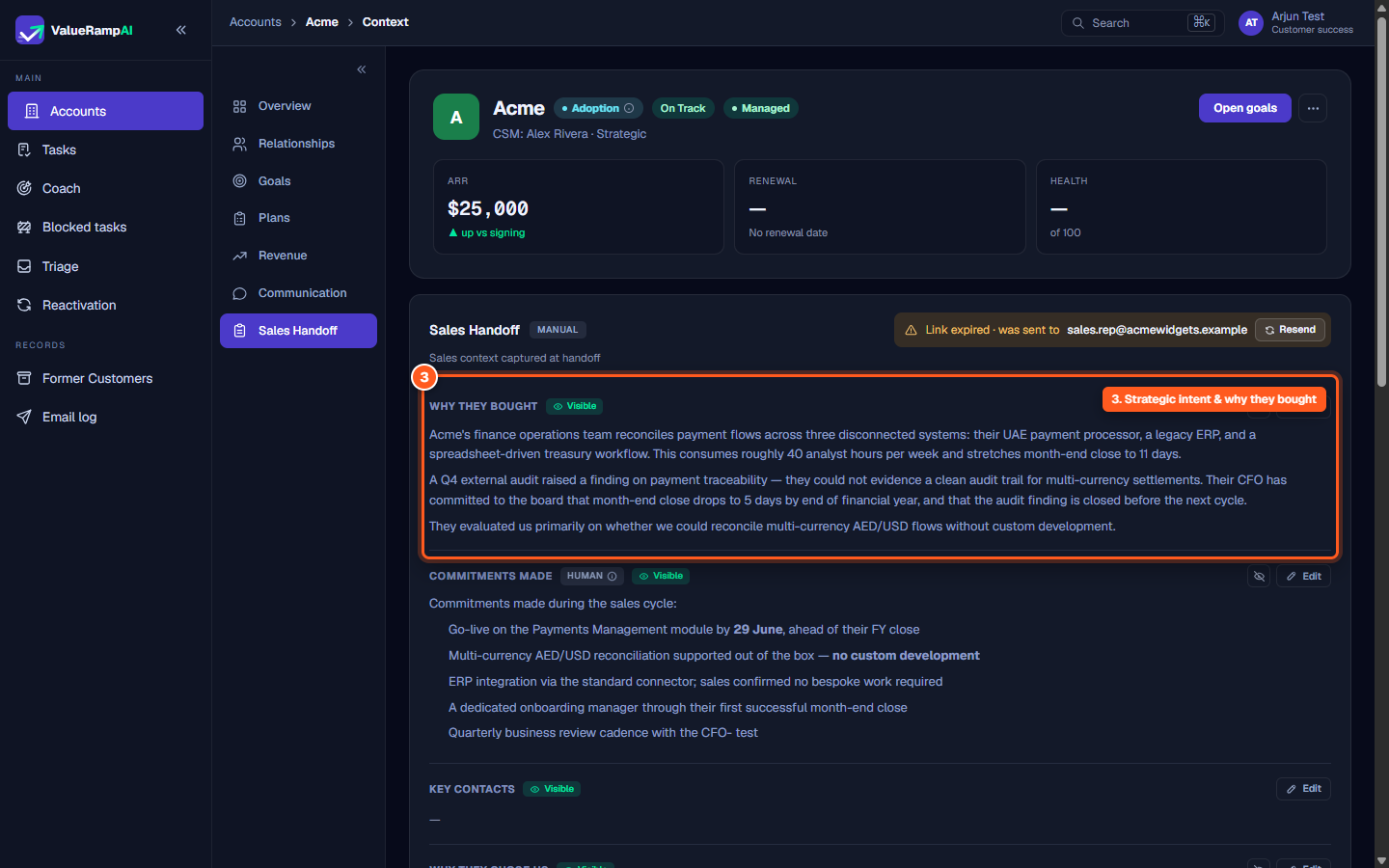
- Why They Bought: Detailed background on the customer's operational challenges, manual bottlenecks, audit triggers, and board-mandated deadlines.
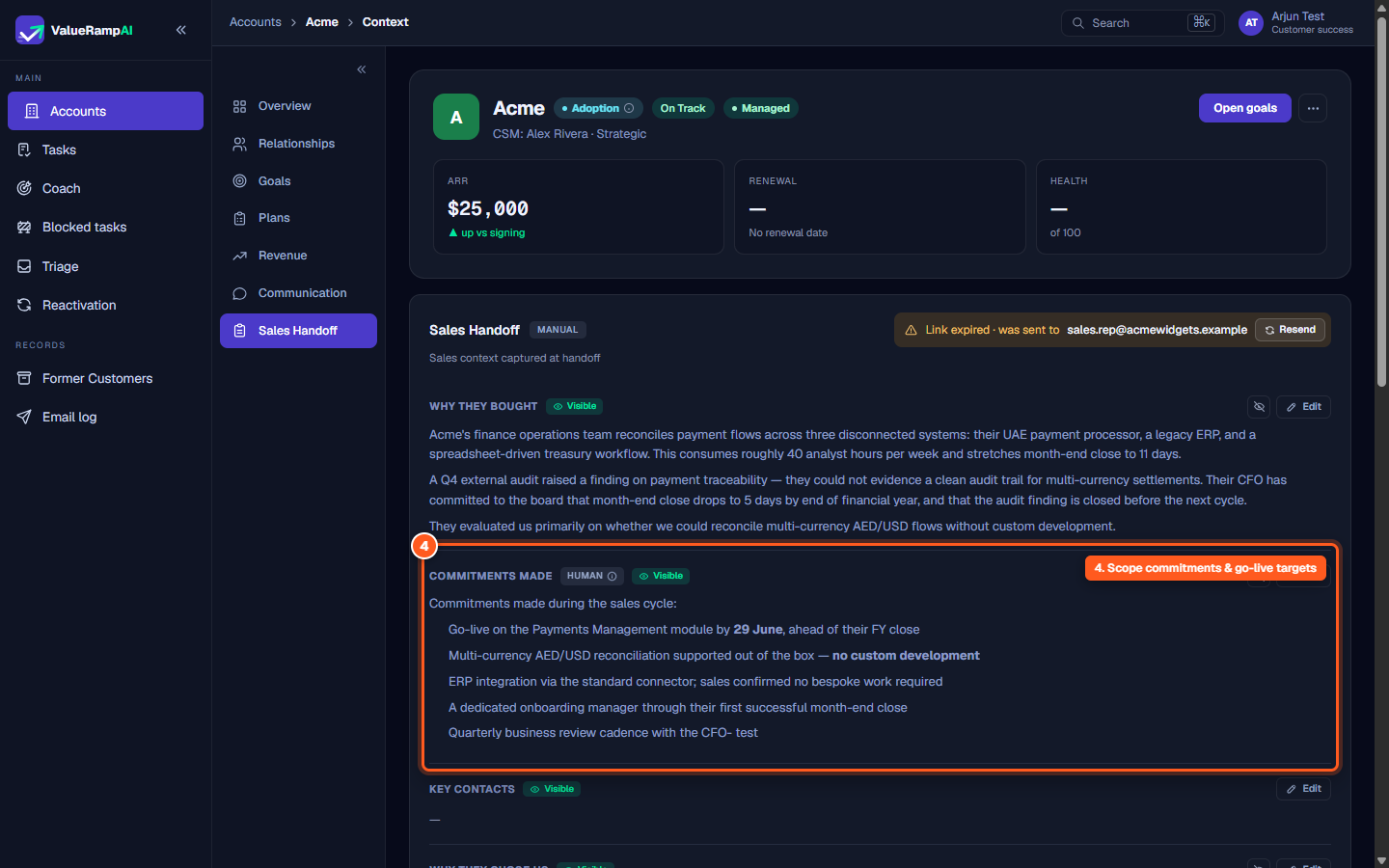
- Commitments Made: Explicit scope agreements promised during sales negotiations—including go-live milestones, standard connector availability, dedicated onboarding staffing, and review cadences.
- Why They Chose Us: The decisive competitive advantages that won the deal, such as speed-to-value or specialized market references.
- Key Contacts: The people named at handoff.
And three internal-only cards — Customer Concerns, plus the two below:
- Customer Concerns: Potential friction points identified during closing, such as concurrent IT upgrades or skeptical secondary stakeholders.
Confidential Political Dynamics & AE Notes
To help customer success navigate organizational complexity, the handoff includes internal-only intelligence:
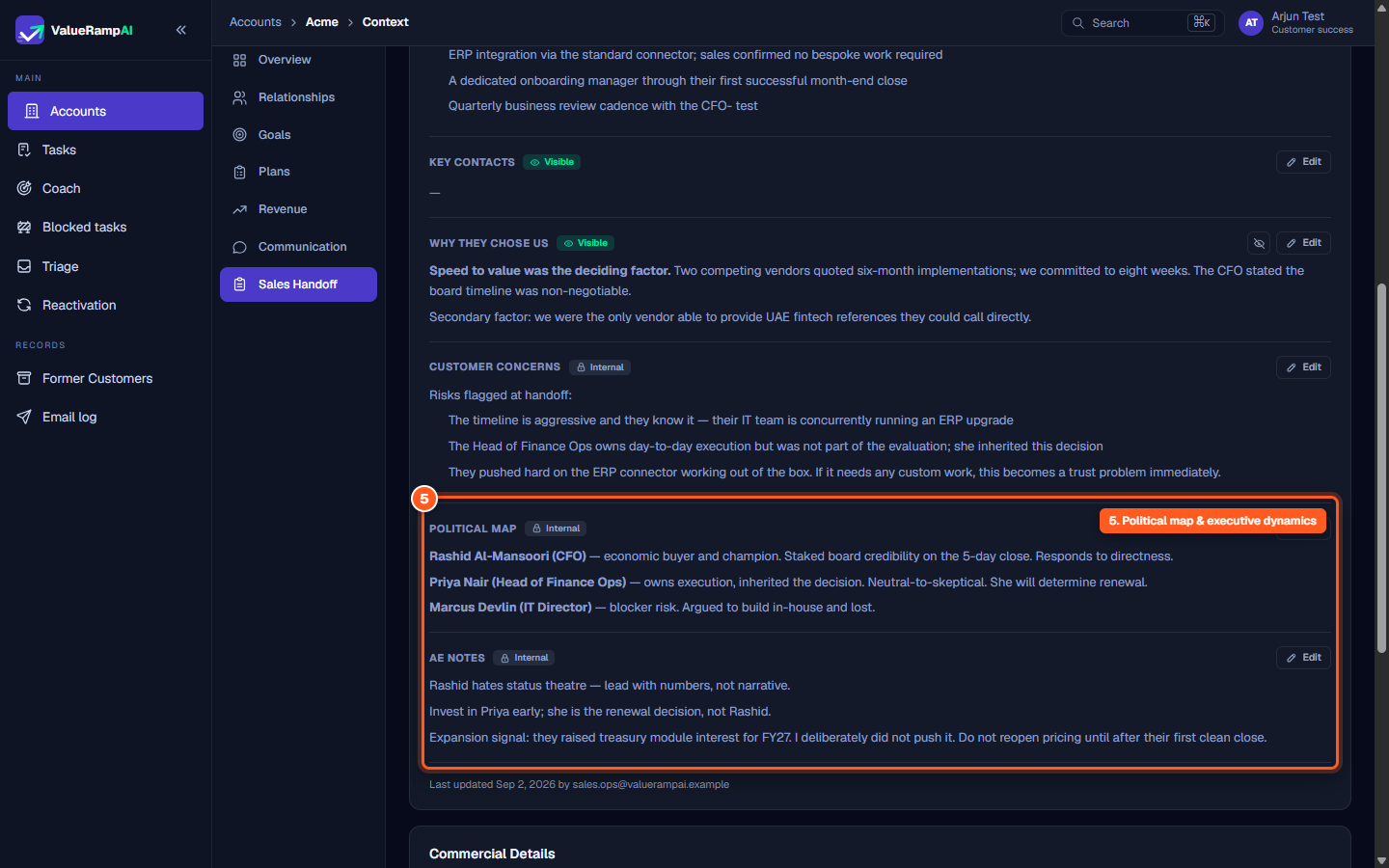
- Political Map: Categorizes key contacts by their organizational stance—distinguishing executive champions with budget authority from operational leads who will decide renewal or IT leads who advocated for internal builds.
- Account Executive Notes: Practical, tactical advice from the closing rep on executive communication preferences, relationship landmines, and future expansion signals.
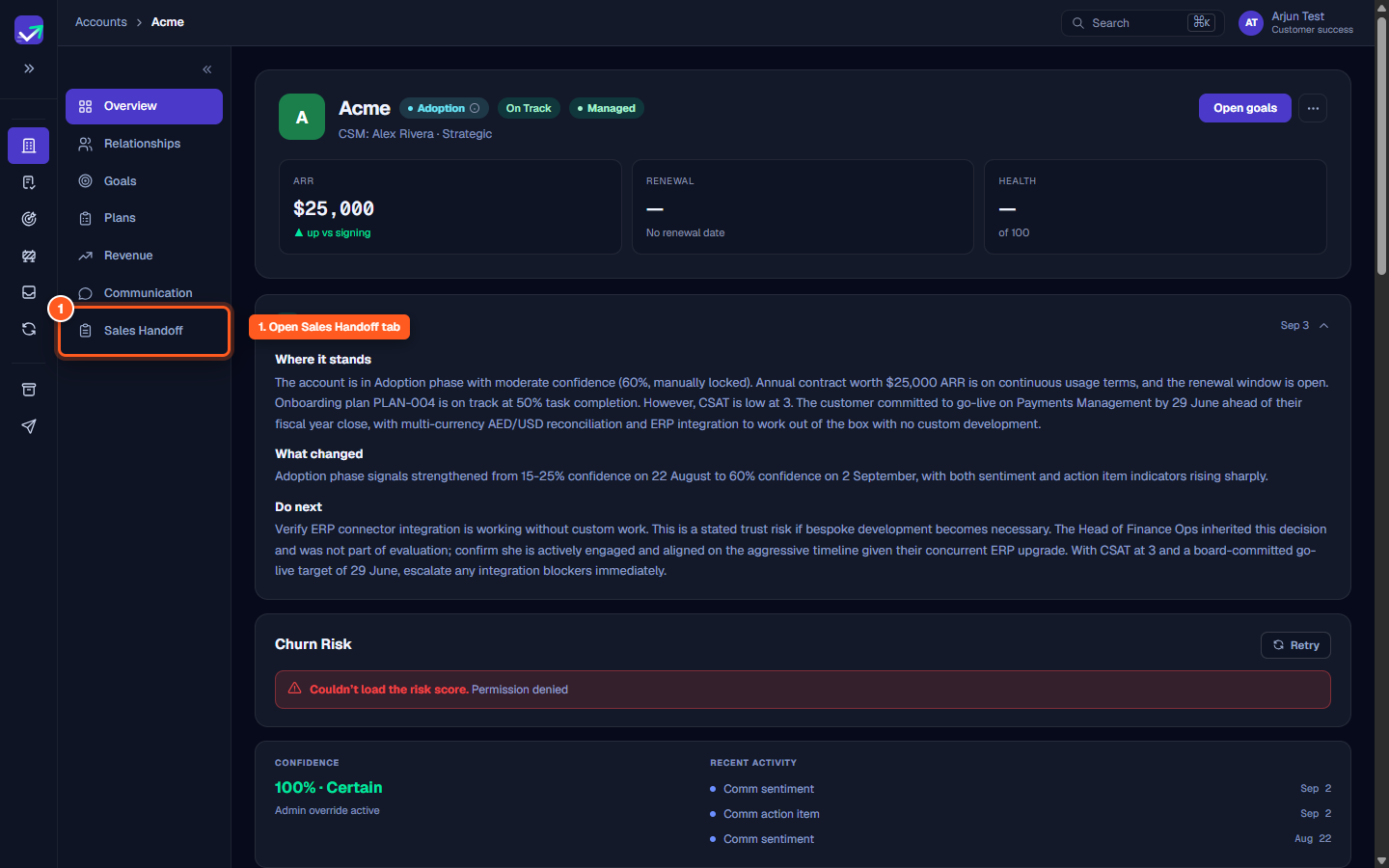
Steps
Navigate to the account overview and click Sales Handoff in the sub-navigation
Verify handoff intake status, entry method, and sales dispatch links
Review customer pain points, audit triggers, and core reasons for purchase
Examine sales commitments regarding go-live targets, connectors, and staffing
Review the internal political map, stakeholder profiles, and Account Executive notes
Common questions
What is the difference between Visible and Internal cards?
Can a CSM edit sales handoff notes after closing?
What should I do if the sales rep intake link expired?
Where are commercial contract terms recorded?
Was this helpful? Tell us what was missing