Invite a teammate and choose their role
Last verified 2026-09-17
Add a new team member to ValueRamp (create a CSM, Onboarding Manager, Admin or Finance user): send an email invitation, choose their role, and track when they activate.
Before you start
- ValueRamp Admin role
ValueRamp uses an invitation-only model for workspace team members. When you invite a colleague, ValueRamp generates a secure invitation link that allows them to register their password and access your workspace with the appropriate role permissions.
Only users with the Admin role can send invitations, reassign roles to Admin, deactivate accounts, or run bulk member imports.
Workspace roles and permissions
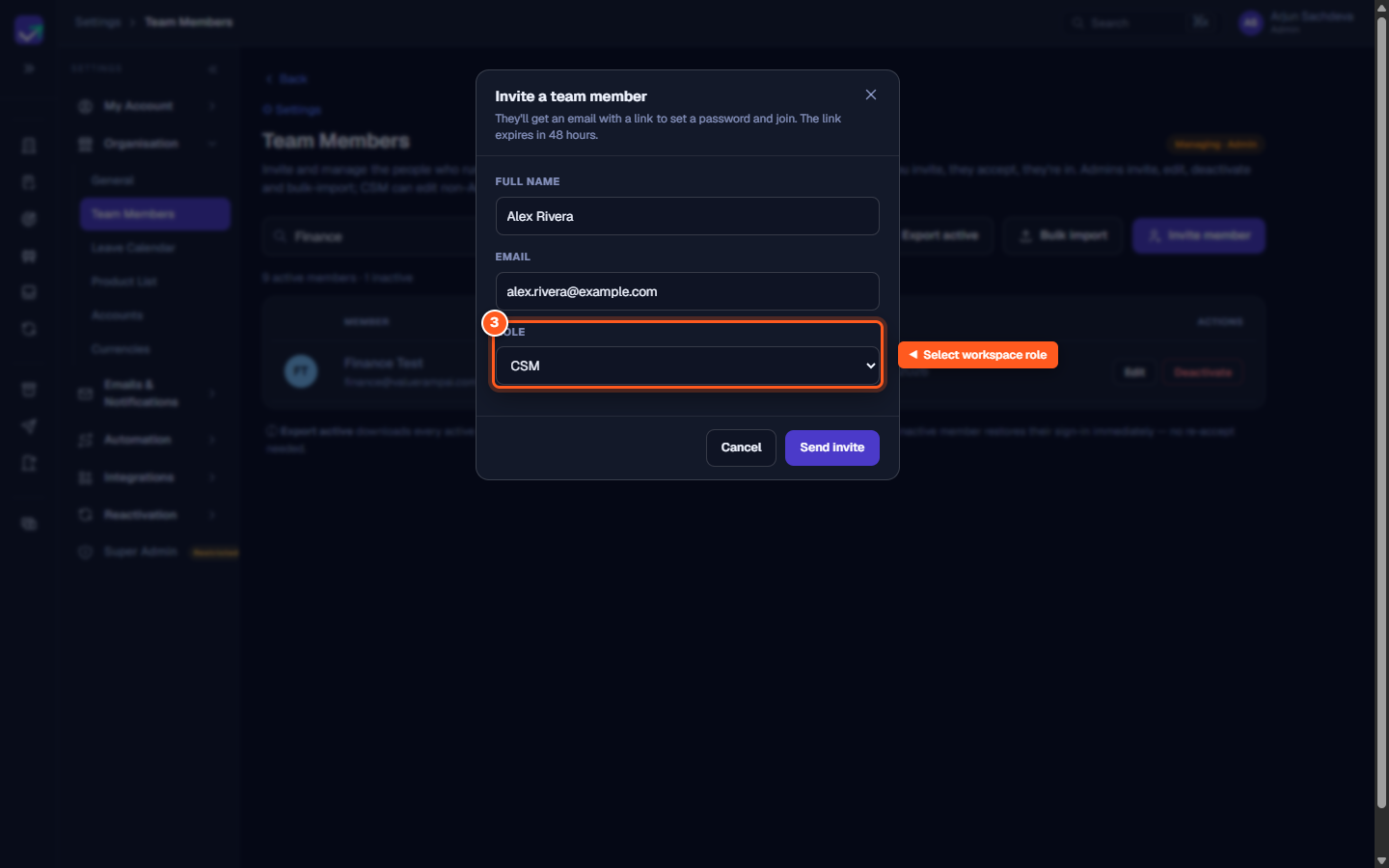
When inviting a teammate, assign one of four primary workspace roles based on their operational responsibilities:
- Admin: Full control over workspace settings, team members, integrations, lifecycle phase definitions, email domain configuration, and currency ledgers.
- CSM (Customer Success Manager): Direct management of customer accounts, success plans, milestones, tasks, meeting notes, triage inboxes, and customer stakeholder relationships. CSMs can also edit profile details for non-Admin colleagues.
- OM (Onboarding Manager): Focused execution across customer onboarding journeys, plan delivery, task assignment, and blocked item resolution.
- Finance: Visibility into collections, payment history, ARR ledgers, customer invoices, financial requests, and currency exchange rates.
Managing pending invitations
After dispatching an invitation:
- The teammate appears under the Pending invites list below the active members table.
- The row indicates the teammate's name, email, invited role, and remaining time before the invitation expires.
- If the link expires or the email is misplaced, click Resend to issue a fresh 48-hour token.
- If an invitation was sent by mistake, click Revoke and confirm to cancel access immediately.
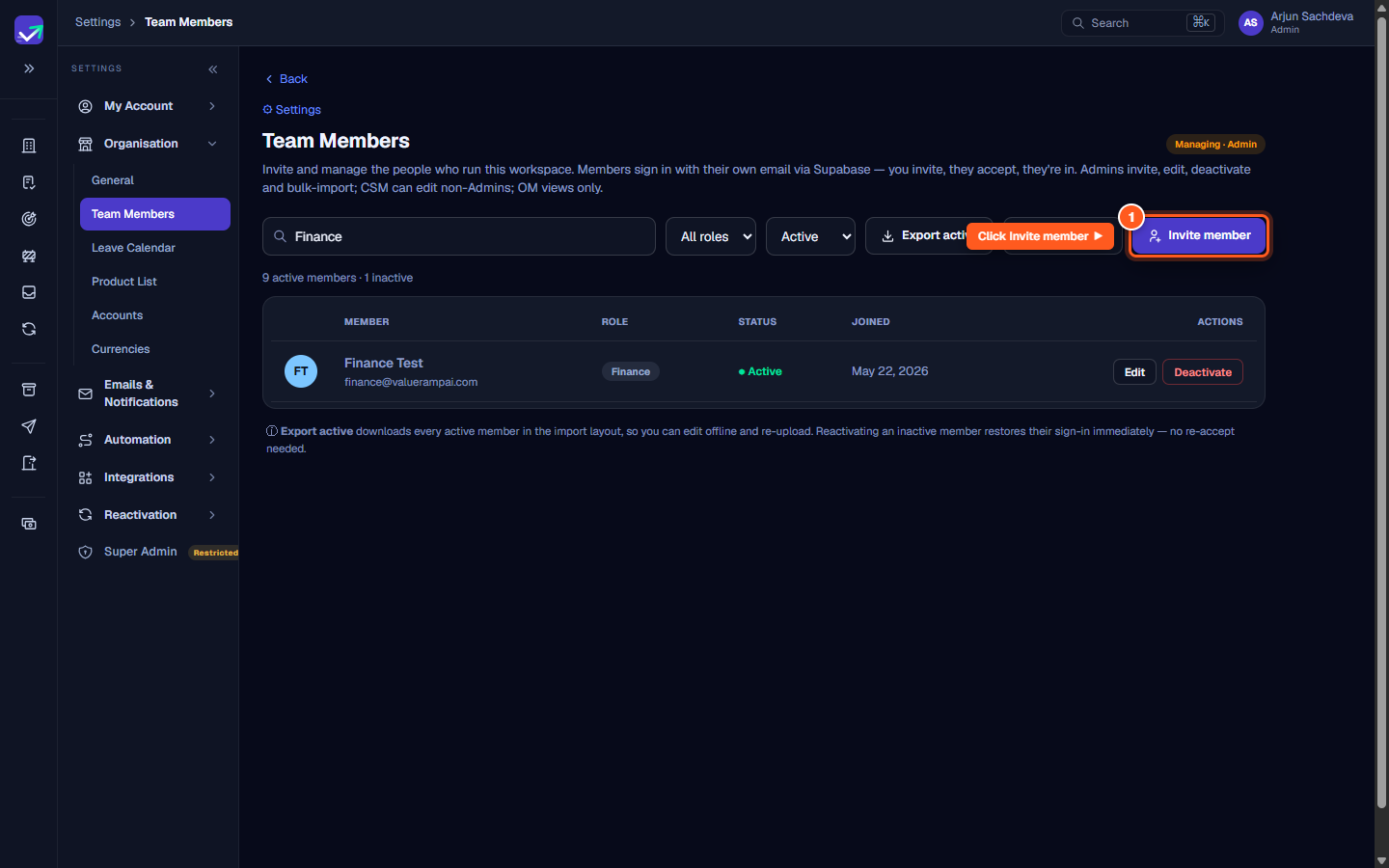
Steps
Click 'Invite member' in the Team toolbar
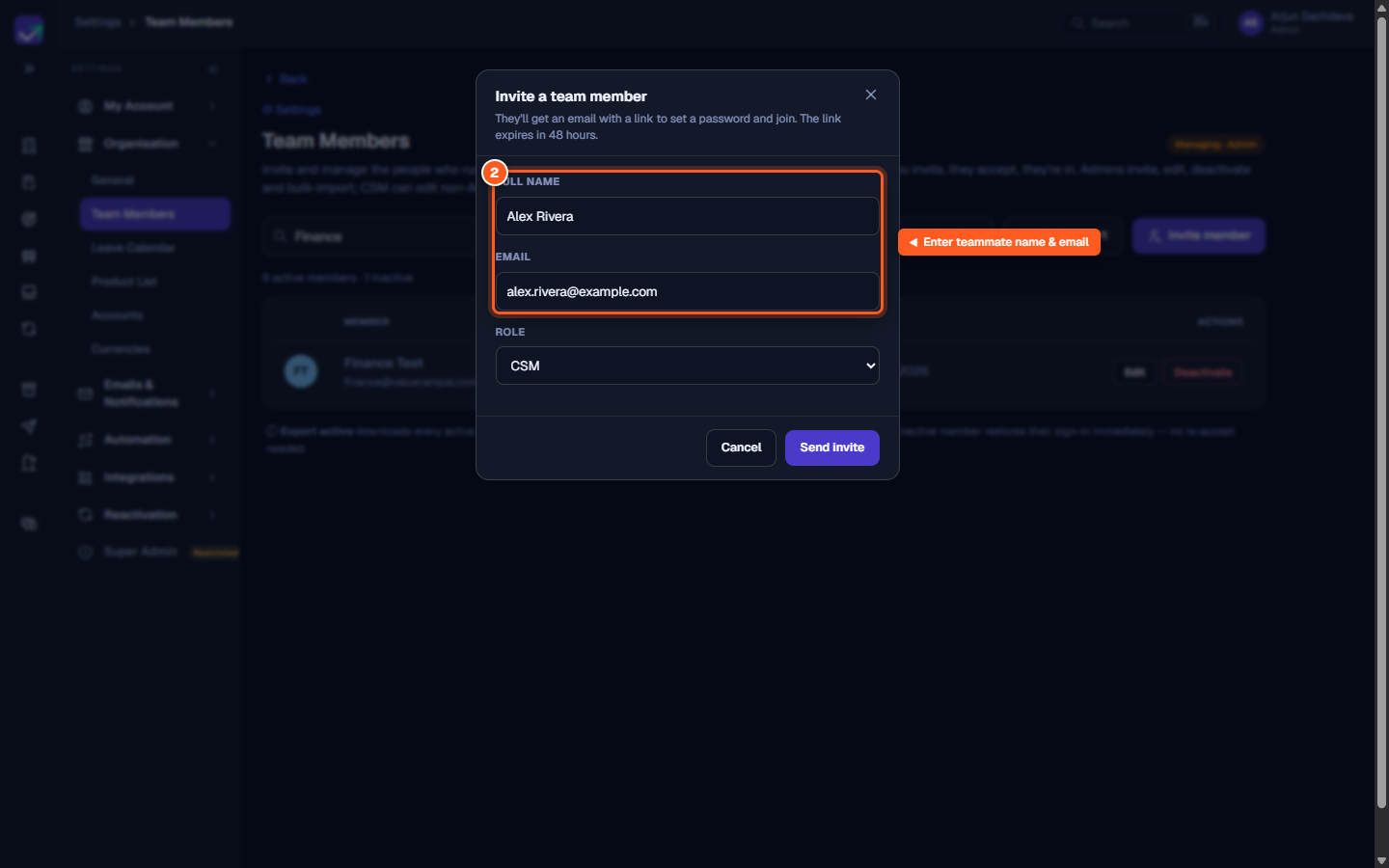
Enter your teammate's full name and company email address
Select the workspace role to define their access permissions
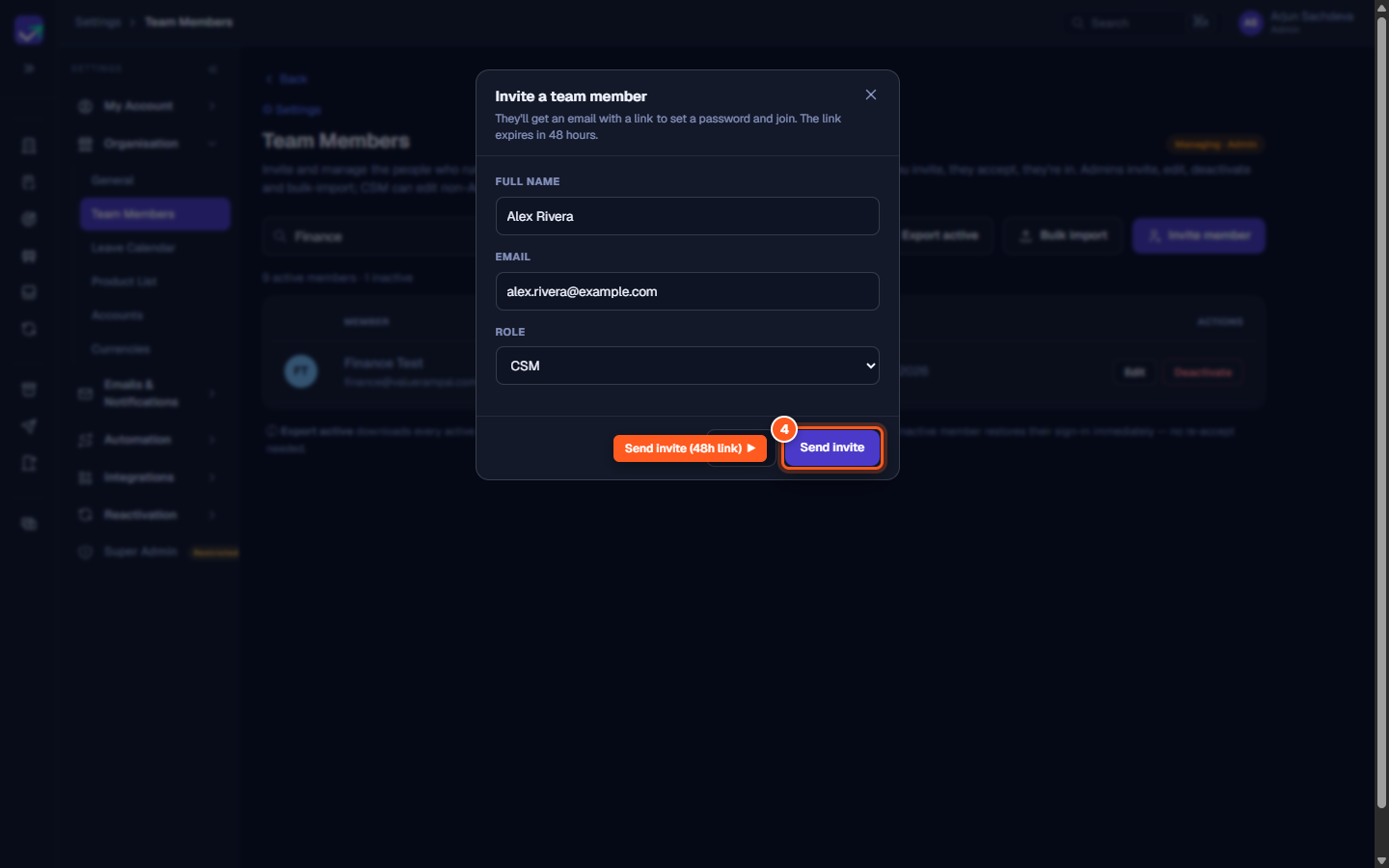
Click 'Send invite' to dispatch the 48-hour onboarding invitation link
Common questions
How long is the invitation link valid?
Can a CSM or Onboarding Manager invite new teammates?
What happens when a teammate accepts their invitation?
Can I change a teammate's role after they join?
Was this helpful? Tell us what was missing