Currencies and your workspace currency
Last verified 2026-09-17
Configure your workspace reporting base currency, manage active billing currencies, and view or edit FX rates against the USD pivot.
Before you start
- ValueRamp Admin role (or Finance role for editing FX rates)
The Currencies settings page (/settings/currencies) controls how monetary figures are aggregated across your workspace, which currencies team members can select when billing accounts, and the exchange rates used to normalize financial metrics.
Reporting base currency
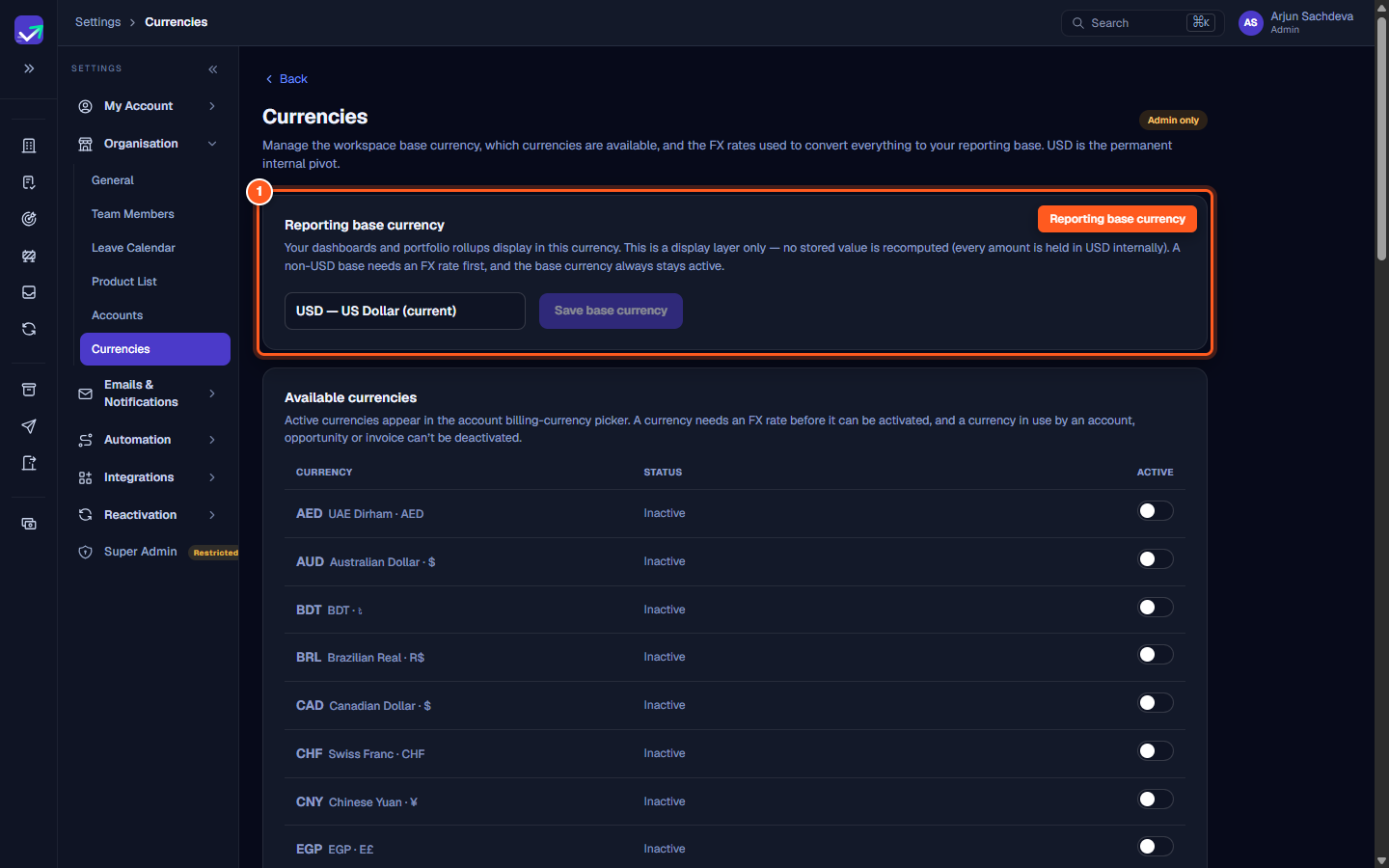
Your dashboards, ARR summaries, and portfolio rollups display in your workspace's Reporting base currency.
- Display layer only: Selecting a new base currency changes how figures are converted for display in reports and widgets. It never modifies underlying stored amounts, as all ledger records are stored internally in USD.
- FX rate prerequisite: Only currencies with an active exchange rate against USD appear in the base currency selection dropdown.
- Permanent activation: Whichever currency is selected as the reporting base is locked active in your workspace billing options.
Available billing currencies
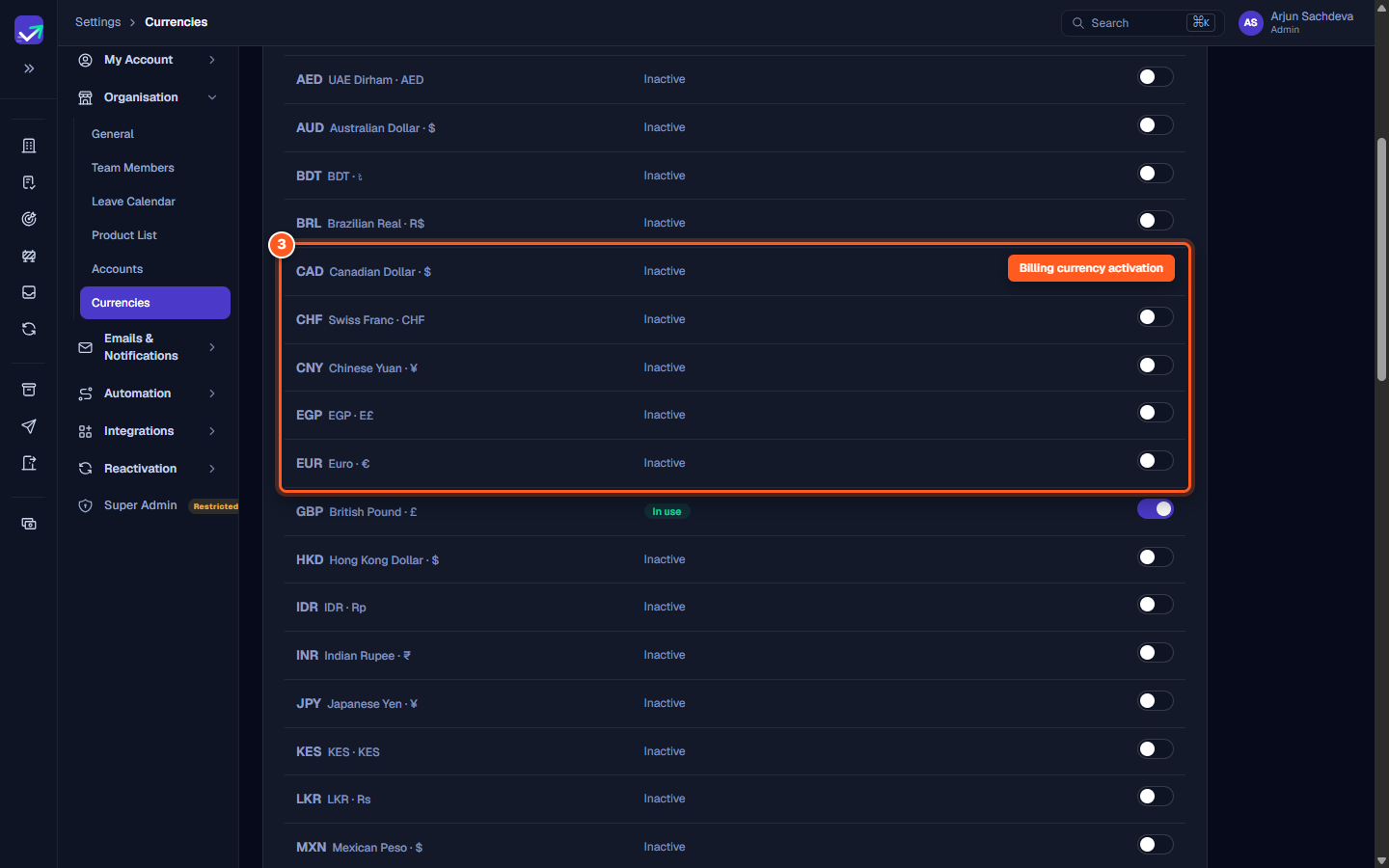
The Available currencies table controls which currencies CSMs and sales managers can select when creating accounts, setting up recurring contract plans, and issuing invoices.
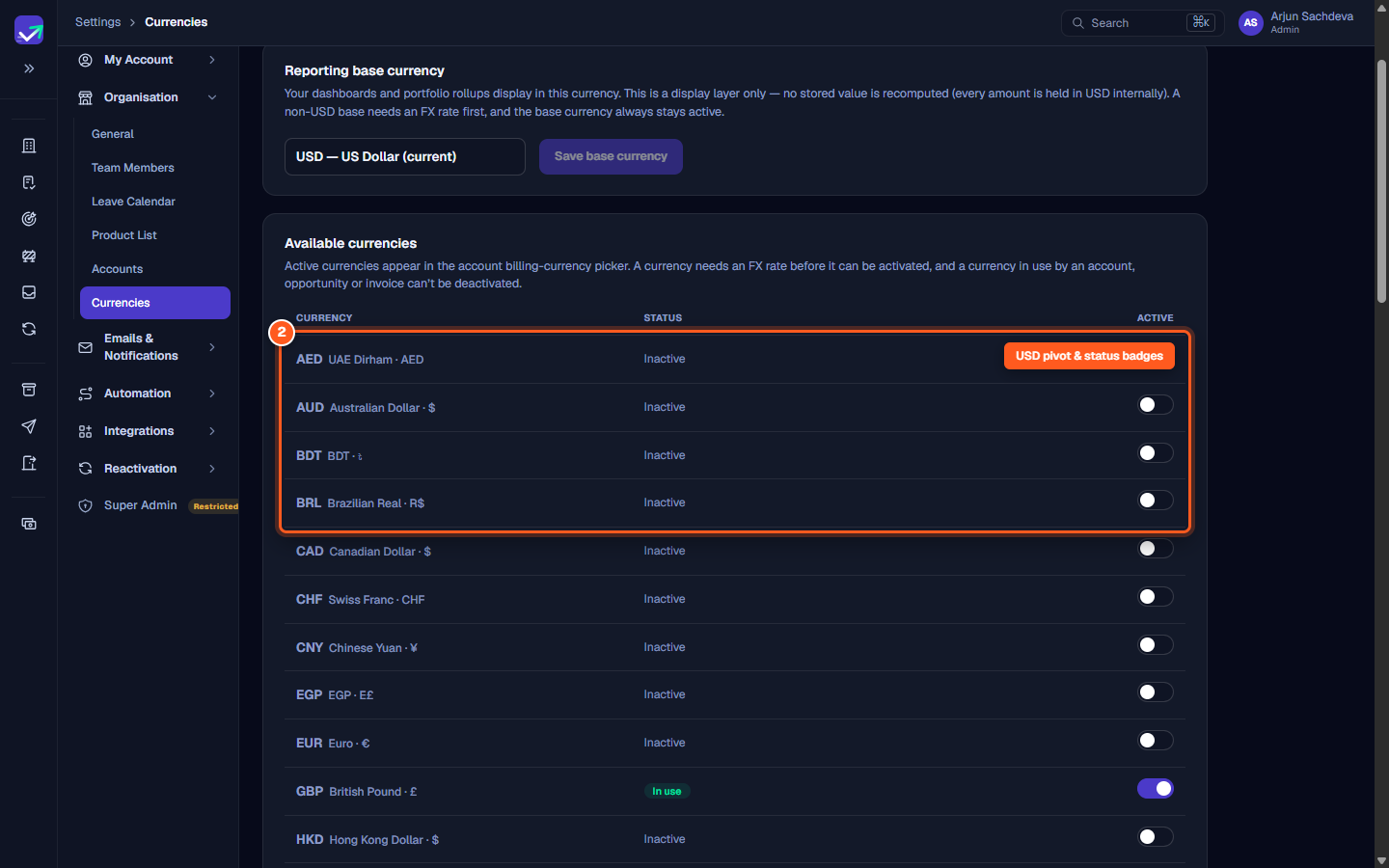
- Internal pivot: US Dollar (
USD) serves as ValueRamp's internal pivot currency across all multi-currency conversions and remains permanently locked active. - Status indicators:
Internal pivot: Identifies USD, through which all cross-currency math is routed.Base: The current reporting base currency.In use: Indicates that at least one account, contract plan, or invoice currently uses this currency. In-use currencies cannot be deactivated.Needs FX rate: Currencies that do not yet have an active rate against USD cannot be toggled on.
- Saving changes: After toggling currencies on or off, click Save changes to apply your updates or Cancel to discard edits.
FX rates → USD
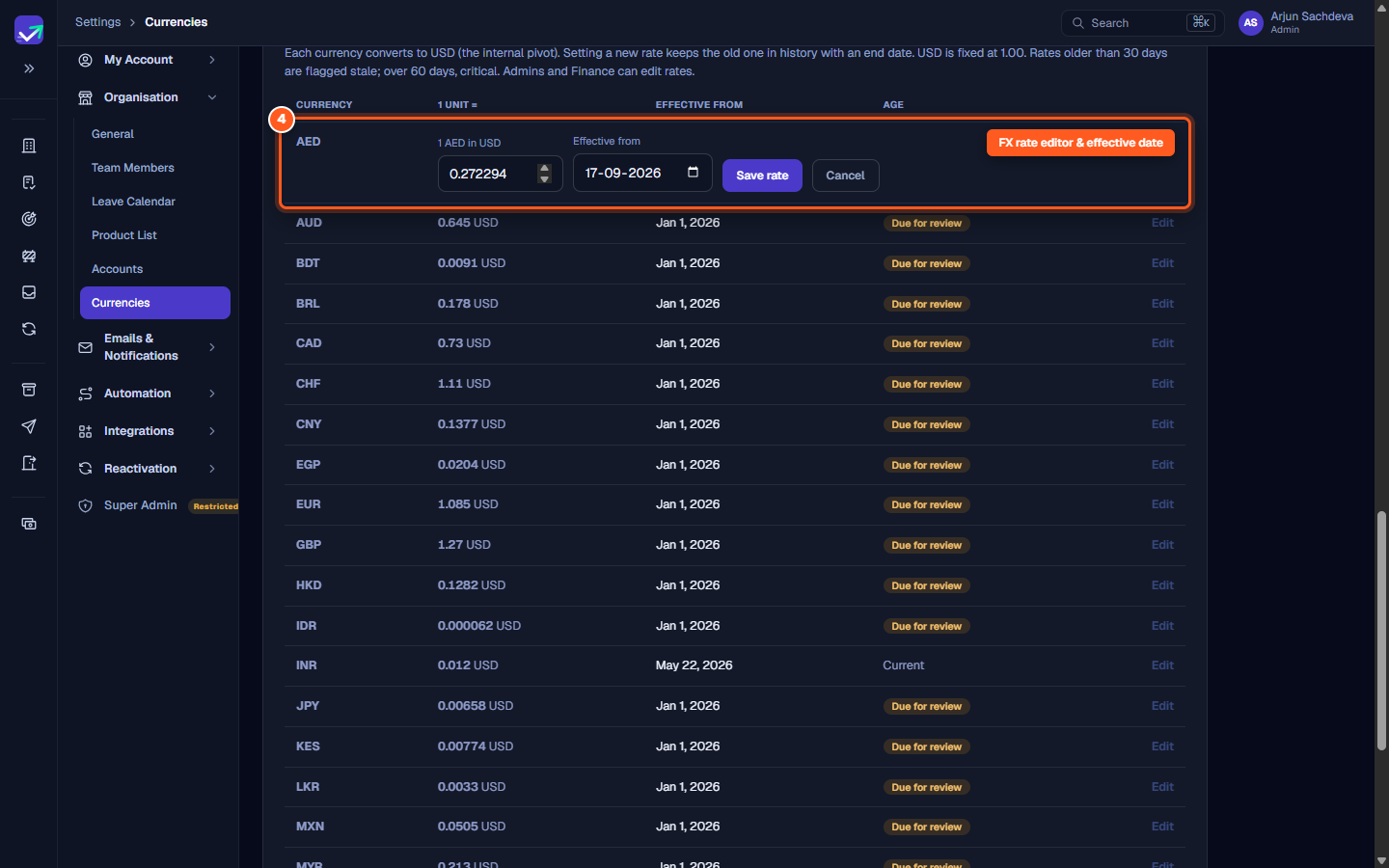
The FX rates → USD section lists the exchange rates used to convert transactions and contract figures into USD.
- 1 unit conversion: Every rate specifies the USD equivalent of 1 unit of foreign currency (for example,
1 EUR = 1.0850 USD). - Rate history: Submitting an updated rate archives the prior rate with an effective end date, ensuring that historical accounting reports retain the exact rates in effect at the time of each transaction.
- Review alerts: Rates older than 30 days display an amber
Due for reviewindicator to alert your finance team to refresh rate tables.
Steps
Select your Reporting base currency and click Save base currency
Review the internal pivot and currency status badges
Toggle active billing currencies and click Save changes
Click 'Edit' to update an exchange rate against USD
Common questions
Can I choose a reporting base currency that does not have an active FX rate?
Does changing the reporting base currency recompute stored financial data?
Why are some currency toggle switches locked or disabled?
Who can manage workspace currencies versus FX rates?
How does ValueRamp handle exchange rate history and staleness?
Was this helpful? Tell us what was missing