Lifecycle phases and how accounts move
Last verified 2026-10-21
Understand the five account lifecycle phases, automated nightly detection logic, contract renewal windows, and churn wind-down.
Before you start
- ValueRamp Admin role
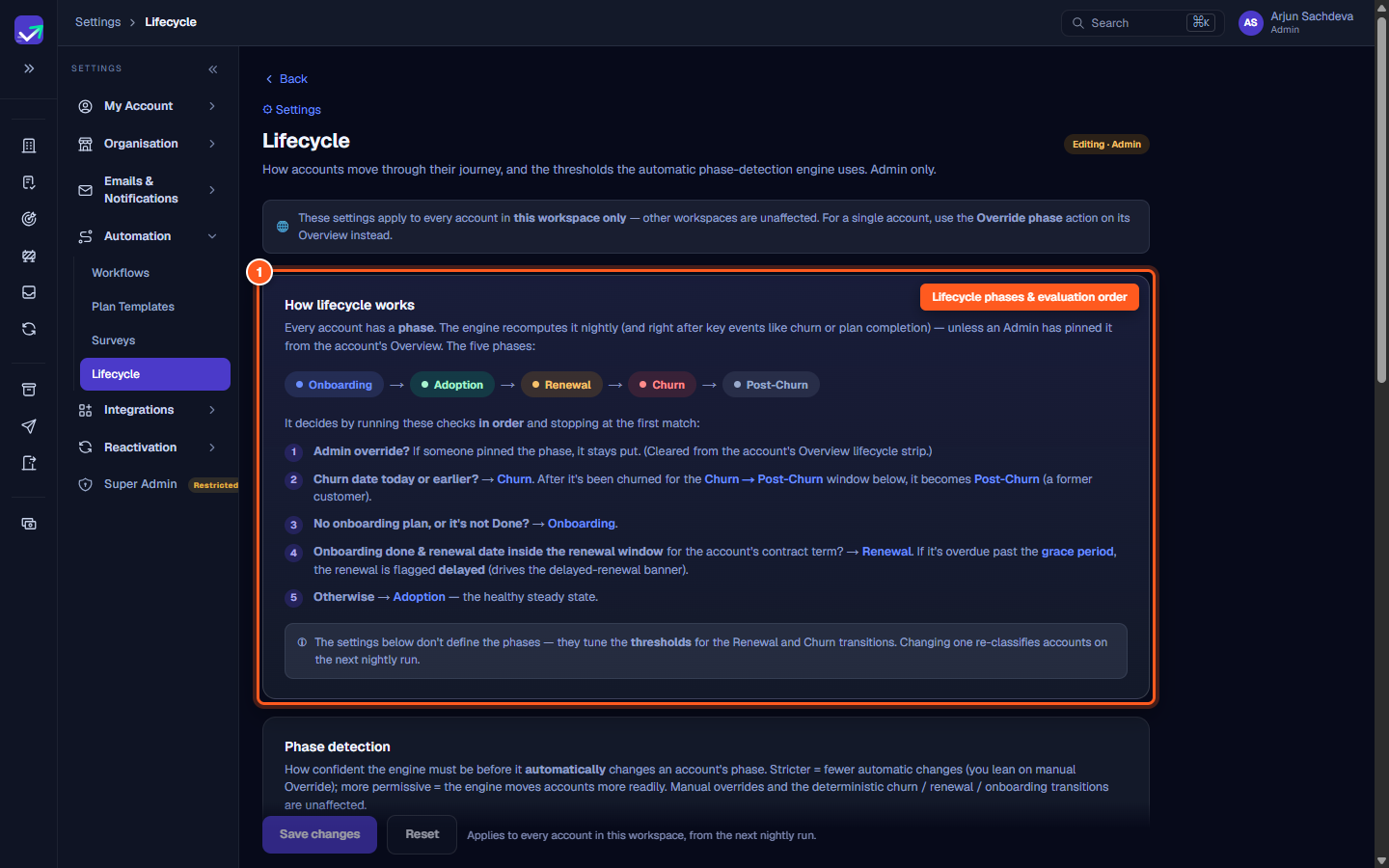
Every customer account in ValueRamp belongs to one of five sequential lifecycle phases. The Lifecycle settings page (/settings/lifecycle) controls how the automatic phase-detection engine categorizes accounts and determines when commercial renewals and offboarding transitions occur.
Only users with the Admin role can adjust lifecycle thresholds. Workspace lifecycle settings apply across all accounts in your organization.
The five lifecycle phases
Accounts advance through their journey across five states:
- Onboarding: The initial delivery phase. An account remains in Onboarding as long as its onboarding plan is active or incomplete.
- Adoption: The steady-state healthy relationship phase. Accounts with completed onboarding and active product usage reside here until their renewal window opens.
- Renewal: The active commercial renewal window. Accounts enter this phase a set number of days prior to their contract end date.
- Churn: The wind-down phase when a customer cancels or does not renew. Offboarding playbooks and final data exports run during this stage.
- Post-Churn: A former customer. The account is monitored under former-customer win-back pipelines until the win-back tracking window expires.
Phase evaluation logic
The engine classifies each account nightly by running these rules in order and stopping at the first match:
- 1. Admin override: If an Admin pinned the phase using Override phase on the account's Overview, the engine preserves that phase.
- 2. Churn date today or earlier: The account moves to Churn. Once the wind-down period passes, it flips to Post-Churn.
- 3. Incomplete onboarding plan: If an onboarding plan exists and is not yet marked Done, the account remains in Onboarding.
- 4. Renewal window reached: If onboarding is complete and the account's contract end date falls within its contract-specific renewal lead time, the account enters Renewal. If past the renewal date plus grace period, it flags as Delayed.
- 5. Otherwise: The account is placed in Adoption.
Phase detection modes
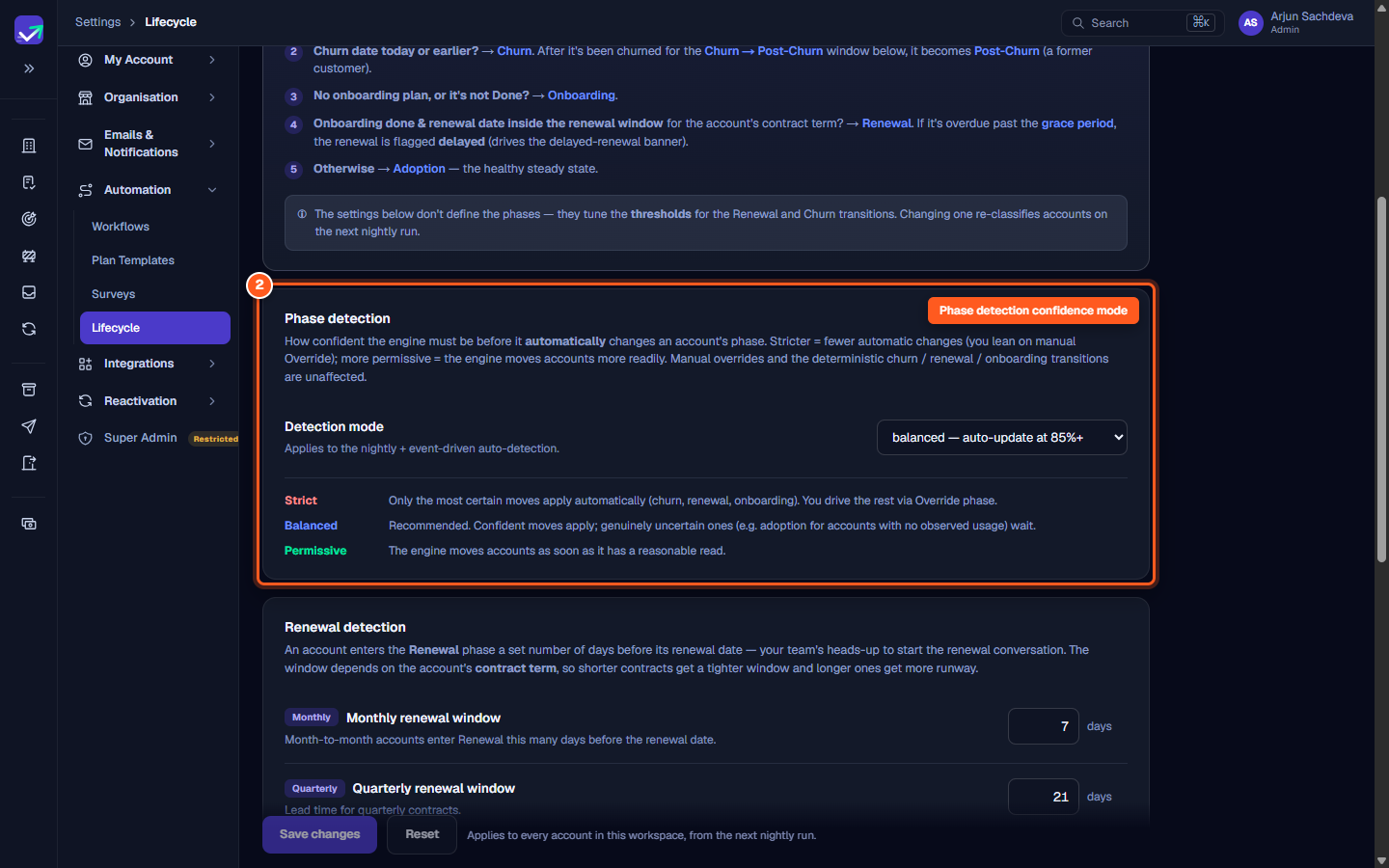
The Detection mode selector governs how aggressively the engine reclassifies accounts:
- Balanced (Recommended): Confident moves apply automatically; uncertain transitions (such as accounts lacking observed usage data) pause for human review.
- Strict: Only deterministic transitions (churn dates, renewal dates, onboarding plan completion) apply automatically. All other transitions require manual Admin overrides.
- Permissive: The engine moves accounts promptly based on early behavioral and timeline indicators.
Contract renewal windows & grace period
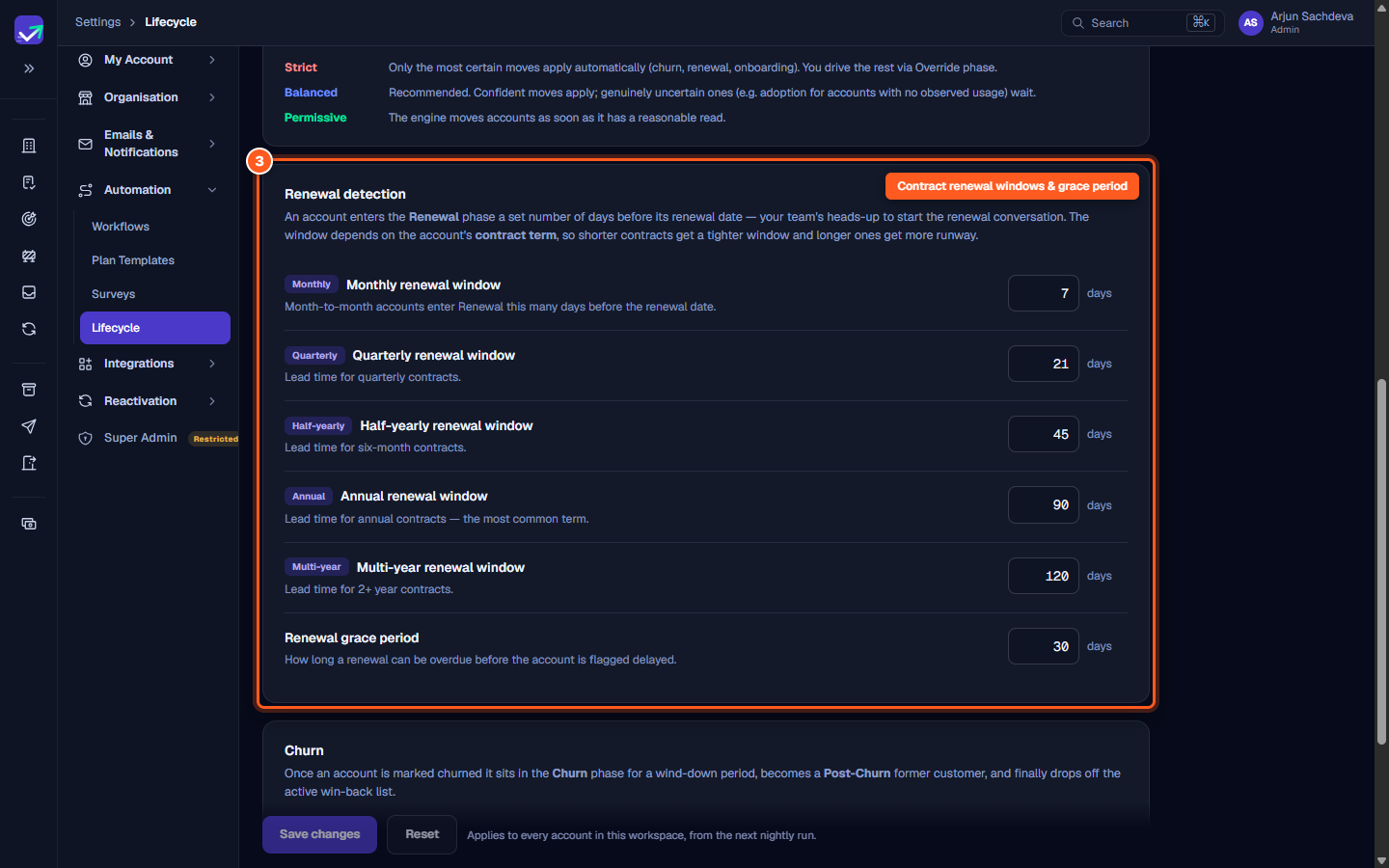
Because longer contracts require earlier preparation, lead times scale with contract duration:
- Monthly renewal window (default
7days): Lead time for month-to-month contracts. - Quarterly renewal window (default
21days): Lead time for three-month contracts. - Half-yearly renewal window (default
45days): Lead time for six-month terms. - Annual renewal window (default
90days): Lead time for standard one-year agreements. - Multi-year renewal window (default
120days): Lead time for contracts spanning two or more years. - Renewal grace period (default
30days): Number of days an account can remain past its renewal date before displaying the delayed renewal warning.
Churn & win-back windows
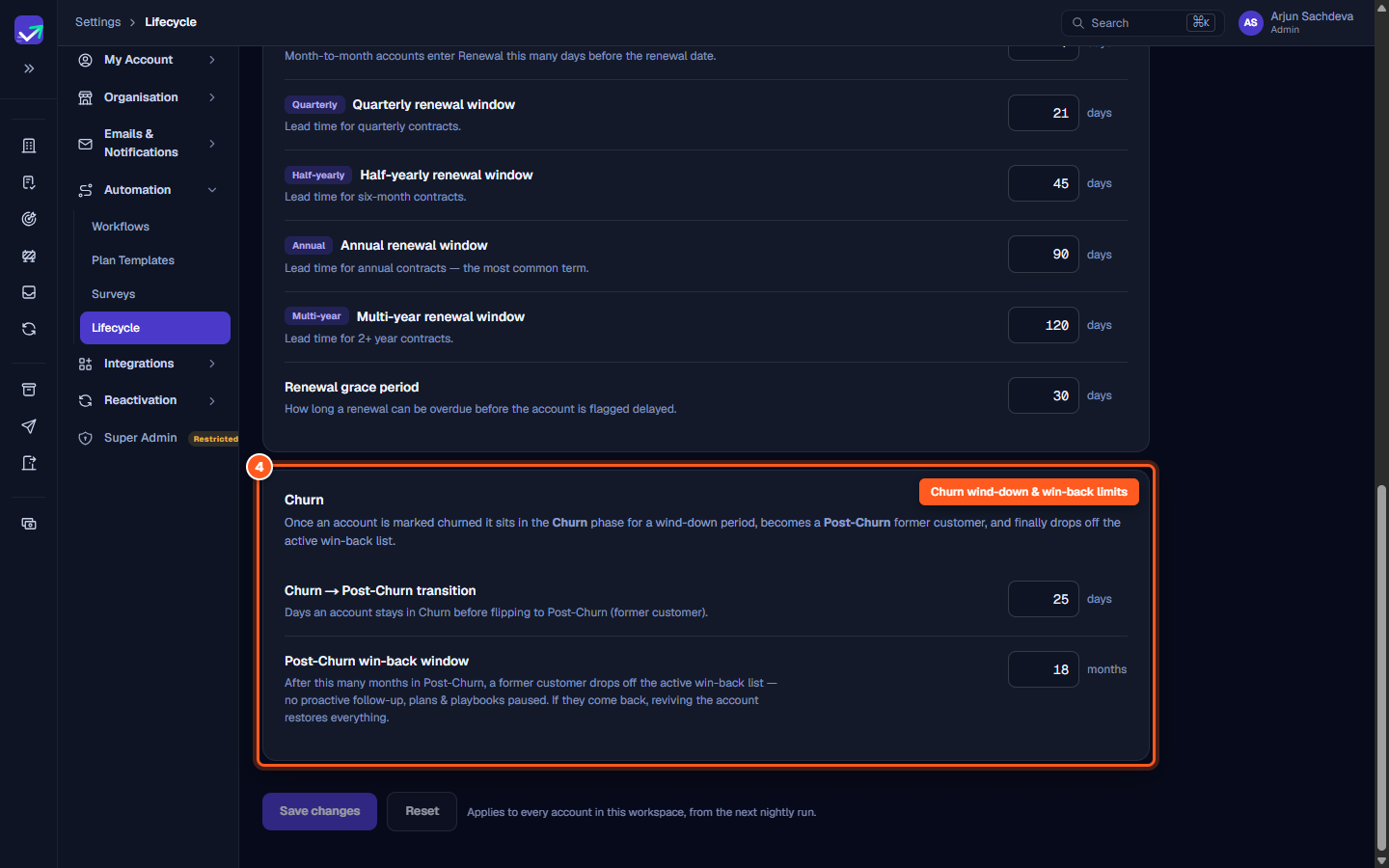
- Churn → Post-Churn transition (default
30days): Number of days an account remains in active Churn before transitioning to Post-Churn. - Post-Churn win-back window (default
18months): Duration a former customer remains in win-back pipelines. After this window, playbooks pause and the account archives from active sales views. If the customer returns, reactivating the account restores historical records.
Steps
Review the five lifecycle phases and nightly evaluation order
Choose the engine's automated phase detection confidence mode
Configure contract renewal lead times and the renewal grace period
Set churn wind-down, post-churn win-back limits, and save changes
Common questions
When does the automated lifecycle detection engine evaluate accounts?
What is the order of precedence when assigning an account phase?
Can I manually pin an account to a specific phase regardless of the engine?
What happens when an account exceeds its renewal grace period?
What is the difference between Churn and Post-Churn?
Was this helpful? Tell us what was missing