Organisation, products and accounts settings
Last verified 2026-09-17
Configure organization details, customer portal branding, managed account tier limits, and product SKUs.
Before you start
- ValueRamp Admin role
The Organisation settings suite governs your company's operational identity, customer portal appearance, subscription plan capacity, and product catalog.
Only users with the Admin role can update organization profiles, change branding tokens, reconfigure managed account tiers, or modify products.
Organisation details and locale (/settings/organisation)
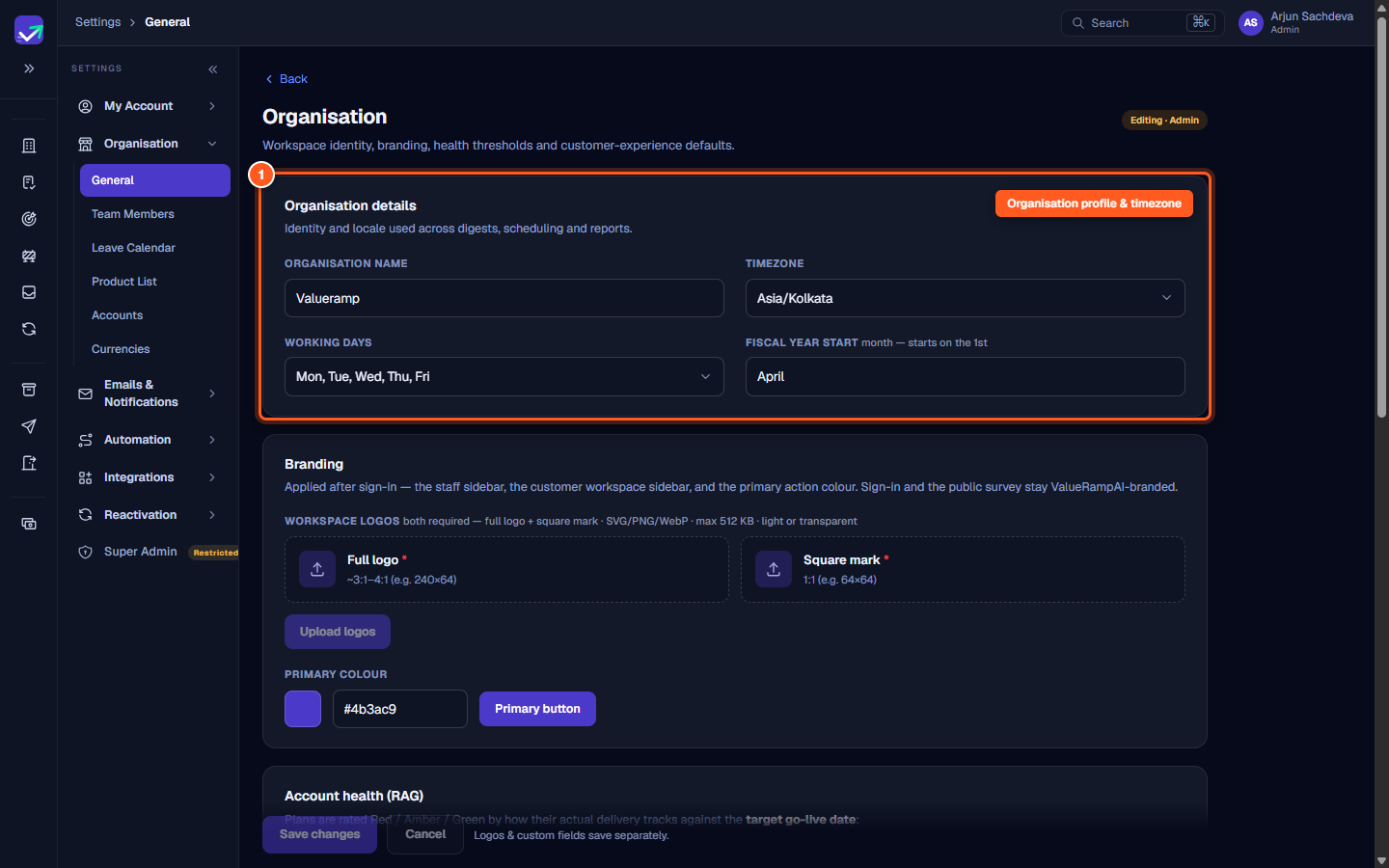
Configure core business defaults applied across schedules, notifications, and customer workspaces:
- Organisation name: Displayed across client communications, customer portal headers, and invoices.
- Timezone: Default operating timezone used to schedule automated workflow emails and daily digest notifications.
- Working days: Select your team's standard business days (e.g. Monday through Friday) to ensure automated milestone due dates and task SLAs calculate business hours accurately.
- Fiscal year start: Select the starting month of your financial reporting year (e.g., January or April) to align ARR dashboards and quarterly metrics.
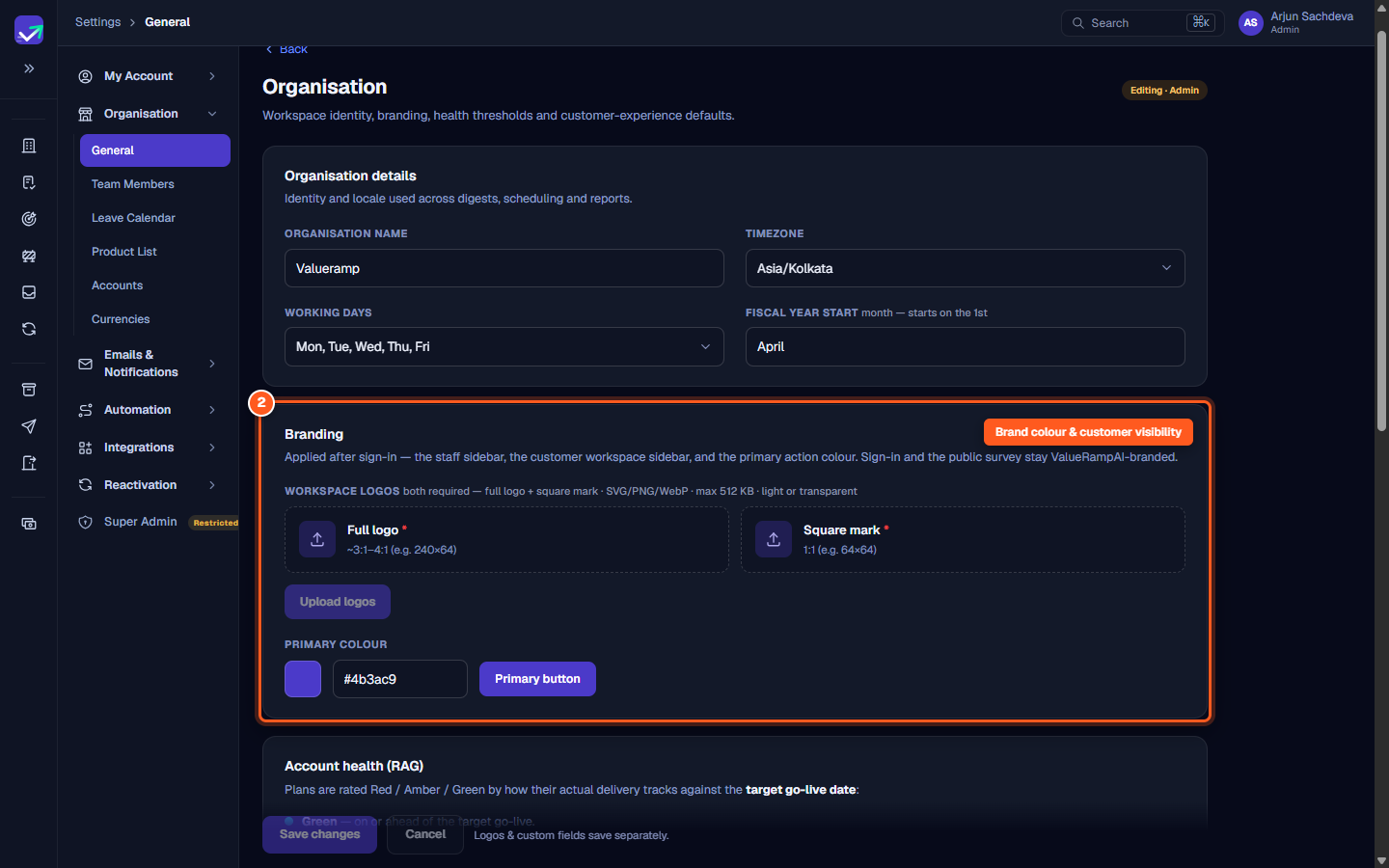
Branding
- Workspace logos: Upload both a horizontal full logo (3:1 to 4:1 ratio) and a square mark (1:1 ratio) in PNG, JPG, or WebP format up to 512 KB. SVG files are not accepted.
- Primary colour: Enter a hex color code used for primary call-to-action buttons in client-facing portal views.
Plan usage and accounts (/settings/organisation/accounts)
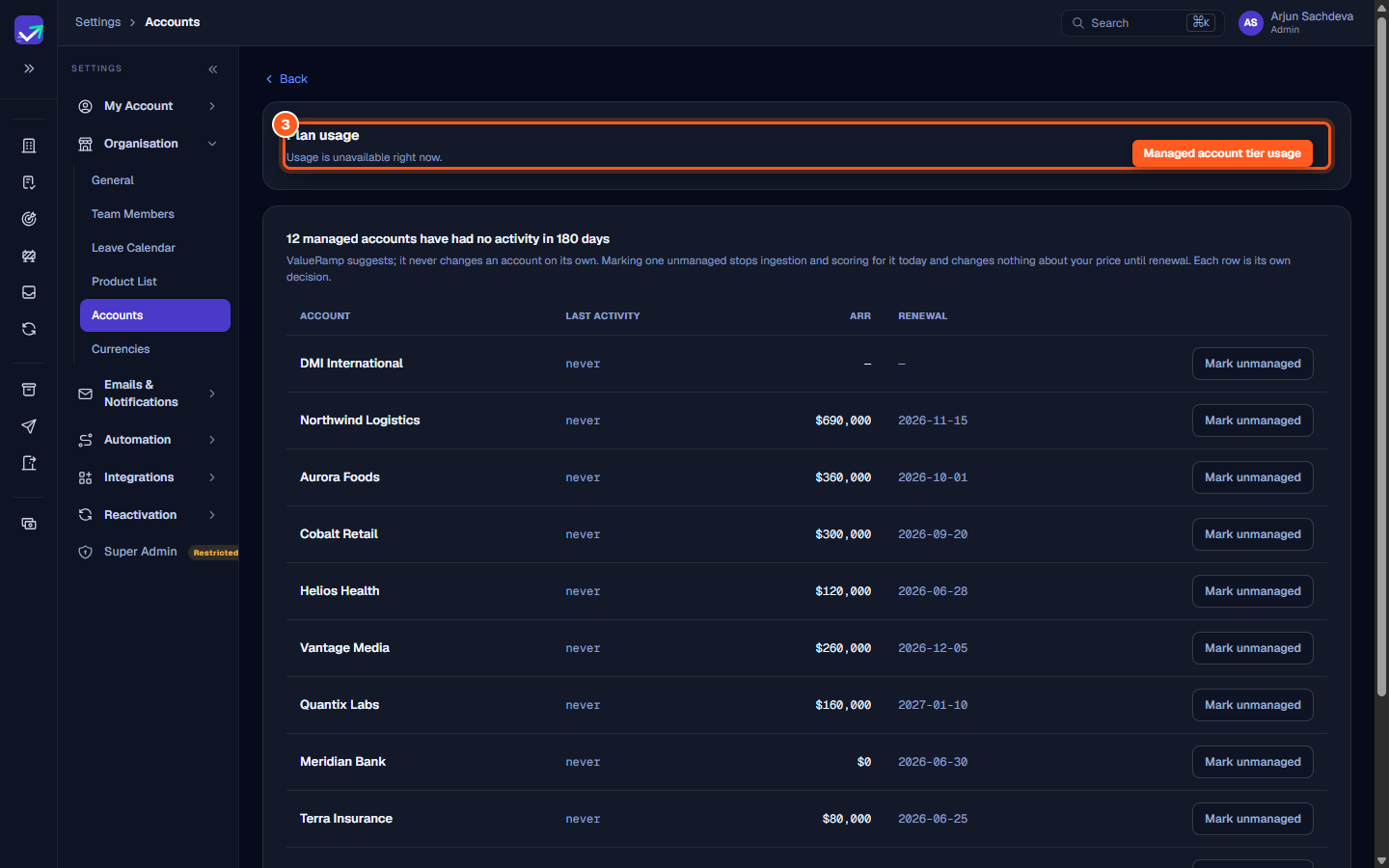
The Accounts settings tab monitors your subscription tier utilization:
- Inspect your current tier (Starter, Scale, or Enterprise), seat allowances, ARR ceiling, and managed account count.
- Review Unmanaged suggestions: ValueRamp automatically highlights customer accounts that have had zero timeline activity for over 180 days, giving Admins the option to mark them unmanaged and reclaim tier capacity.
Product catalog (/settings/organisation/products)
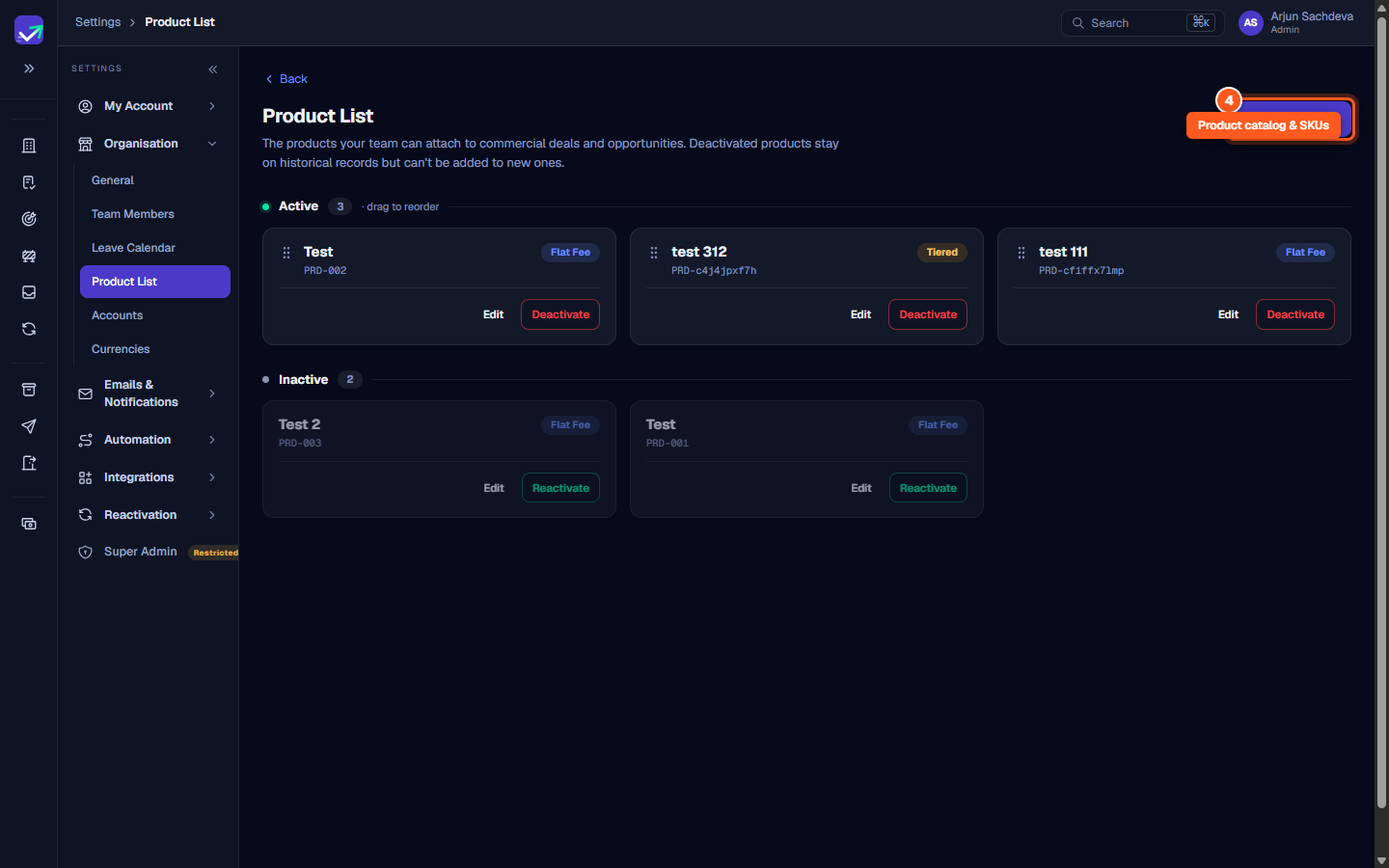
The Product List defines standard offerings that CSMs and sales teams attach to customer accounts:
- Click Add product to configure a new SKU name, pricing model, billing interval, and license type.
- Drag active product cards to control their ordering in account drop-down menus.
- Deactivating a product prevents it from being attached to future plans while preserving historical accounting records.
Steps
Configure company business details, timezone, and fiscal calendar
Upload your workspace logos and set the primary colour
Review managed account limits and subscription tier capacity
Maintain your product catalog and add active customer contract SKUs
Common questions
What happens when I change the fiscal year start month?
What is the difference between managed and unmanaged accounts?
Why must I upload both a full logo and a square mark?
Can non-Admin users edit products in the Product List?
Was this helpful? Tell us what was missing