View-only access: the stakeholder guide
Last verified 2026-09-28
Using the customer portal with view-only stakeholder access: follow implementation milestones, lifecycle progress and plan timelines.
Before you start
- ValueRamp stakeholder portal invitation or authenticated login
Welcome to your ValueRamp stakeholder portal. As an executive sponsor, department leader, or project observer, you require strategic visibility into vendor deliverables and partnership milestones without having to manage operational checklists.
ValueRamp's Stakeholder role provides a transparent, read-only window into implementation progress, health metrics, and long-term roadmap horizons.
Executive visibility across your workspace
Your workspace provides high-level executive perspective across three core dimensions:
1. Partnership overview & success leadership
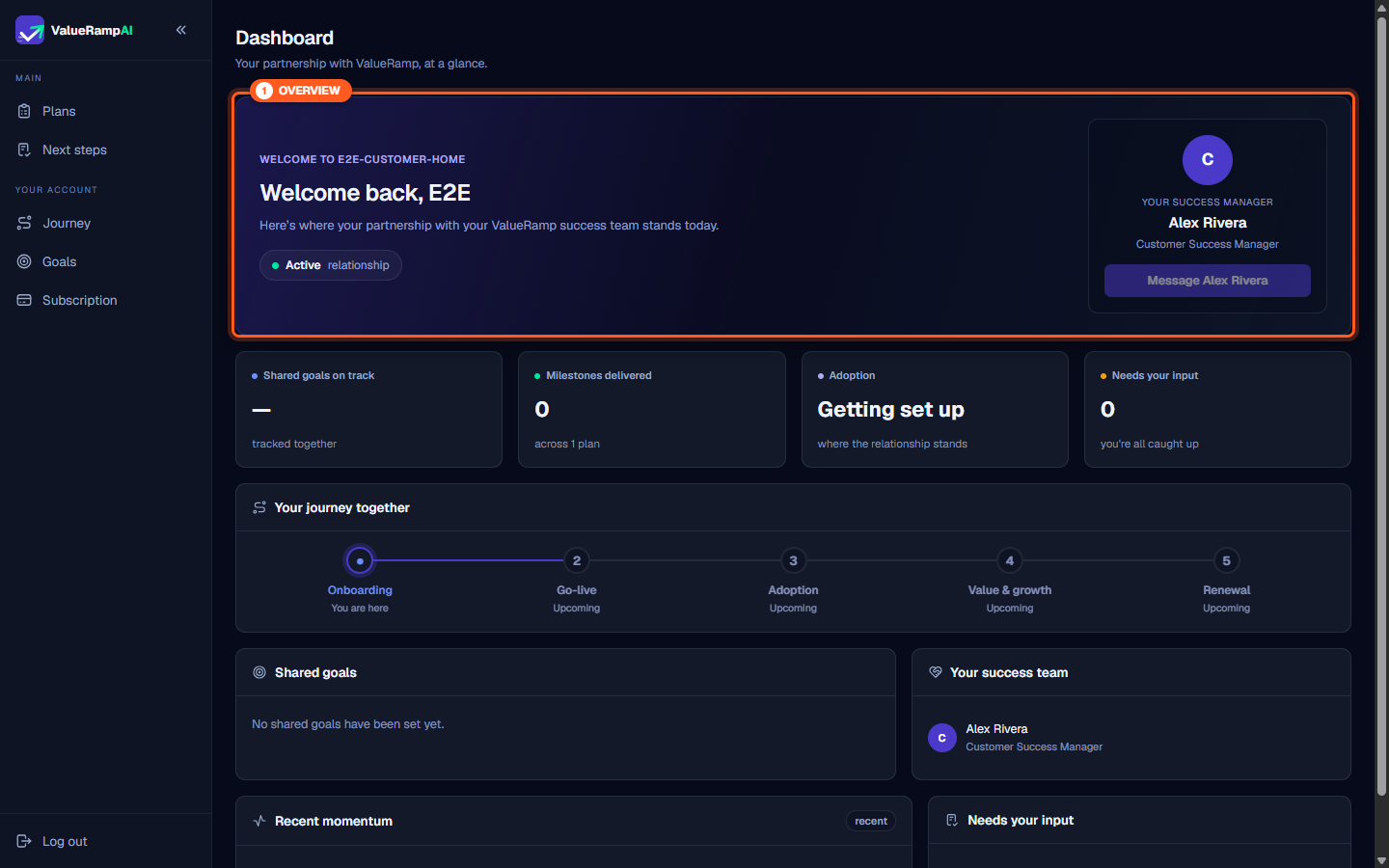
The Dashboard (/workspace) shows the relationship badge, your account tier and your success team — your Customer Success Manager (CSM) and, during onboarding, your Onboarding Manager. The Your success manager card at the top has a Message button (followed by your CSM's first name) that opens your shared conversation thread (/workspace/messages), where view-only stakeholders can send messages directly to their success team.
2. Strategic metric indicators
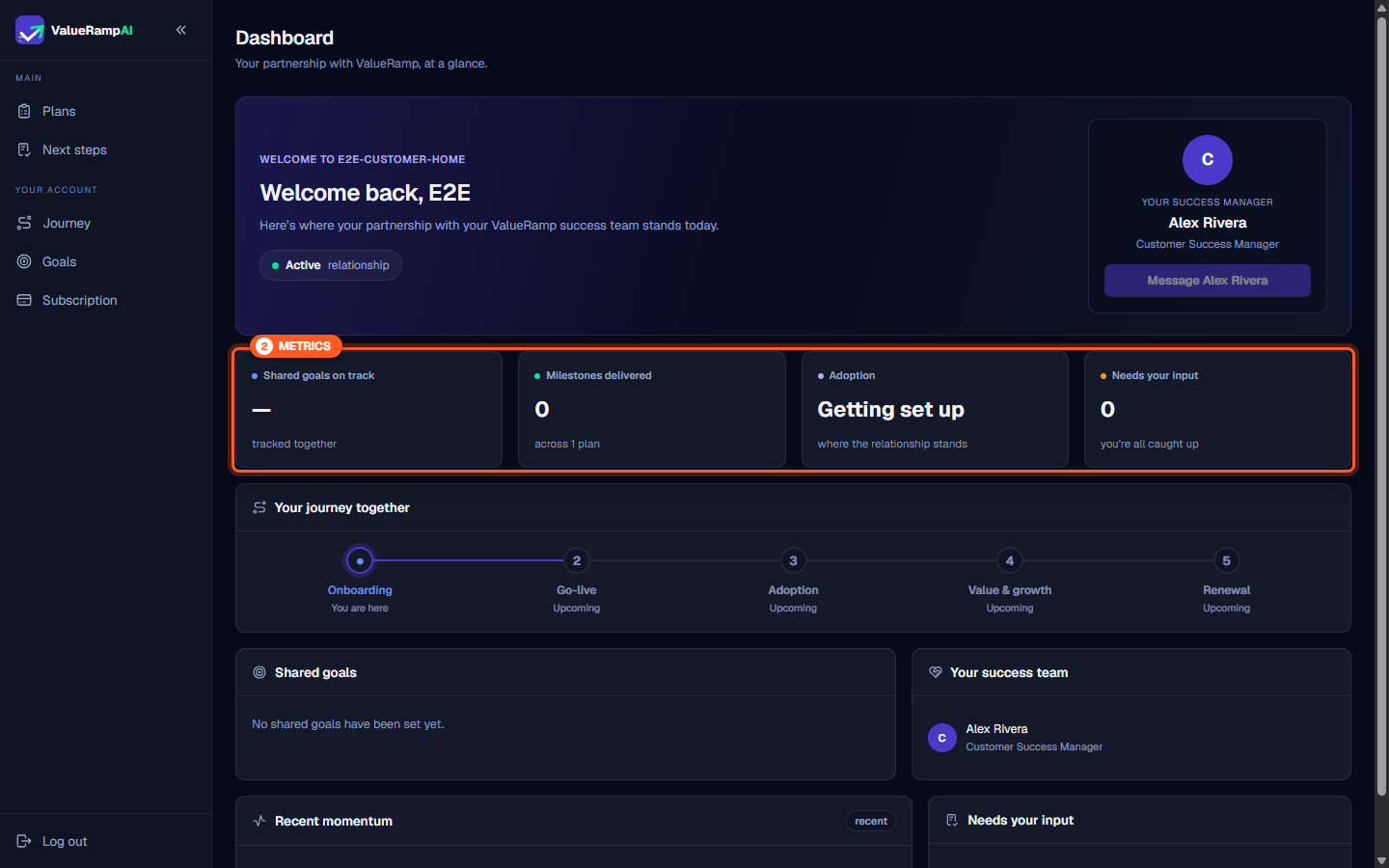
Four primary health cards summarize engagement health at a glance:
- Shared goals on track: Tracks joint business outcomes agreed upon during onboarding kickoff.
- Milestones delivered: Aggregates completed deliverable phases across all active plans.
- Adoption status: Indicates current operational maturity and organizational enablement.
- Needs your input: Highlights whether deliverables are waiting on customer project team action.
3. Five-stage lifecycle journey
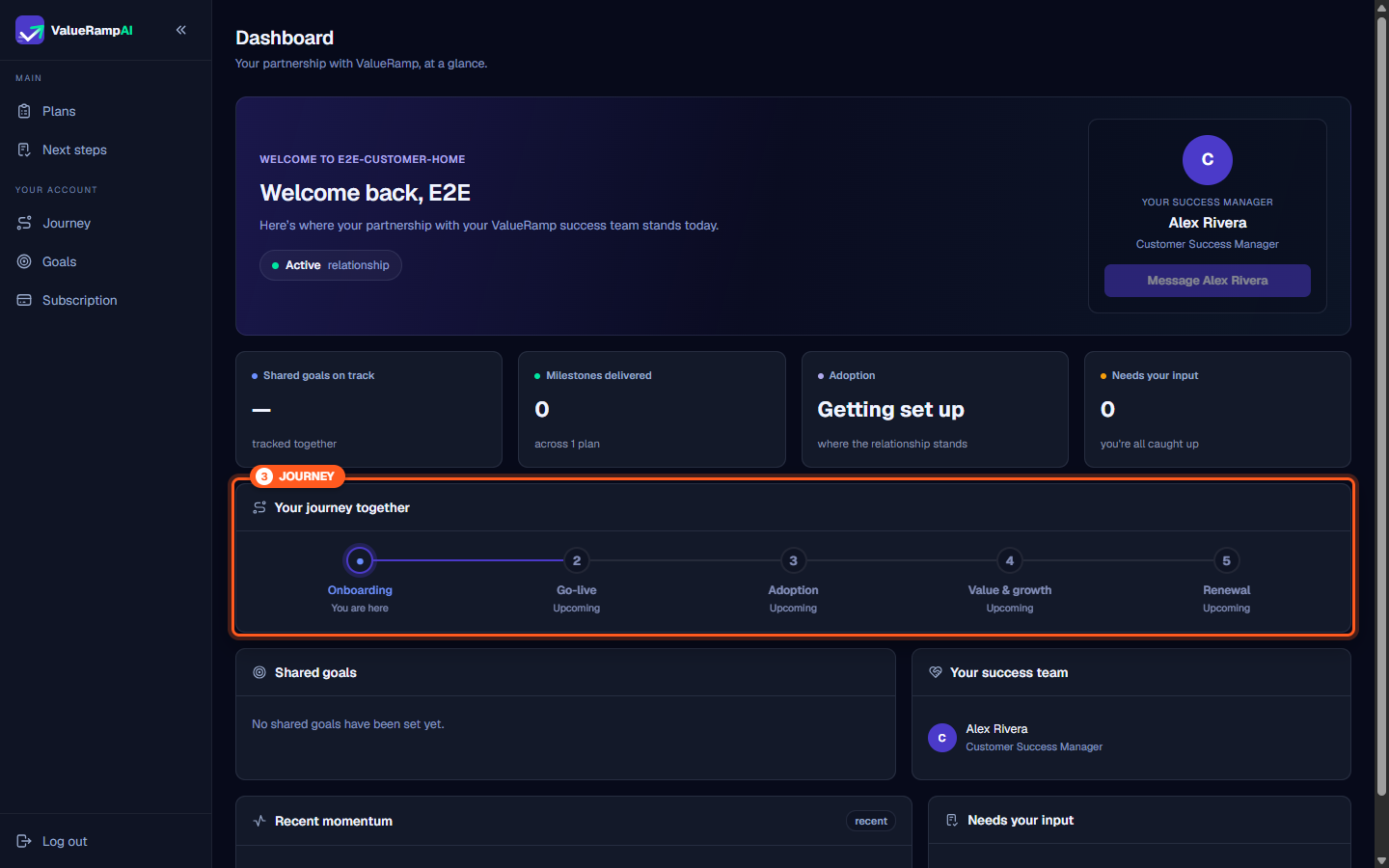
The Your journey together visualizer charts your multi-year partnership trajectory across Onboarding, Go-live, Adoption, Value & growth, and Renewal, pinpointing exactly where your organization stands today.
Navigating project plans with view-only access
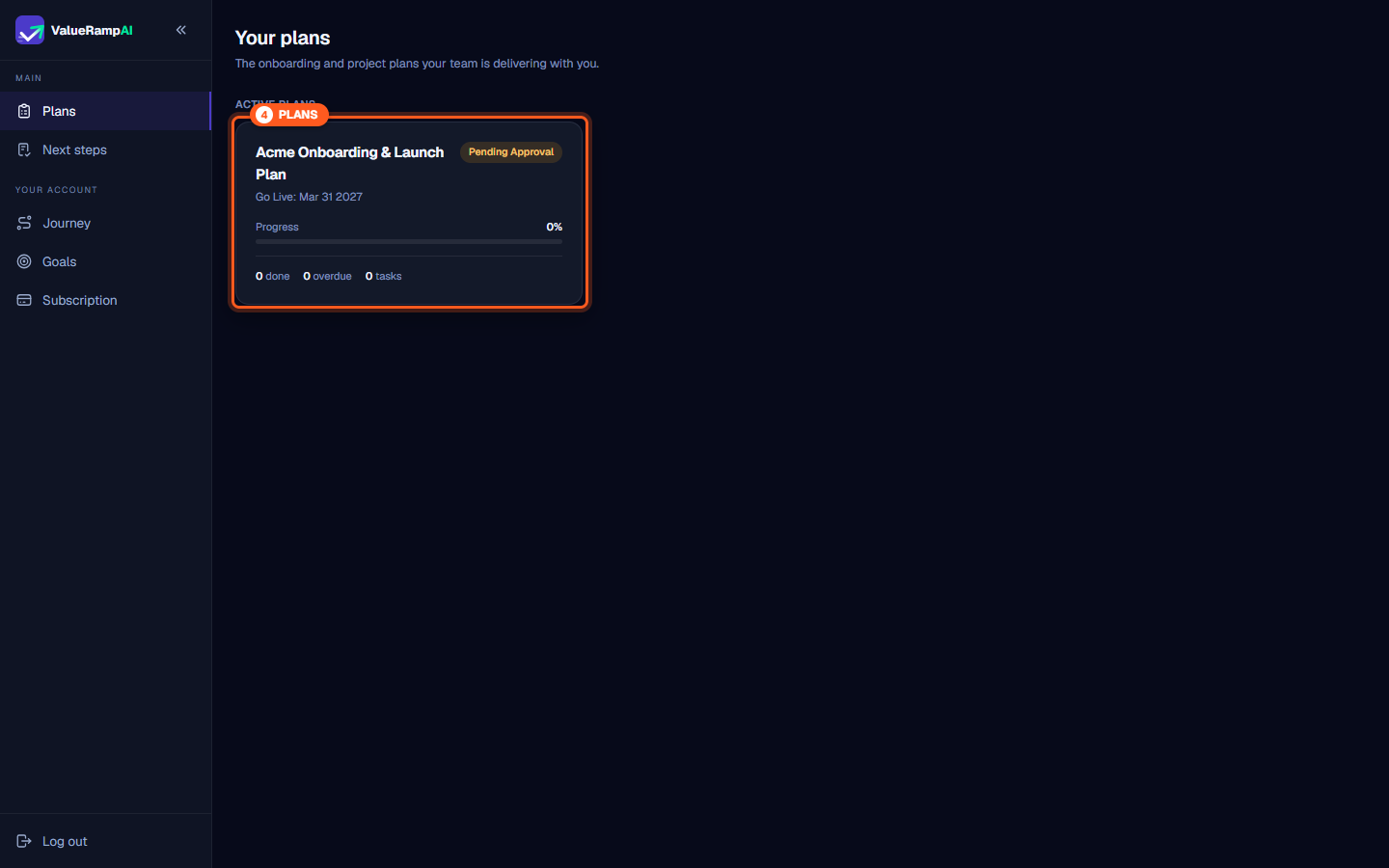
The Plans section (/workspace/plans) allows you to monitor active customer onboarding and project roadmaps.
What stakeholders can inspect
- Target delivery timelines: Review estimated Go Live deadlines, completion percentages, and milestone breakdowns.
- Plan phases and deliverables: Click into any plan to review the structured hierarchy of phases, technical tasks, and owner assignments.
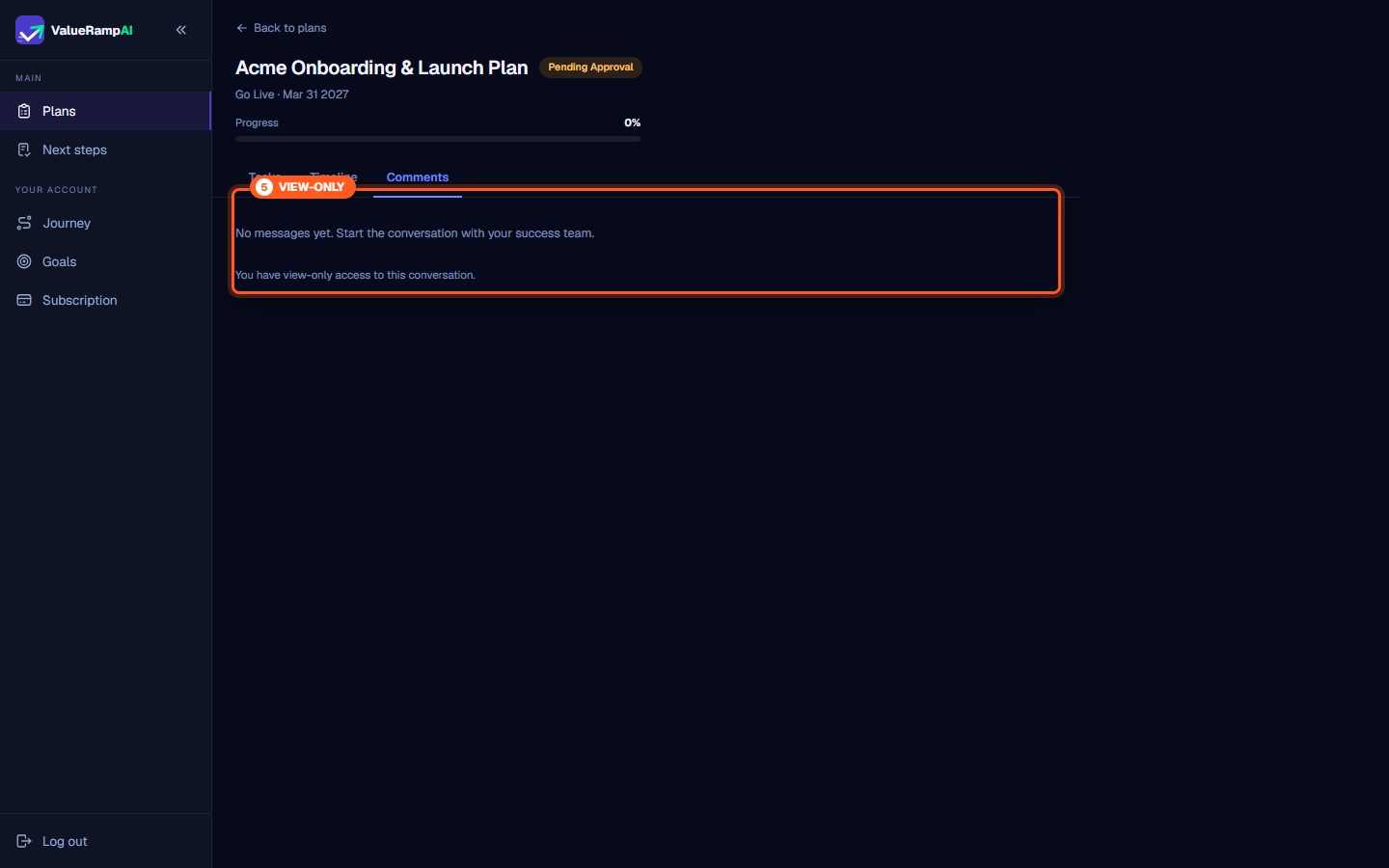
- Conversation logs: Open the Comments tab to review historical notes, questions, and decisions exchanged between your vendor and your delivery team.
View-only permissions boundary
ValueRamp enforces strict role boundaries to maintain single-threaded accountability during technical delivery:
| Portal Feature | Customer Role | Stakeholder Role (You) |
|---|---|---|
| View dashboard & metrics | Full access | Full access |
| Inspect plan roadmaps & dates | Full access | Full access |
| Read conversation history | Full access | Full access |
| Send account messages (/workspace/messages) | Enabled | Enabled |
| Approve plans / sign off phases | Enabled | Disabled (View-only) |
| Complete assigned tasks | Enabled | Disabled (View-only) |
| Post plan comments | Enabled | Disabled (View-only) |
When opening plan discussions, the interface explicitly reminds you:
"You have view-only access to this conversation."
Plan-level comments remain reserved for primary customer delivery leads to keep execution single-threaded. However, account messaging is open to everyone: on Messages (/workspace/messages), the composer is active at the bottom of the conversation thread, allowing view-only stakeholders to send messages (plain text up to 4,000 characters, sent with ⌘/Ctrl + Enter) directly to their Customer Success Manager.
If your executive team requires adjustments to project scope, milestones, or target go-live dates, share your directives with your primary internal customer lead or message your Customer Success Manager directly.
Steps
Access your workspace home to review high-level partnership status and your dedicated CSM
Inspect high-level partnership metrics, tracked goals, and delivered milestones
Track your organizational progression across the five-stage customer lifecycle
Navigate to Your plans to monitor active project roadmaps and target go-live dates
Understand view-only access boundaries across plan tasks, approvals, and comments
Common questions
What is the ValueRamp Stakeholder role?
Why can't I approve plans, edit tasks, or post comments?
Why does the Comments tab say 'You have view-only access to this conversation'?
How can I provide feedback on an active plan or milestone?
Can view-only stakeholders send messages to the success team?
How do I upgrade from Stakeholder to full Customer access?
Was this helpful? Tell us what was missing