The people graph
Last verified 2026-09-17
Track stakeholder career moves, organizational authority, and contact privacy consent across customer and former accounts.
Before you start
- ValueRamp CSM, Admin, or OM role
- Customer contacts mapped across account relationships
Overview
The People Graph (/reactivation/people) gives customer success and growth teams a consolidated network view of the individuals behind customer accounts. Rather than treating accounts as static entities, the People Graph recognizes that B2B relationships are built with people who change roles, take on executive authority, and transition between organizations.
By mapping stakeholder career progression, champion advocacy history, and compliance consent, teams can identify re-engagement opportunities when trusted advocates land at new accounts.
Contact Privacy and PII Protection
ValueRamp incorporates strict data protection safeguards across the People Graph:
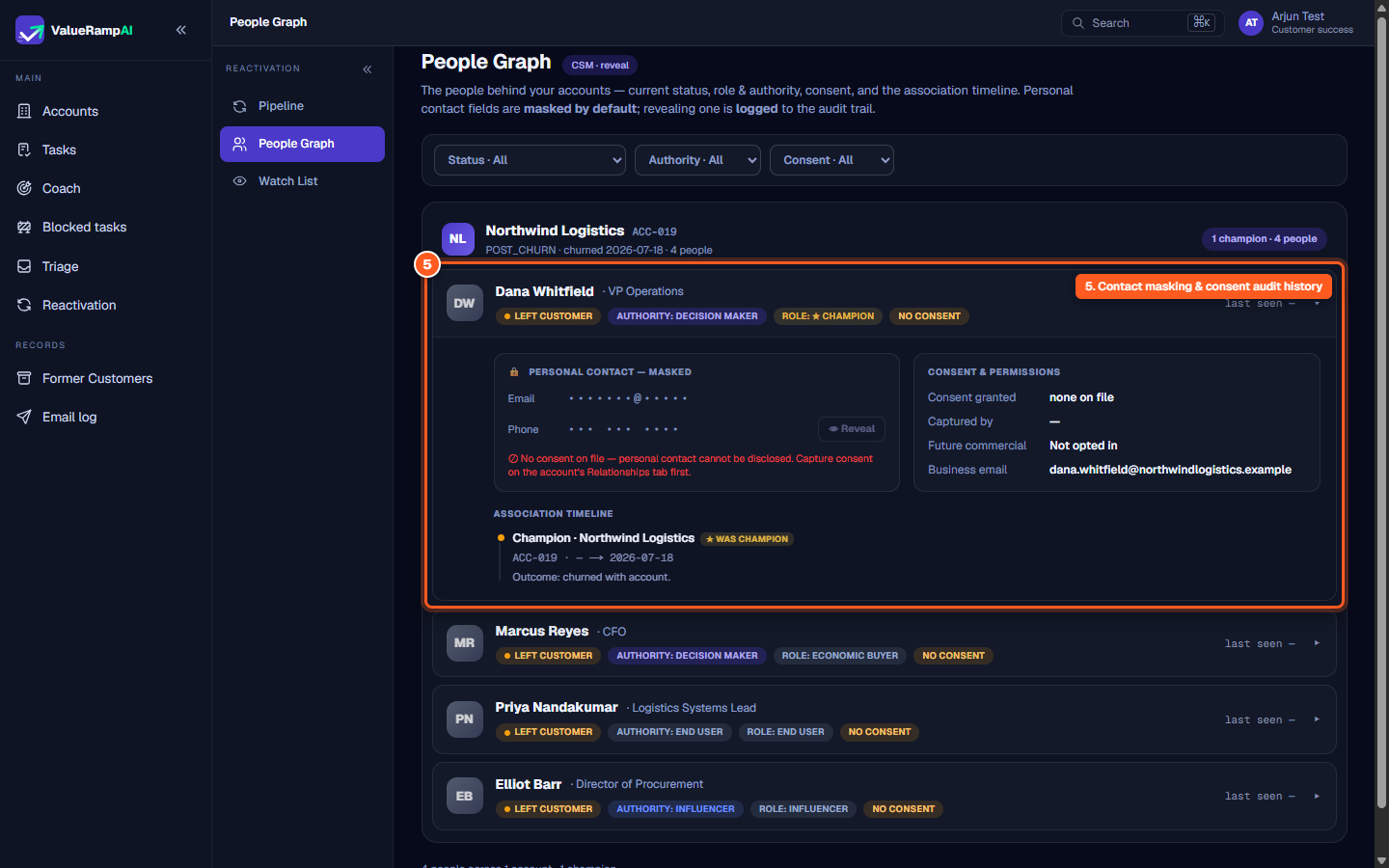
- Masked Personal Data: Personal email addresses and telephone numbers appear masked (
•••••••@•••••). - Consent Prerequisite: If no commercial consent is on file, the system refuses to disclose personal contact details and tells you to capture consent on the account's Relationships tab first.
- Who can reveal: An Admin, or the CSM who owns the account (
Admin · reveal/CSM · reveal). An OM sees the graph masked only (OM · read-only · masked). - Audit Logging: Every reveal is logged to the audit trail — who, when, which person.
- Business email: The business email address is shown unmasked.
Account Grouping and Champion Mapping
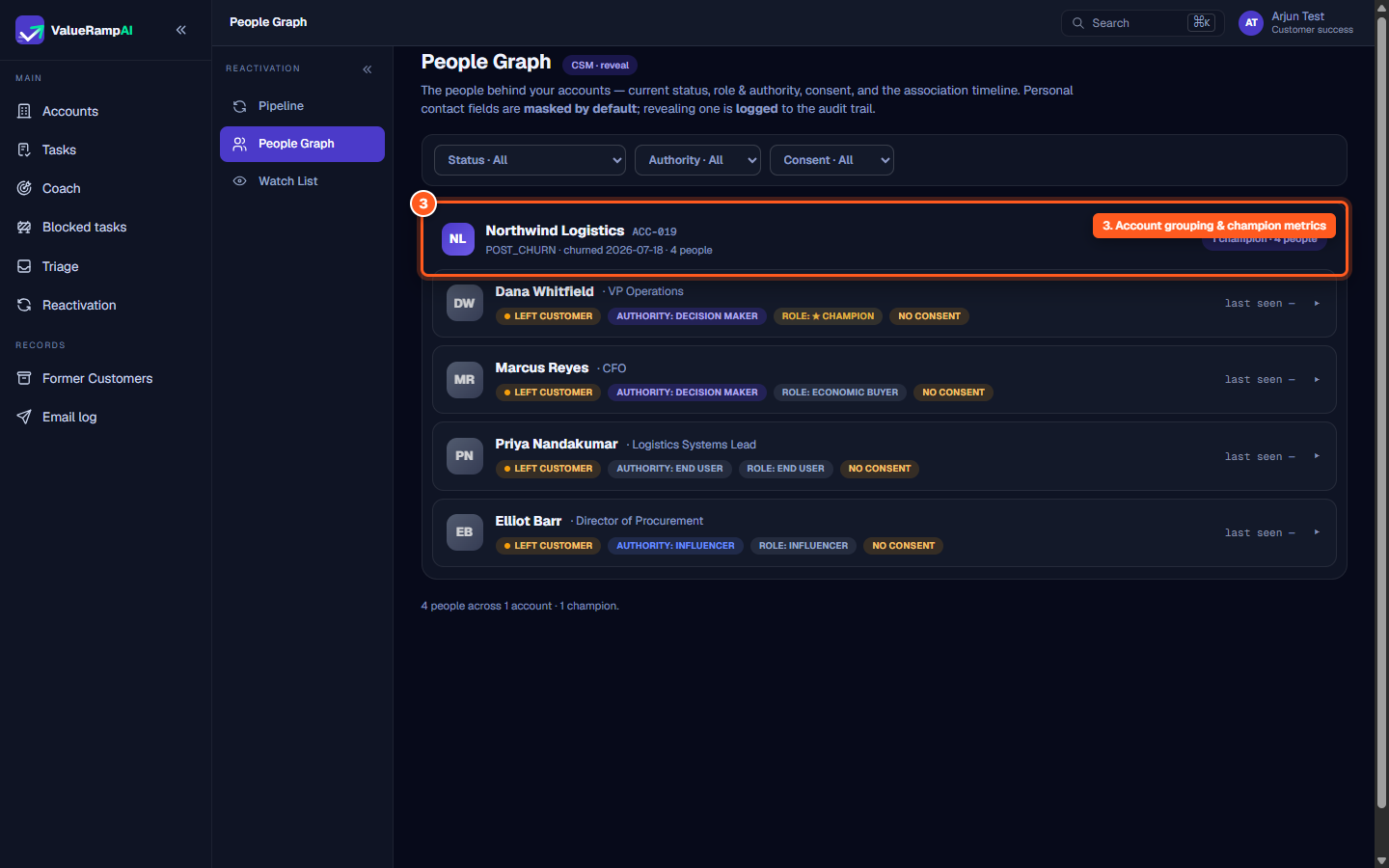
Contacts are organized by their parent account and current status:
- Lifecycle Badging: Clear status chips indicate whether an account is active or
POST_CHURN. - Champion Tracking: Champions carry a star —
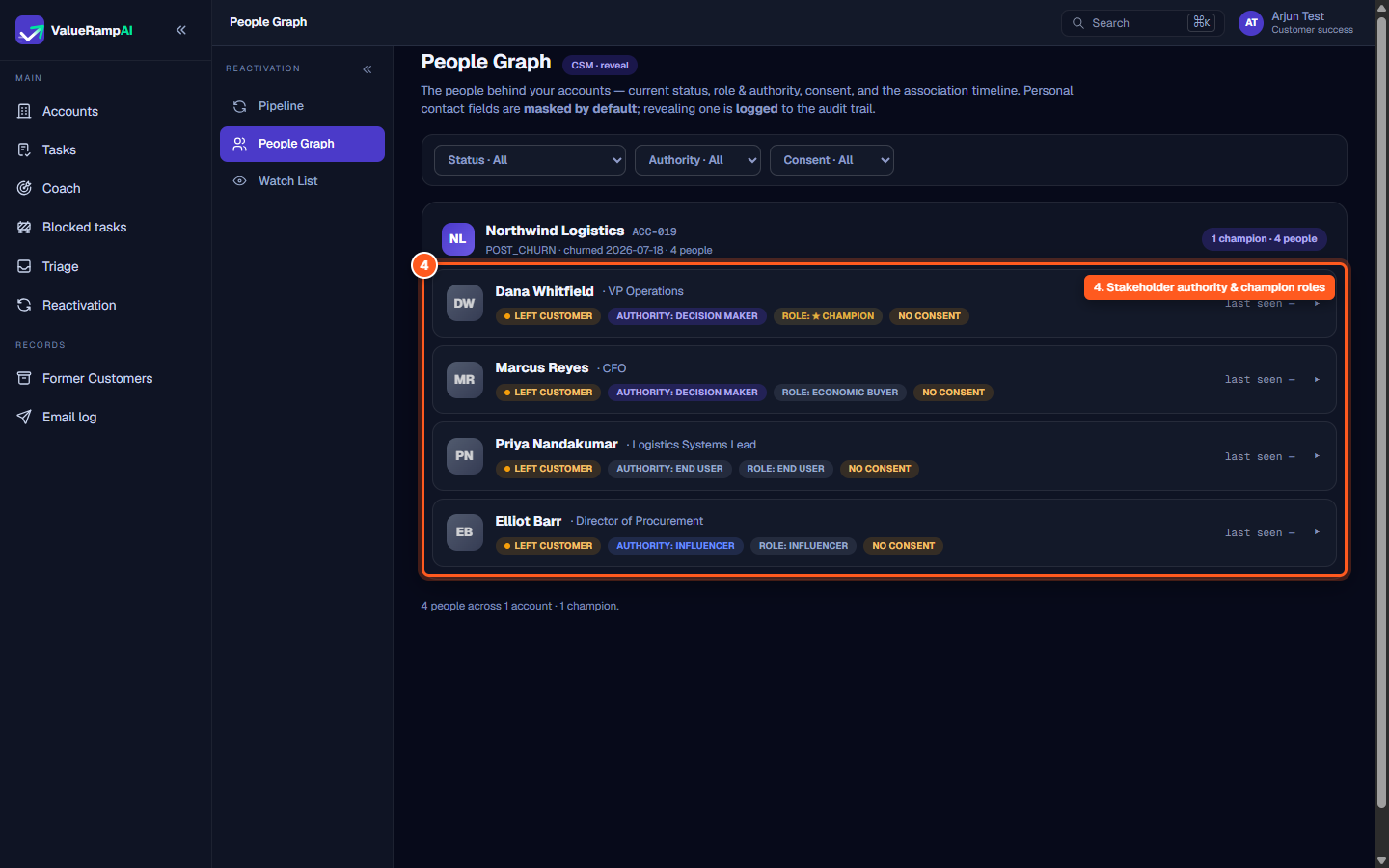
Role: ★ Championon the card and★ was championon a past association — so former advocates stand out during win-back planning. Each account banner counts its champions. - Association Timeline: Expanding any contact displays their chronological relationship with the account, including start date, departure date, and whether they churned with the account.
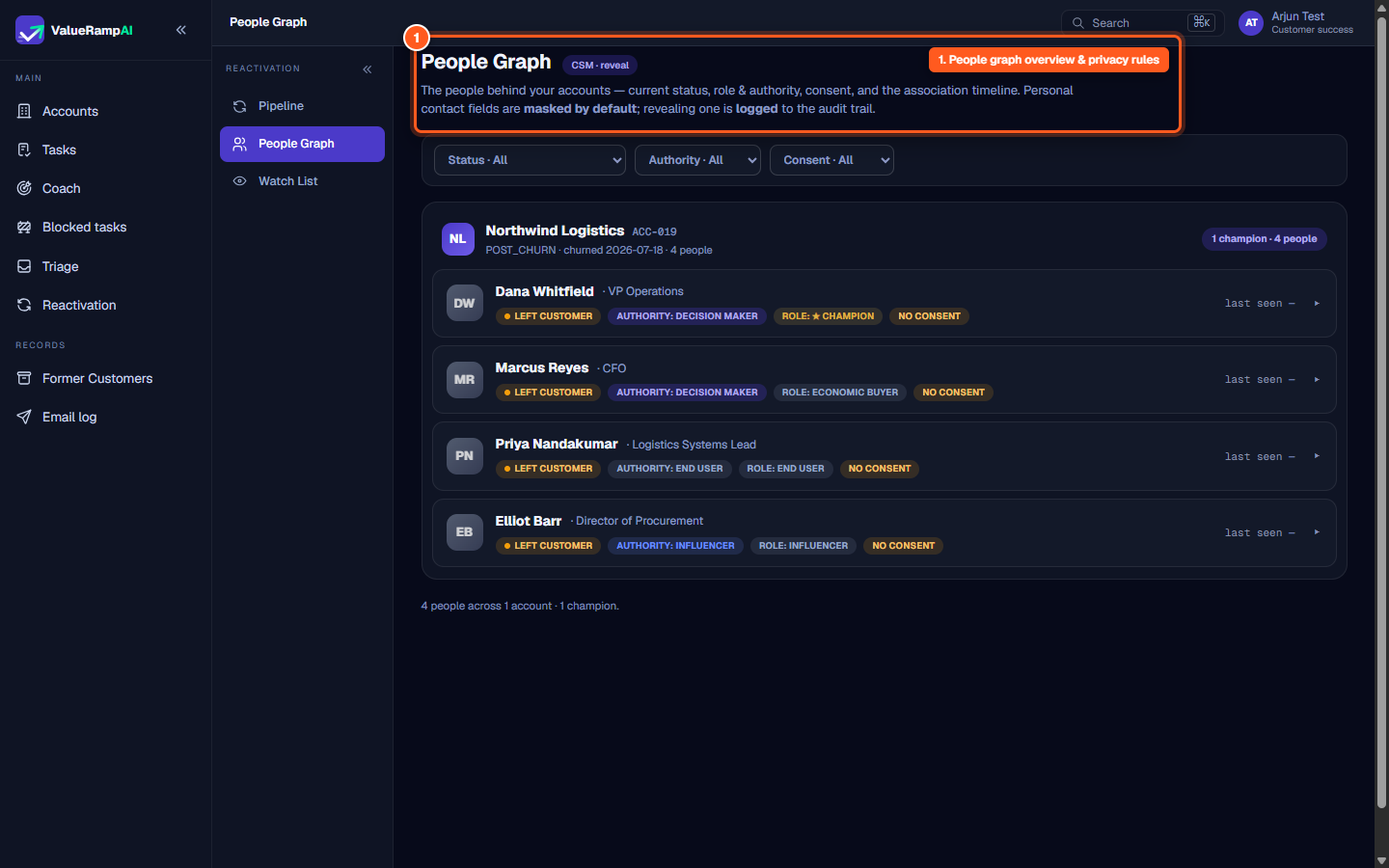
Steps
Review People Graph privacy rules and audit logging policies in the header
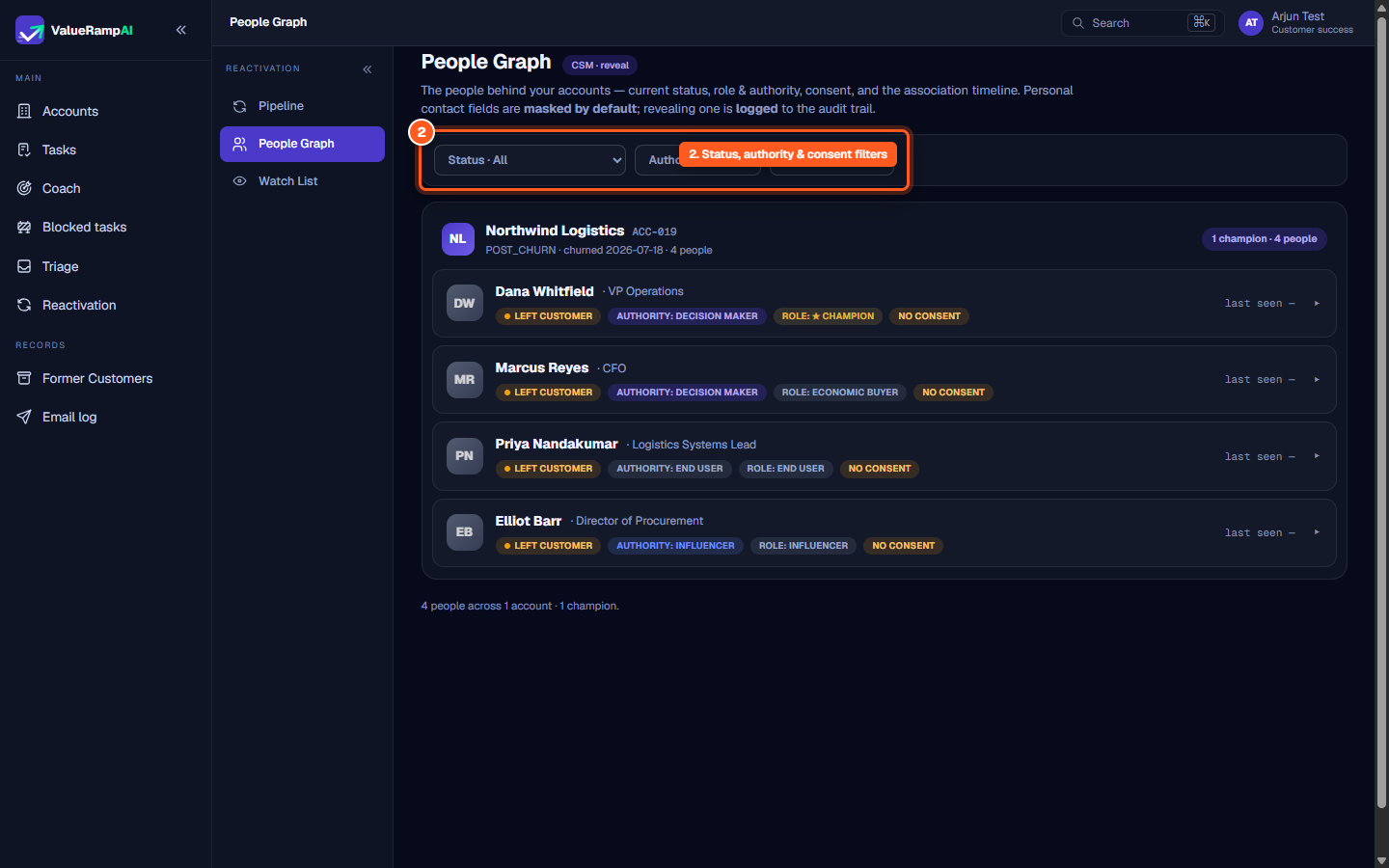
Filter stakeholders by employment status, authority level, and consent
Inspect account grouping banners for churn date, total contacts, and champions
Examine stakeholder cards for authority ratings, champion badges, and recency
Expand a contact to review masked PII, consent status, and association timelines
Common questions
Why are personal contact details masked by default?
What does the 'Stakeholder Follows Person' path mean?
What authority levels can be assigned to stakeholders?
How is contact consent granted?
Was this helpful? Tell us what was missing